Quick answer
Place the pad on a flat, stable spot within arm's reach, route the cable so it never pulls on the pad, and set your phone down centered every time. A fixed, consistent position is what makes desk wireless charging reliable.
Why placement matters more than pad specs
Wireless charging depends on coil alignment. If your phone sits even slightly off-center, charging slows or stops, and you may not notice until your battery is low. On a desk, the bigger risk is movement: a pad that slides when you pick up your phone ends up out of position, and you start each charge by nudging it back.
A pad with a reusable nano-suction adhesive base solves this by staying put while you lift the phone with one hand. That matters in a home office where you pick up and set down your phone dozens of times a day.
The trade-off: fixed vs. flexible placement
A permanently placed pad is more reliable but less flexible. If you share the desk or rearrange your setup often, choose a spot that stays clear of your keyboard, mouse, and notebook. Avoid placing the pad where you rest your wrist or where papers pile up, since clutter is the most common reason a desk pad stops being used.
Desk wireless charging setup steps
- Choose a flat, stable spot within arm's reach: Pick a spot on your desk that stays clear of your keyboard, mouse, and writing area. The surface should be smooth and flat so the pad sits flush. Common mistake: placing the pad at the back of the desk where you have to reach over other items, which leads to misalignment every time. Test the spot for a full day before committing; if you reach past it constantly, move it closer.
- Clean and dry the desk surface before placing the pad: Wipe away dust, crumbs, and sticky residue, then let the surface dry completely. The nano-suction base grips best on a clean, smooth surface. Common mistake: sticking the pad down over dust, which reduces grip and lets the pad shift.
- Press the pad down firmly and route the cable with slack: Set the pad in place and press evenly so the adhesive base makes full contact. Route the charging cable along the back edge of the desk with a little slack so it never pulls on the pad. Common mistake: a taut cable that lifts one side of the pad or drags it when you adjust your chair. Leave enough slack that the cable rests on the desk, not hanging from the pad.
- Center your phone on the pad every time: Set the phone down so its center lines up with the center of the pad. The soft-touch grip pad helps hold it in place. Common mistake: dropping the phone on the pad at an angle and assuming it is charging; check the charging indicator before you walk away.
- Keep the pad clear of heat sources and clutter: Do not stack papers, notebooks, or other devices on top of the pad, and keep it away from sunny windowsills or warm equipment. Common mistake: using the pad as a coaster for a hot mug, which can affect charging and damage the surface. A quick daily tidy of the pad area prevents most charging interruptions.
Product facts
-
Home/Office - Wireless Charging Pad: The Quad Lock® Wireless Charging Pad has a reusable nano-suction adhesive base and a soft-touch grip pad. The adhesive keeps the pad fixed to your desk so you can lift your phone one-handed without dragging the pad out of alignment.
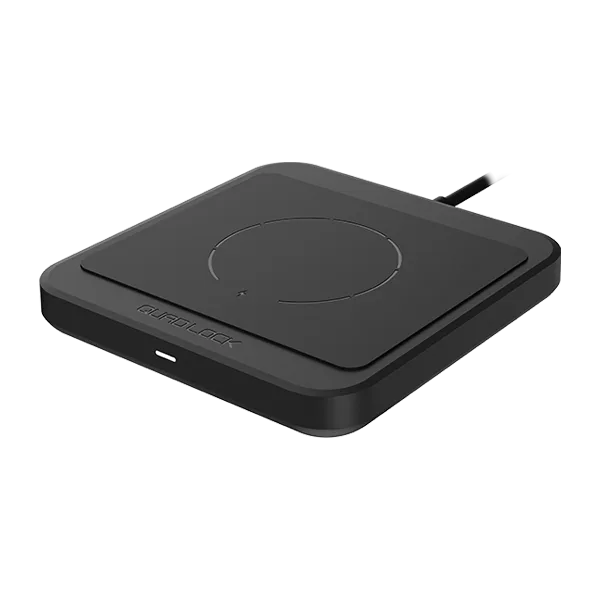
Home/Office - Wireless Charging Pad