Quick answer
Mount your HOTAS flight sim mounts directly to the left and right side of your aluminum extrusion rig using the 8mm T-slot, positioning the throttle on your non-dominant side and the stick where your arm rests naturally. Check that your profile has an 8mm slot and that the mounts clear your seat and pedals before tightening.
Why side-mounted HOTAS beats a desk clamp on an extrusion rig
Aluminum extrusion rigs give you a rigid, adjustable frame that desk clamps cannot match. Side-mounted HOTAS flight sim mounts attach directly to the profile, so the stick and throttle stay exactly where you set them instead of shifting under force. This matters most during long flights or combat sims where small movements add up.
The trade-off is that side mounts take up width. If your rig sits close to a wall or you share the space, measure the clearance on both sides before committing to a permanent left-and-right setup.
When a single-side mount is the better call
Not every sim setup needs both sides mounted. If you fly with a center stick or use a combined throttle-and-stick unit, a single side mount may be enough. Left right side flight mounts are most useful when you want separate throttle and stick positions that mirror a real cockpit layout.
Also consider your seating. A side mount works best when your chair has open sides; bulky armrests can block the mount or force you to sit off-center.
HOTAS mount setup FAQ
Will these mounts fit my aluminum extrusion rig?
The TR-One mounts attach to any aluminum profile with an 8mm T-slot. Check your rig's slot width before ordering; if your profile uses a different slot size, these mounts are not a direct fit. Measure the slot width with calipers if you are unsure whether your extrusion is 8mm.
How do I position the throttle and stick?
Mount the throttle on your non-dominant side and the stick on your dominant side, both at a height where your forearms rest roughly parallel to the floor. Sit in your seat and test reach before tightening the mounts. Adjust the mount height and angle before your first flight, not after.
Can I use these mounts with a shifter mount?
The TR-One kit can attach to a Gen2 Trak Racer Shifter Mount in addition to 8mm T-slot profile. If you already run a shifter mount, check that the combined setup does not crowd your throttle side. Plan the order of accessories on each side so the HOTAS mounts do not block shifter or button box access.
Do I need to remove the mounts between sessions?
No. Side-mounted HOTAS flight sim mounts are designed to stay on the rig. Leave them in place and slide your seat in and out instead of unclamping the controls. Mark your preferred mount positions with tape or a pencil line so you can reset them quickly after cleaning.
Product facts
-
HOTAS Flight Sim Mounts for Aluminum Extrusion Simulators – Left and Right Side: The TR-One Flight Sim Mount Kit includes two mounts that attach to the left and right side of your cockpit on any aluminum profile with an 8mm T-slot. This means you can set up separate throttle and stick positions without drilling or custom brackets, as long as your rig uses standard 8mm slot extrusion.
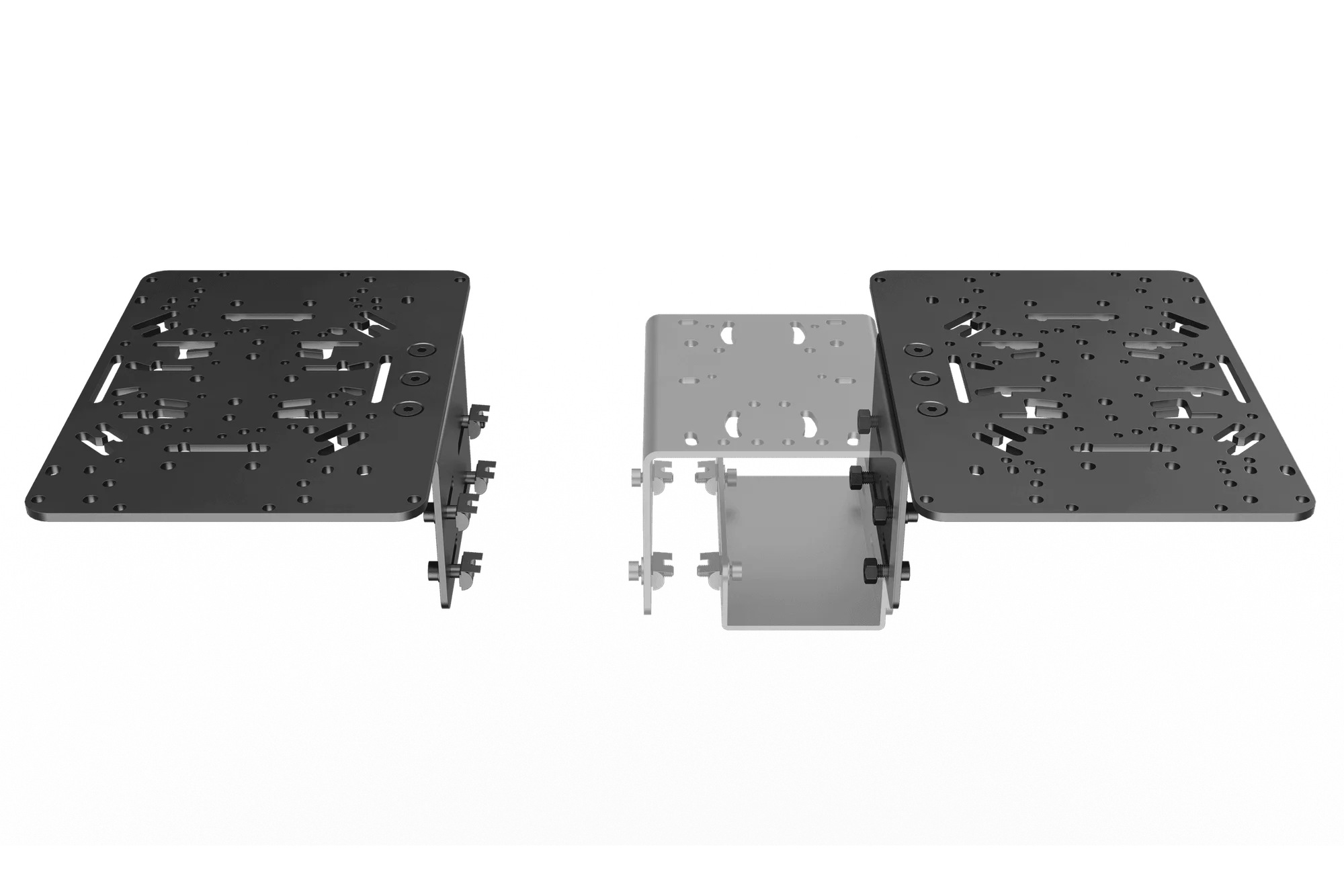
HOTAS Flight Sim Mounts for Aluminum Extrusion Simulators – Left and Right Side