Quick answer
To apply a die-cut vinyl sticker to your laptop without bubbles, clean the surface thoroughly, use the hinge method for alignment, and smooth from the center outward with a squeegee.
Why die-cut vinyl stickers need special care on laptops
Laptop surfaces are often textured or coated, which can make adhesion trickier than on a smooth glass or plastic surface. Die-cut vinyl stickers have a thin, flexible profile that conforms well to slight curves, but trapped air or dust can create permanent bubbles.
The Reaper 'Live, Laugh, Leave Me Alone' - Die-Cut Vinyl Sticker - Green is a durable matte die-cut sticker that works great on laptops when applied carefully. Its 3" x 3" size is small enough to avoid complex curves but still benefits from a bubble-free method.
Step-by-step guide to a bubble-free laptop sticker application
- Clean the laptop surface: Wipe the area with a lint-free cloth and isopropyl alcohol to remove oils and dust. Let it dry completely. Any residue will trap air and cause bubbles later.
- Position the sticker using the hinge method: Peel a small corner of the backing paper and align the sticker on the laptop. Press the exposed corner down, then slowly peel the rest of the backing while smoothing the sticker with your other hand. This prevents the sticker from sticking prematurely and lets you adjust alignment.
- Smooth from the center outward: Use a squeegee or a credit card wrapped in a soft cloth to push air bubbles toward the edges. Work from the center of the sticker outward in firm, overlapping strokes. Never push from the edges inward — that traps air in the middle.
- Press edges firmly: After smoothing, run your fingernail or squeegee along all edges to ensure full adhesion. Pay extra attention to corners and curves. Lifted edges are the most common failure point on laptops.
- Wait 24 hours before heavy use: Let the adhesive cure for a full day before closing the laptop lid or placing it in a bag. Avoid rubbing or wetting the sticker during this time. Rushing the cure can cause peeling or bubbles to reappear.
Product facts
-
Reaper 'Live, Laugh, Leave Me Alone' - Die-Cut Vinyl Sticker - Green: Durable matte die-cut sticker. Approximately 3" x 3". The matte finish reduces glare on a laptop lid, and the compact size makes it easy to position without creasing.
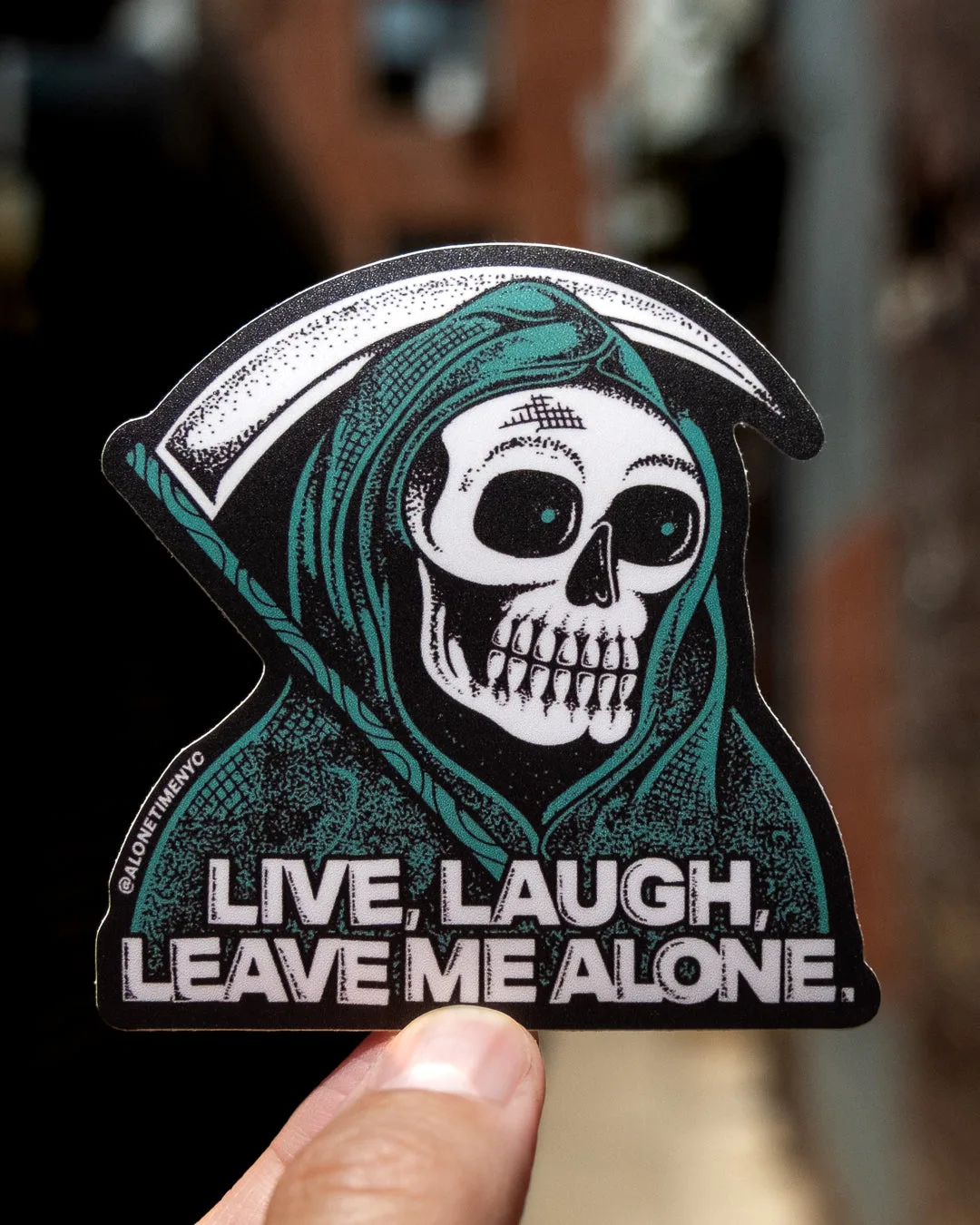
Reaper 'Live, Laugh, Leave Me Alone' - Die-Cut Vinyl Sticker - Green