What This Adapter Ring Does
The NiSi Adapter Ring bridges your NiSi C4 Cinema Filter Holder Kit (or the included V5 Alpha holder) with your lens. It also works with the filter holder from a NiSi V5 100mm, V5 Pro 100mm, or V6 series 100mm filter holder kit. This single ring lets you use the same square filter system across different lens thread sizes without buying a second holder.
The ring is available in 62mm, 82mm, 86mm, and 95mm thread sizes, so you can match it to your lens front thread. Its aluminum-alloy construction keeps the setup light while holding the holder securely.
NiSi Adapter Ring at a Glance
-
NiSi Adapter Ring for C4 Cinema Filter Holder and V5 or V6 Series 100mm Filter Holders -: This NiSi Adapter Ring allows a NiSi V5 Alpha 100mm Filter Holder, the filter holder included with a NiSi C4 Cinema Filter Holder Kit, as well as the filter holder included with a NiSi V5 100mm or V5 Pro 100mm Filter Holder Kit, to be used on a lens with the corresponding filter thread size (82mm, 86mm, or 95mm). One ring adapts multiple NiSi holder generations to your lens, so you don't need to buy a dedicated holder for each thread size.
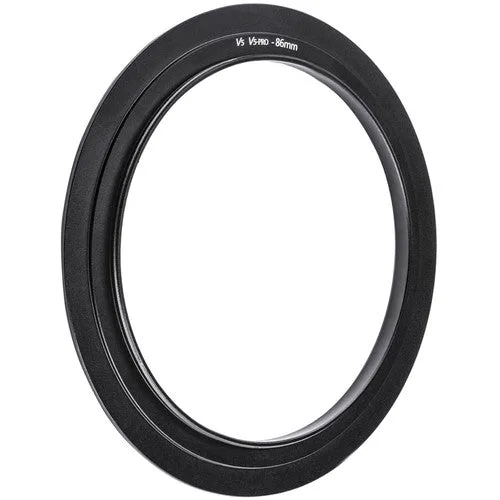
NiSi Adapter Ring for C4 Cinema Filter Holder and V5 or V6 Series 100mm Filter Holders -
-
NiSi Adapter Ring for C4 Cinema Filter Holder and V5 or V6 Series 100mm Filter Holders -: It features an aluminum-alloy construction for durability while remaining lightweight. The metal build resists wear from frequent mounting and dismounting without adding noticeable weight to your rig.
How to Attach the Adapter Ring
Thread the adapter ring onto your lens just like a standard filter. Turn it clockwise until it seats snugly but do not overtighten.
Align the NiSi filter holder (C4, V5, V5 Pro, or V6) with the adapter ring's bayonet or locking mechanism. Press it into place and rotate to lock, following your holder's own instructions.
Check that the holder is fully seated and does not wobble. If your lens has a rotating front element, ensure the holder does not bind or shift during focus.
- Step 1: Choose the correct thread size: Select the adapter ring variant that matches your lens filter thread (62mm, 82mm, 86mm, or 95mm). The ring threads directly onto the lens.
- Step 2: Mount the ring: Screw the ring onto the lens front thread. Hand-tighten until it stops; avoid using tools.
- Step 3: Attach the filter holder: Line up the holder with the adapter ring and lock it into place. The ring is designed for NiSi V5 Alpha, V5, V5 Pro, V6, and C4 cinema holders.
- Step 4: Verify fit: Rotate the holder gently to confirm it is locked. If you use a wide-angle lens, check for vignetting with the holder and filter stack.
Compatibility Check Before You Buy
The adapter ring only works with NiSi 100mm filter holders from the V5, V5 Pro, V6, and C4 cinema series. It does not fit other brands or older NiSi holder generations. Measure your lens filter thread (printed on the lens barrel or cap) and pick the matching adapter size.
If your lens has a non-standard front thread or a built-in hood, you may need a step-up ring first. The adapter ring itself does not include step-up or step-down functionality.
Care and Handling
The aluminum-alloy ring is durable, but avoid dropping it or forcing it onto a lens with damaged threads. Keep the ring threads clean; a blower or soft brush removes dust before mounting. Store the ring in a padded case or pouch to prevent scratches.