Quick Answer
You can build a working fart machine using Circuit Blox parts and the BYO Burp 'n Fart Machine sound module. Follow the steps below to assemble the circuit, hide the device, and prank your friends.
Why Use the BYO Burp 'n Fart Machine Module
The BYO Burp 'n Fart Machine includes 10 pre-loaded sound effects, including realistic burps and farts. It's designed to snap into standard Circuit Blox builds, so you don't need to program or record anything. The module also works with brick-style construction toys, letting you hide it inside larger structures.
Common Mistake: Power Polarity
A frequent issue when building sound circuits is reversing the battery pack wires. Always double-check that the red wire connects to the positive (+) terminal and the black wire to the negative (-) terminal on the Circuit Blox base grid. Reversing polarity can prevent the sound module from working and may damage components.
Step-by-Step Build Instructions
- Step 1: Gather Your Parts: You need a Circuit Blox base grid, a battery pack (with batteries), the BYO Burp 'n Fart Machine module, and a push-button switch (or any momentary switch from your Circuit Blox set). Also grab a few jumper wires if your set includes them. Make sure the battery pack has fresh batteries; weak batteries can cause the sound module to play slowly or not at all.
- Step 2: Connect the Power: Snap the battery pack onto the base grid. Connect the red wire to the positive (+) power rail and the black wire to the negative (-) power rail. Use a jumper wire to extend the power rails if needed. Double-check polarity before connecting the module. Reversed power is the #1 cause of failure in sound builds.
- Step 3: Attach the Sound Module: Snap the BYO Burp 'n Fart Machine onto the base grid so its pins align with the power rails. The module's built-in speaker faces upward for the best sound projection. If the module doesn't fit snugly, rotate it 180 degrees – the pin layout is symmetrical on some Circuit Blox boards.
- Step 4: Wire the Trigger Switch: Connect one leg of the push-button switch to the positive power rail and the other leg to the 'trigger' input on the sound module. When you press the button, the circuit closes and the module plays a random sound. A common mistake is using a latching switch instead of a momentary one. A latching switch will keep the sound playing continuously.
- Step 5: Test and Hide Your Machine: Press the button to test. You should hear a different sound each time. Once it works, build a brick enclosure around the module to hide it. Leave a small hole for the speaker and another for the button. Test the sound volume before sealing the enclosure. If it's too quiet, check that the speaker isn't blocked by bricks.
- Step 6: Prank Your Friends: Place the hidden fart machine under a couch cushion, inside a backpack, or behind a plant. Press the button remotely (or have someone else trigger it) for maximum laughs. For a remote trigger, you can replace the push button with a long wire pair and a hidden switch. Just keep the wire length under 3 feet to avoid signal loss.
What You Need
-
BYO Burp 'n Fart Machine: The BYO Burp 'n Fart Machine has 10 hilarious sounds including burp and fart sounds that are so real you’ll be holding your nose. This module provides all the sound effects you need without extra programming, making it the easiest way to add realistic fart and burp noises to your Circuit Blox project.
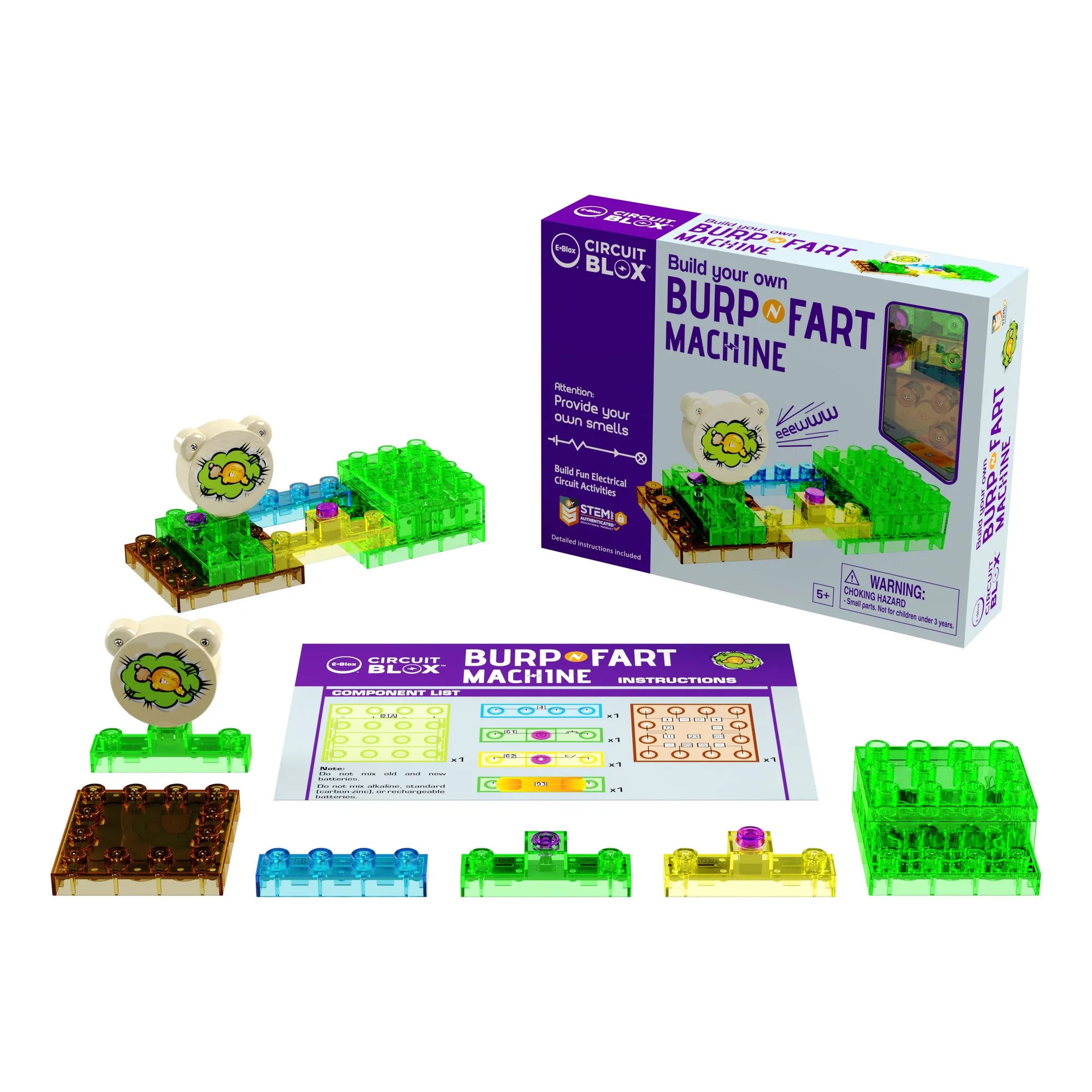
BYO Burp 'n Fart Machine