Quick answer
Choose a front door bundle based on your preferred access method: a keypad option like the Yale Assure Lock 2 Keypad with Bluetooth if you want physical key backup, or a key-free touchscreen model like the Yale Assure Lock 2 Key-Free Touchscreen with Wi-Fi if you prefer full smartphone control and no keys at all.
Keypad vs key-free: the main trade-off
The biggest decision in a front door bundle is whether you want a physical key backup. Keypad models include a traditional key cylinder, so you can still unlock with a key if batteries die or you forget the code. Key-free models remove the key cylinder entirely, meaning you rely solely on codes, Bluetooth, or Wi-Fi. This reduces the risk of lock picking but requires battery awareness and a backup plan.
Bluetooth vs Wi-Fi connectivity
Bluetooth models let you unlock via your phone when you're nearby, but they don't connect to your home network. Wi-Fi models give you remote access: you can lock or unlock from anywhere, share codes remotely, and receive activity alerts. Wi-Fi also enables voice assistant integration. Consider whether remote access matters to you, or if local Bluetooth control is enough.
Finish and style considerations
Front door bundles typically include a lock and a handle or lever in a matching finish. Yale offers several finishes like satin nickel, oil-rubbed bronze, and matte black. Choose a finish that complements your door hardware and exterior design. The finish also affects durability — darker finishes may show scratches more easily, while lighter finishes can hide dust.
Decision rules for choosing your front door bundle
- Access method: Do you want a physical key as backup? If yes, choose a keypad bundle like the Yale Assure Lock 2 Keypad. If no, go key-free with a touchscreen model.
- Remote access needs: Do you need to lock/unlock from anywhere? If yes, pick a Wi-Fi bundle like the Yale Assure Lock 2 Key-Free Touchscreen. If local control is enough, Bluetooth works fine. Wi-Fi models require a stable home network and may need a hub for some features.
- Battery life and backup: Keypad bundles with a physical key offer a backup if batteries die. Key-free bundles need a 9V battery jump or external power source. Plan to change batteries annually or when low-battery alerts appear. Set a yearly calendar reminder to replace batteries in any smart lock.
- Finish and style: Match the bundle finish to your existing door hardware. Yale offers multiple finishes; check product options before purchasing. Consider how the finish will look over time.
Product facts
-
Yale Assure Lock 2 Keypad with Bluetooth and Valdosta Lever: The Yale Assure Lock 2 Keypad with Bluetooth and Valdosta Lever includes a physical keypad and Bluetooth connectivity, plus a traditional key cylinder for backup. This bundle gives you the flexibility of keyless entry with the security of a physical key, making it a reliable choice for households that want a backup option.
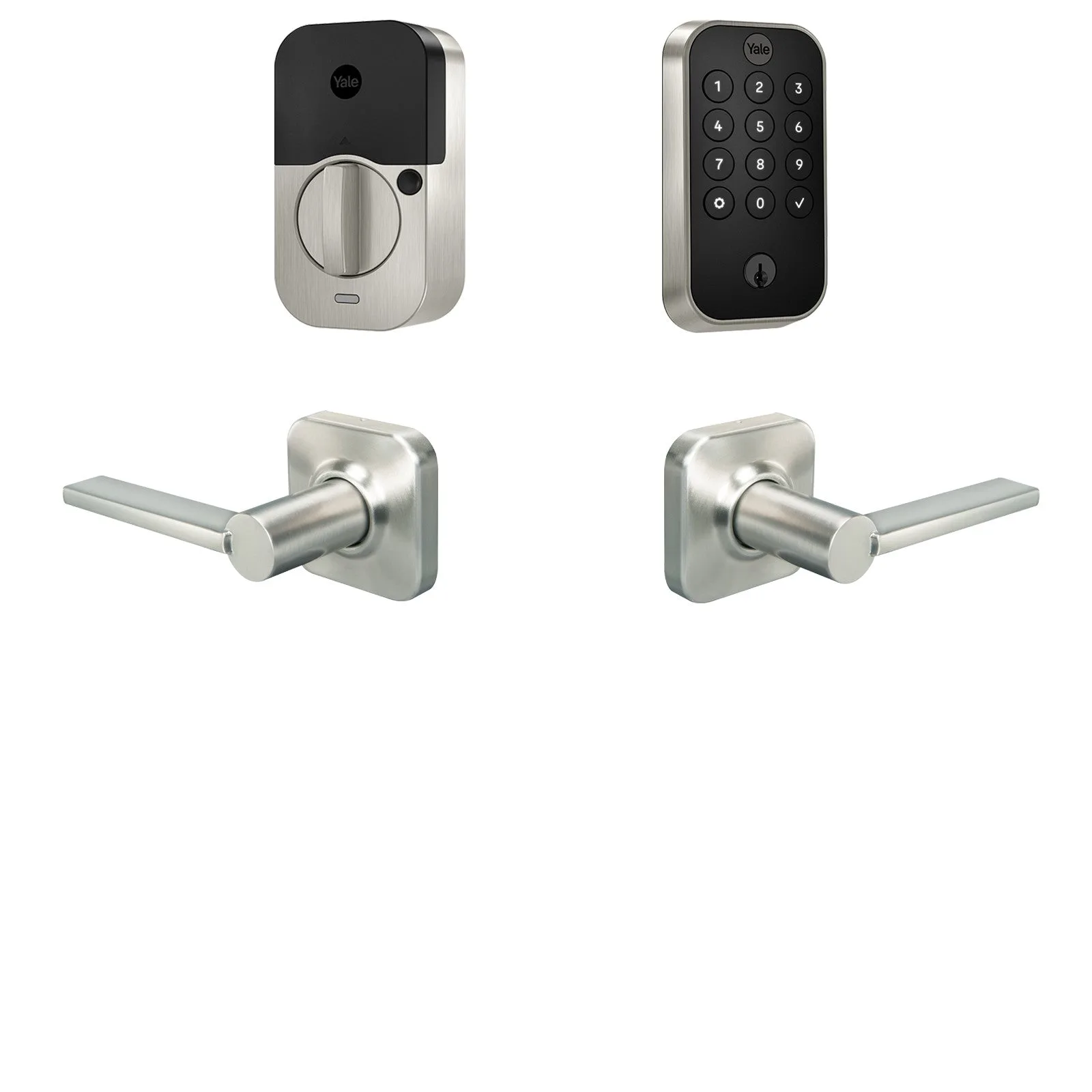
Yale Assure Lock 2 Keypad with Bluetooth and Valdosta Lever
-
Yale Assure Lock 2 Key-Free Touchscreen with Wi-Fi and Ridgefield Handle: The Yale Assure Lock 2 Key-Free Touchscreen with Wi-Fi and Ridgefield Handle has a touchscreen keypad, Wi-Fi for remote access, and no key cylinder. This bundle is ideal if you want full remote control and a sleek key-free design, but you'll need to plan for battery changes and have a backup access method.
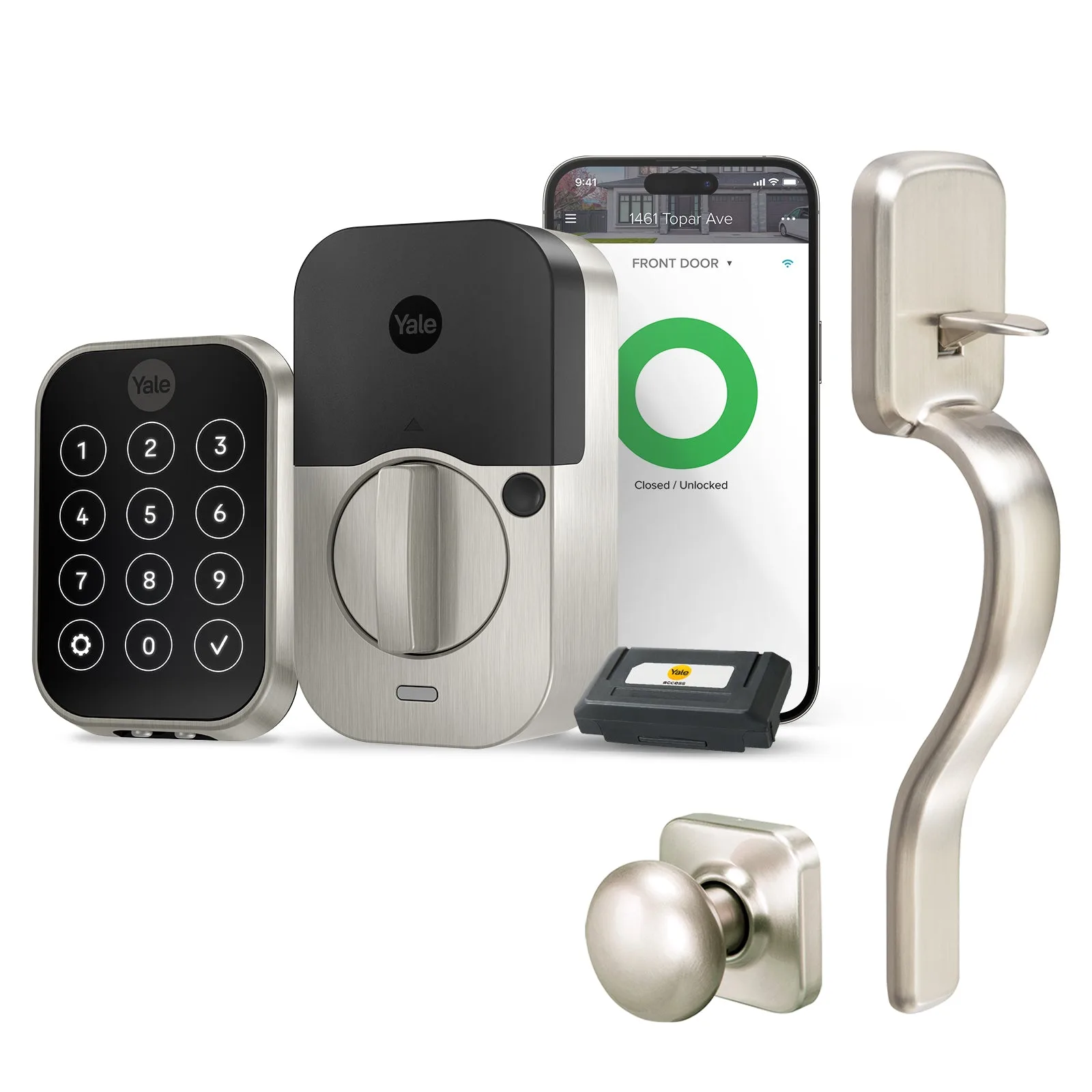
Yale Assure Lock 2 Key-Free Touchscreen with Wi-Fi and Ridgefield Handle
Which bundle fits you?
Best for
- Homeowners who want a key backup and prefer Bluetooth-only control
- Tech-savvy users who want full remote access and a key-free design
Not for
- Those who need a traditional deadbolt-only lock without a lever or handle
- Renters who cannot modify the door or install a smart lock