Quick answer
For most gaming and desk setups, an extended desk mat with a smooth fabric surface and non-slip rubber base offers the best balance of comfort, control, and style. Choose a smaller pad only if you have limited space or want a portable option.
Size: desk mat vs. standard mouse pad
The biggest decision is size. A standard mouse pad (around 28 × 20 cm) covers just the mouse area, while an extended desk mat (like 80 × 44 cm) spans keyboard and mouse. Extended mats protect the whole desk surface, reduce clutter, and give you a consistent glide area for low-sensitivity gaming. The trade-off is that they take up more space and may not fit small desks or tight corners.
If you often move between home and office, a compact pad is easier to carry. But if you have a dedicated setup, the extended coverage usually feels more immersive and keeps your keyboard from sliding.
Material: smooth fabric vs. hard surfaces
Most gaming pads use a smooth fabric surface, which offers a good balance of speed and control. Fabric pads are quiet, comfortable for your wrist, and work well with both optical and laser mice. Hard surfaces (like plastic or glass) provide more speed but can be noisy and less comfortable for long sessions.
If you play fast-paced shooters, a smooth fabric pad with a non-slip rubber base is a safe choice. For precise work like photo editing, the same fabric surface gives enough control without sacrificing glide.
Design and desk style
A mouse pad is also a desk accessory. Themed designs can tie your setup together and make your workspace feel more personal. But remember that busy patterns might distract some users, and light-colored surfaces show dust more easily. Choose a design you enjoy, but prioritize a surface that stays clean and performs well.
Decision rules for choosing your mouse pad
- Measure your desk: Clear the area where you plan to place the pad. If you have at least 80 cm of width and 40 cm of depth, an extended desk mat fits comfortably. If not, choose a standard pad to avoid overhang. Use a tape measure to confirm dimensions before buying.
- Consider your game type: For fast-paced shooters that need low sensitivity, an extended mat gives you more room to move the mouse without hitting the edge. For strategy or casual games, a smaller pad is usually sufficient.
- Decide on wrist support: If you experience wrist fatigue during long sessions, choose a pad with a memory foam wrist rest. If you prefer free movement, a flat pad is better. Test your current setup: do you rest your wrist on the desk? If yes, consider a wrist rest.
- Match the surface to your mouse: Most mice work on smooth fabric, but if you use a very high-DPI mouse, a smaller pad is fine. For low-DPI settings, go bigger.
- Think about portability: If you travel or move between setups, a small pad is easier to pack. Extended mats are best for a permanent desk.
GeekShare mouse pads at a glance
-
GeekShare Magic Bunny Mouse Pad and Desk Mat: Available as an 80 × 44 cm big desk mat, a 28 × 20 cm small mouse pad, or a 41 × 7 cm wrist rest option, with a non-slip rubber base and memory foam wrist rest. This flexibility lets you match the size to your desk and add wrist support if you spend long hours at the keyboard.
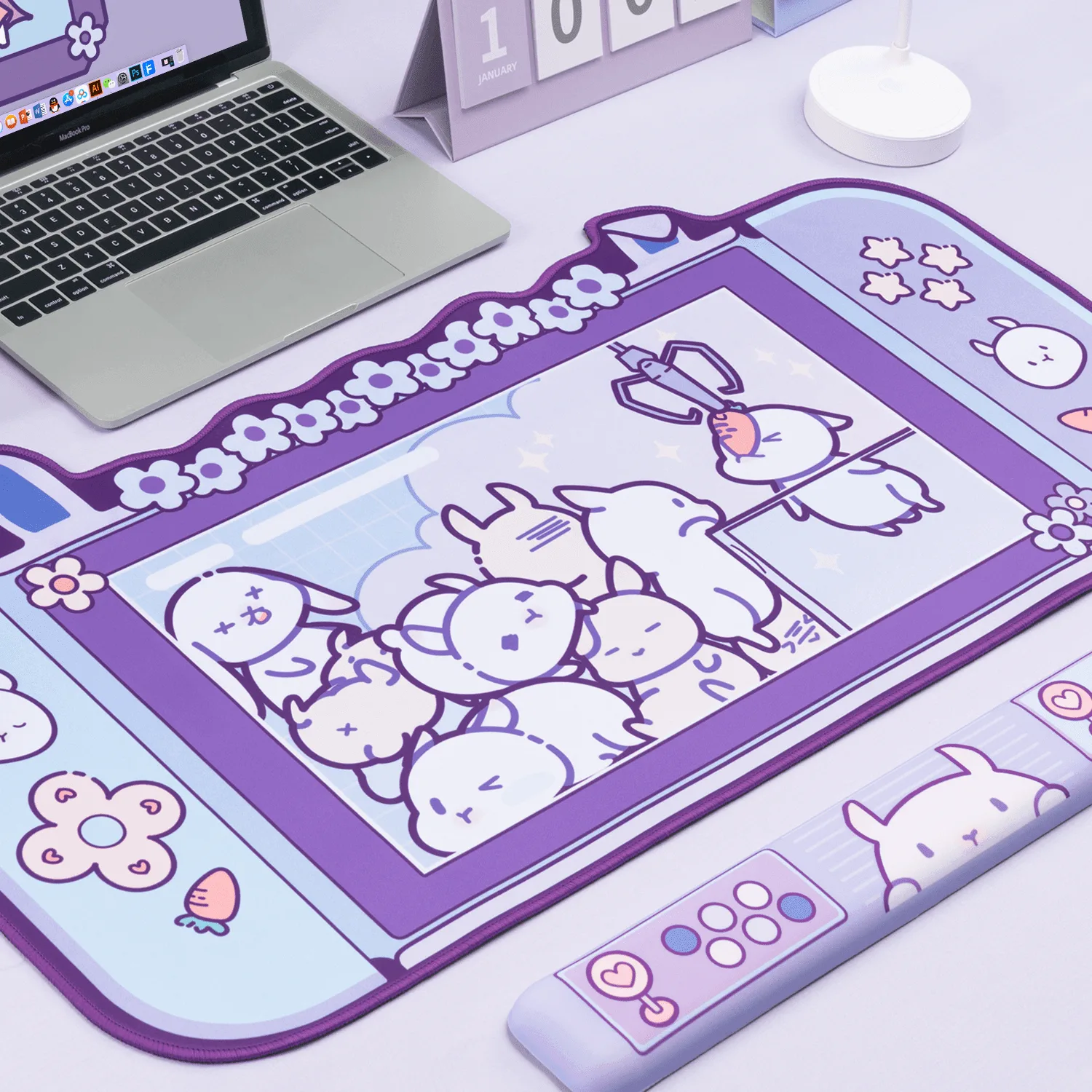
GeekShare Magic Bunny Mouse Pad and Desk Mat
-
GeekShare Star Wings Extended Mouse Pad: Large 860 × 390 mm size provides extended desk coverage, with a smooth fabric surface and non-slip rubber base. The extended size covers keyboard and mouse, giving you a consistent glide area and protecting your desk from scratches.
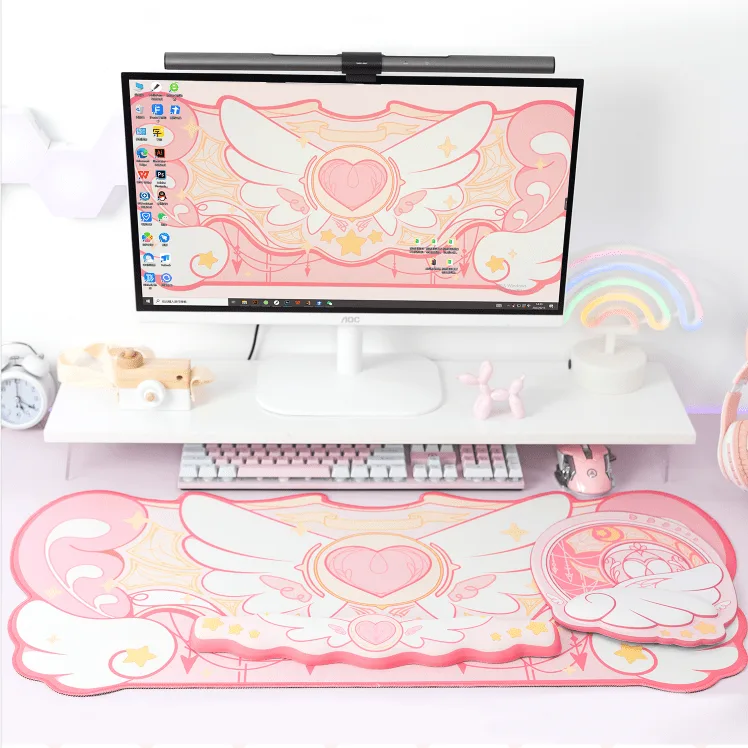
GeekShare Star Wings Extended Mouse Pad
Who should choose which type
Best for
- Gamers with dedicated desks who want consistent glide and extra mouse room
- Users who want to protect the desk surface and reduce clutter with an extended mat
Not for
- People with very small desks or limited surface space
- Users who need a portable pad for travel or shared workspaces