Quick answer
Choose a vertical laptop stand based on material stability, adjustability for different laptop sizes, and passive cooling design. The TECKNET Adjustable Aluminum Vertical Laptop Stand TK-VT001 is a solid option for most desk setups.
Why material matters for stability and cooling
A vertical laptop stand needs to hold your laptop securely without wobbling. Aluminum alloy stands offer a good balance of strength and weight, and they act as passive heat sinks to help dissipate heat from the laptop's underside. Plastic stands are lighter and cheaper but may flex under heavier laptops and don't conduct heat as well.
Adjustability vs. fixed slots
Adjustable stands let you fit different laptop thicknesses, which is useful if you switch devices or plan to upgrade. Fixed-slot stands are simpler and often more stable but may not accommodate thicker laptops with rubber feet or cases. Consider your current and future laptop size before deciding.
Desk space and cable management
Vertical stands free up horizontal desk space by storing the laptop upright, which is ideal for small desks or dual-monitor setups. Some models include cable routing or cutouts to keep charging cables tidy. If you frequently plug in peripherals, check that ports remain accessible when the laptop is vertical.
Decision rules for choosing a vertical laptop stand
- Check your laptop thickness and weight: Measure your laptop's closed height and weight. Adjustable stands like the TK-VT001 accommodate a range of sizes, while fixed-slot stands may only fit standard ultrabooks. If you have a thick gaming laptop or one with rubber feet, choose an adjustable model.
- Prioritize material for stability: Aluminum alloy stands provide better stability and passive cooling than plastic. They are heavier, which helps prevent tipping, but also cost more. For a permanent desk setup, aluminum is worth the investment.
- Consider port access and cable routing: Look for a stand that leaves the laptop's side ports accessible and has cutouts or slots for cable management. This keeps your desk tidy and avoids straining cables. If you use multiple peripherals, verify port clearance before buying.
- Evaluate desk space and mobility: Vertical stands save horizontal space but take up some depth. If you move your setup often, a lighter plastic stand might be more portable, though less stable. For a stationary home office, go with a sturdy aluminum stand.
Product spotlight
-
TECKNET Adjustable Aluminum Vertical Laptop Stand TK-VT001: Maximize desk space by storing your laptop upright, creating an organized and clean workstation. Constructed from high-grade aluminum alloy for rock-solid stability and passive heat sink to enhance airflow. This means you can reclaim valuable desk area while keeping your laptop cool during extended use, without needing an active fan.
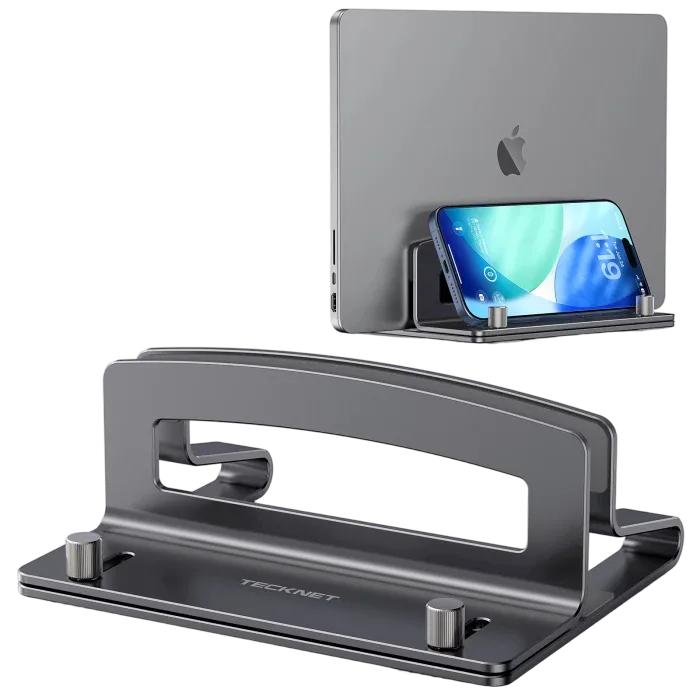
TECKNET Adjustable Aluminum Vertical Laptop Stand TK-VT001
Who should buy a vertical laptop stand
Best for
- People with small desks who need to reclaim horizontal space
- Users who keep their laptop closed and use an external monitor, keyboard, and mouse
- Those who want passive cooling and a clean, organized workspace
Not for
- Users who frequently open and close their laptop throughout the day
- Anyone who needs a stand with built-in USB ports or active fans
- People with very thick or heavy laptops that exceed the stand's adjustable range