Quick answer
Count every screen and device that needs a wired HDMI connection, measure the longest run in each room, then buy a pack that covers those runs with one or two spares. For most multi-screen homes, a 5-pack of 10 ft cables handles the main rooms, while a 10-pack of 8 ft cables suits shorter, device-dense setups.
Why pack size matters more than cable count alone
Buying a single cable at a time usually costs more per cable and leaves you short when a new device arrives. A multipack lowers the per-cable cost and gives you a spare for troubleshooting or a new streaming stick. The trade-off is that pack sizes are fixed, so matching the pack to your actual room layout avoids leftover cables that are too short or too long.
Length and pack size work together. A 10-pack of 8 ft cables is only a good deal if most of your runs are under 8 ft; otherwise you will need extensions or longer cables that add cost and clutter.
When a larger pack is the wrong choice
If you have one TV and one soundbar, a 10-pack is overkill. Cables sitting in a drawer still cost money, and very long runs may need a different cable specification than a standard 18Gbps HDMI 2.0 cable. Also, pack sizes do not always match room-by-room needs: a home with two distant TVs may be better served by two smaller packs of different lengths than one large pack of a single length.
Steps to pick the right HDMI cable pack size
- List every screen and source: Write down each TV, monitor, projector, streaming stick, game console, and Blu-ray player that will use HDMI. Count one cable per connection, not per device. Include secondary screens like a bedroom TV or a computer monitor; they add up fast.
- Measure the longest run in each room: Use a tape measure or string to find the distance from each source to its screen, following the path the cable will take around furniture and walls. Add 1–2 ft of slack for strain relief. A cable that is too short is useless; always round up to the next common length.
- Group runs by length: Sort your measured runs into short (under 8 ft) and medium (8–12 ft) groups. This tells you whether one pack length can serve most rooms or whether you need two different packs. If most runs are under 8 ft, an 8 ft pack is the efficient choice.
- Add one or two spares: Add 10–20% to your total cable count for spares, or at least one extra cable. Spares help when a cable fails or a new device arrives. A spare cable is cheaper than a second emergency order.
- Match pack size to your total: Compare your total (including spares) to available pack sizes. Choose the smallest pack that covers your needs; if you are between sizes, size up only if the extra cables fit your future plans. Do not buy a 10-pack for a 4-cable need unless you have a clear use for the extras.
- Confirm the cable specification: Check that the cables support the resolution and refresh rate you need. For 4K at 60Hz, look for 18Gbps HDMI 2.0 cables. If you need longer than 15 ft, verify performance claims before buying. Pack size does not change cable capability; a longer cable may need a different spec.
Product facts to know
-
RitzGear 4K HDMI Cables | 10-Pack of 8 Ft. High-Speed 18Gbps HDMI 2.0 Connectors | Durable Braided Nylon, Gold Plating, 4K @ 60Hz Ultra HD, 3D, 2160p, 1080p & Ethernet Support for TV, Laptop & Gaming: 10-pack of 8 ft high-speed 18Gbps HDMI 2.0 cables with braided nylon and gold-plated connectors, supporting 4K at 60Hz. The 8 ft length suits short runs from a wall-mounted TV to a nearby streaming stick or console, and the 10-pack covers many devices at once.
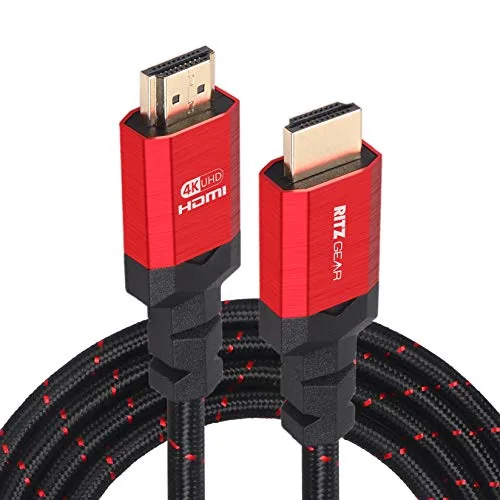
RitzGear 4K HDMI Cables | 10-Pack of 8 Ft. High-Speed 18Gbps HDMI 2.0 Connectors | Durable Braided Nylon, Gold Plating, 4K @ 60Hz Ultra HD, 3D, 2160p, 1080p & Ethernet Support for TV, Laptop & Gaming
-
RitzGear 4K HDMI Cables | 5-Pack of 10 Ft. High-Speed 18Gbps HDMI 2.0 Connectors | Durable Braided Nylon, Gold Plating, 4K @ 60Hz Ultra HD, 3D, 2160p, 1080p & Ethernet Support for TV, Laptop & Gaming: 5-pack of 10 ft high-speed 18Gbps HDMI 2.0 cables with the same 4K 60Hz, ARC, and Ethernet support. The extra 2 ft helps when a TV is across the room from the source, and five cables often match a typical living-room-plus-bedroom setup.
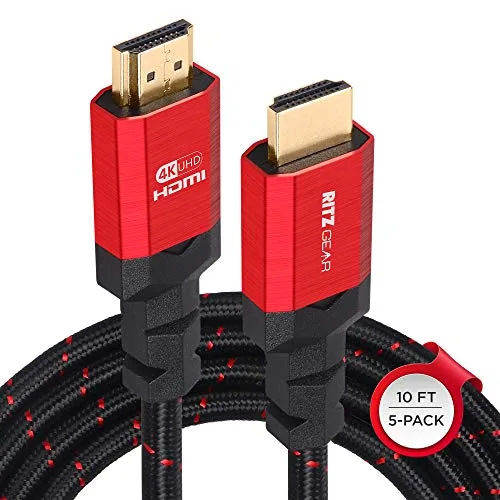
RitzGear 4K HDMI Cables | 5-Pack of 10 Ft. High-Speed 18Gbps HDMI 2.0 Connectors | Durable Braided Nylon, Gold Plating, 4K @ 60Hz Ultra HD, 3D, 2160p, 1080p & Ethernet Support for TV, Laptop & Gaming