Quick answer
Pick a Cable Bite Pokemon that fits your cable thickness and matches your favorite character. The six options — Pikachu, Eevee, Piplup, Psyduck, Meowth, and Munchlax — all work with standard iPhone charging cables, so your main decision is which Pokemon you want nibbling on your cord.
Why a Cable Bite is more than a decoration
A Cable Bite Pokemon does two jobs at once: it protects the vulnerable joint where your charging cable meets the connector, and it adds a playful anime touch to your desk or nightstand. The silicone material absorbs bending stress that would otherwise fray the cable over time. Because the character "bites" onto the cable, it stays put without sliding around.
The trade-off is that the Cable Bite adds a small lump near the connector, which may not fit every tight charging port or case opening. For most standard iPhone cables and slim cases, it works fine. If you use a bulky protective case, test the fit before committing to a permanent spot.
Character selection: six Pokemon to choose from
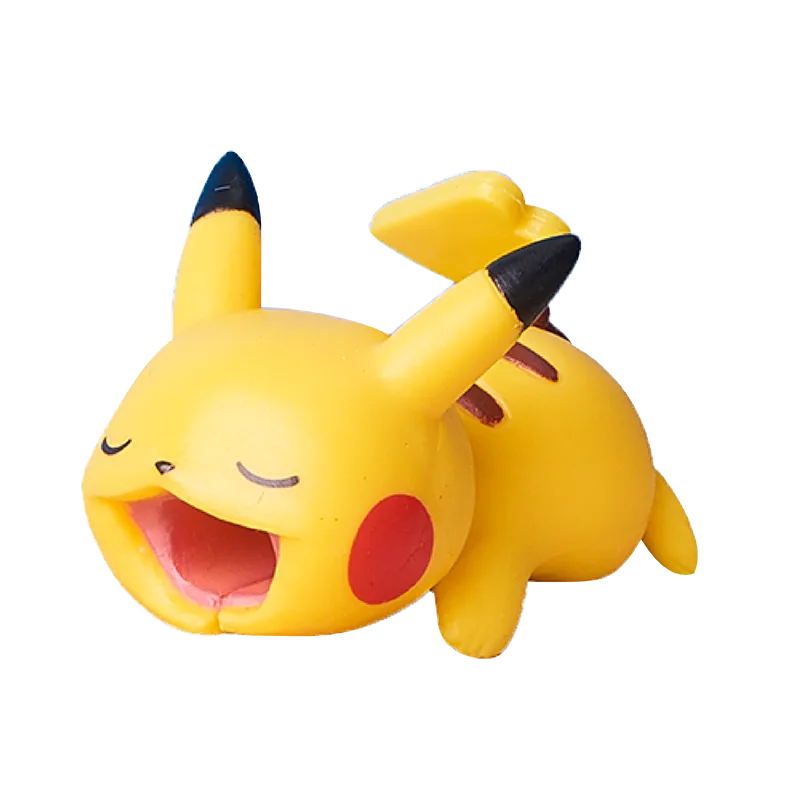
The Cable Bite Pokemon series includes Pikachu, Eevee, Piplup, Psyduck, Meowth, and Munchlax. All six characters are molded in their classic colors and expressions, so the choice is purely about personal preference. Pikachu is the most recognizable and pairs well with yellow-accented setups. Eevee appeals to fans of the evolution line. Piplup, Psyduck, Meowth, and Munchlax each have their own dedicated fan bases from the games and anime.
There is no functional difference between the characters — the same cable slot and bite mechanism are used across all versions. Pick the one that makes you smile every time you plug in.
How to choose and use your Cable Bite Pokemon
- Pick your Pokemon character: Decide which of the six characters — Pikachu, Eevee, Piplup, Psyduck, Meowth, or Munchlax — you want on your cable. There is no functional difference, so choose based on your favorite design or color. If you own multiple devices, consider getting different characters for each cable so you can tell them apart at a glance.
- Check your cable thickness and connector shape: The Cable Bite is designed for standard iPhone charging cables (Lightning or USB-C). Slide the cable through the mouth opening before attaching it to your device. If your cable is unusually thick or has a bulky connector housing, test the fit gently — the silicone is flexible but not stretchy. Avoid forcing the Cable Bite onto a cable that is too thick; it may tear or lose its grip over time.
- Position it near the stress point: Place the Cable Bite right where the cable meets the connector — that is the spot most prone to fraying. The character's mouth should clamp onto the cable just behind the connector head, so it absorbs the bend when you plug and unplug. If you place it too far up the cable, it will not protect the vulnerable joint. Slide it down until it touches the connector base.
- Test the fit with your phone case: After attaching the Cable Bite, plug the cable into your phone while the case is on. Some thick or rugged cases may prevent the connector from seating fully because the Cable Bite adds bulk near the plug. If it does not fit, try a different case or reposition the Cable Bite slightly farther from the connector. For daily use, leave the Cable Bite on the cable permanently — it stays secure and you will not need to remove it unless switching cables.
Featured product
-
Cable Bite Pokemon: The Cable Bite Pokemon is based on the globally popular Nintendo game and anime franchise, with six character options: Pikachu, Eevee, Piplup, Psyduck, Meowth, and Munchlax. You can match the protector to your favorite Pokemon without worrying about compatibility — all versions fit the same cable types.
Cable Bite Pokemon