USB-C has become the universal standard for charging everything from smartphones and laptops to tablets and earbuds. But not all USB-C cables are created equal. If you've ever plugged in a device only to find it charging at a snail's pace, you know the frustration of using the wrong cable. Choosing the right USB-C cable for fast charging is essential to keep your devices powered up quickly and efficiently.
In this guide, we'll walk you through the key factors to consider when selecting a fast charging cable: power delivery specs, data transfer speeds, cable construction, and length. We'll also highlight a couple of standout options from KeySmart that combine performance with portability, so you can charge faster and carry less.
Understanding USB-C Fast Charging Standards
Fast charging over USB-C relies on two main standards: USB Power Delivery (USB PD) and Qualcomm Quick Charge. USB PD is the most widely adopted and supports up to 240W with the latest USB-C 2.1 specification. For most smartphones and laptops, a 60W or 100W USB PD cable is sufficient. Quick Charge is more common in Android devices, but newer versions also work over USB-C.
When shopping for a fast charging cable, look for one that explicitly supports USB PD. Cables rated for 60W or 100W can charge a modern smartphone from 0 to 50% in about 30 minutes. Avoid bargain cables that lack certification, as they may not deliver the advertised power or could even damage your device.
- USB PD is the universal fast charging standard for USB-C devices.
- Check your device's maximum charging wattage before choosing a cable.
- Certified cables (e.g., USB-IF) ensure safety and performance.
Cable Length and Portability
Cable length affects both convenience and charging speed. Longer cables (2 meters or more) introduce more resistance, which can slightly reduce charging efficiency. For everyday carry and travel, a shorter cable around 1 to 1.5 meters strikes the best balance between reach and portability. If you need to charge from a wall outlet behind furniture, a longer cable might be necessary, but for desk or bedside use, a medium length is ideal.
KeySmart offers a compact solution with the Statik MagStack Slim. This tangle-free magnetic nylon cable is designed to be both durable and easy to pack. Its magnetic design keeps the cable neatly coiled, preventing knots and tangles in your bag. Whether you're commuting or traveling, a portable cable like this saves time and frustration.
- 1 meter cables are best for portable charging kits.
- Magnetic cables like the Statik MagStack Slim reduce tangles.
- Consider your typical charging locations when choosing length.
Build Quality and Durability
A fast charging cable is only useful if it lasts. Look for cables with braided nylon or Kevlar-reinforced jackets, which resist fraying and bending. Reinforced connector heads (often called strain relief boots) prevent the cable from breaking at the plug, a common failure point. Aluminum or metal connectors also dissipate heat better than plastic ones, which is important for high-power charging.
The Statik MagStack Slim features a durable nylon braided exterior and magnetic self-coiling design, making it both tough and travel-friendly. For users who need a cable that can survive daily abuse in a pocket or backpack, investing in a well-built cable saves money in the long run.
- Braided nylon cables outlast standard rubber ones.
- Reinforced connector heads prevent fraying.
- Magnetic cables protect the connector and reduce clutter.
Data Transfer Speed: Do You Need It?
Many USB-C cables also support data transfer, but the speed varies widely. USB 2.0 cables max out at 480 Mbps, while USB 3.2 Gen 2 cables can reach 10 Gbps. For syncing files or backing up photos, a faster cable saves time. However, if you only use the cable for charging, a USB 2.0 cable is perfectly adequate and often cheaper.
The Statik MagStack Slim supports USB 2.0 data transfer, which is sufficient for most everyday syncing tasks. If you frequently transfer large video files or work with high-resolution media, consider a USB 3.2 cable. For the average user, a reliable charging-focused cable with moderate data speed is the sweet spot.
- USB 2.0 is fine for charging and basic file sync.
- USB 3.2 Gen 2 is needed for fast file transfers.
- Check your device's USB version to match the cable.
Smart Features: Magnets and Tangle-Free Design
Modern cables offer more than just power and data. Magnetic cables, like the Statik MagStack Slim, use built-in magnets to snap the cable into a neat coil, preventing tangles and making it easy to store. This is especially useful for EDC (everyday carry) enthusiasts who want a clean, organized charging setup in their bag or pocket.
Another smart feature is the ability to attach the cable to a magnetic mount or clip. KeySmart's MagConnect system allows you to quickly attach and detach items using strong magnets. While the cable itself doesn't require a mount, combining it with a MagConnect accessory can streamline your charging station at home or in the car.
- Magnetic cables eliminate tangles and save space.
- Combine with MagConnect accessories for versatile mounting.
- Look for cables with built-in cable management.
Choosing the right USB-C cable for fast charging doesn't have to be complicated. Focus on power delivery support, build quality, length, and any smart features that match your lifestyle. For a portable, durable, and tangle-free option, consider the Statik MagStack Slim. It's designed to keep your devices charged quickly while taking up minimal space in your everyday carry kit. Explore the full range of cables and accessories at KeySmart to build your perfect charging setup.
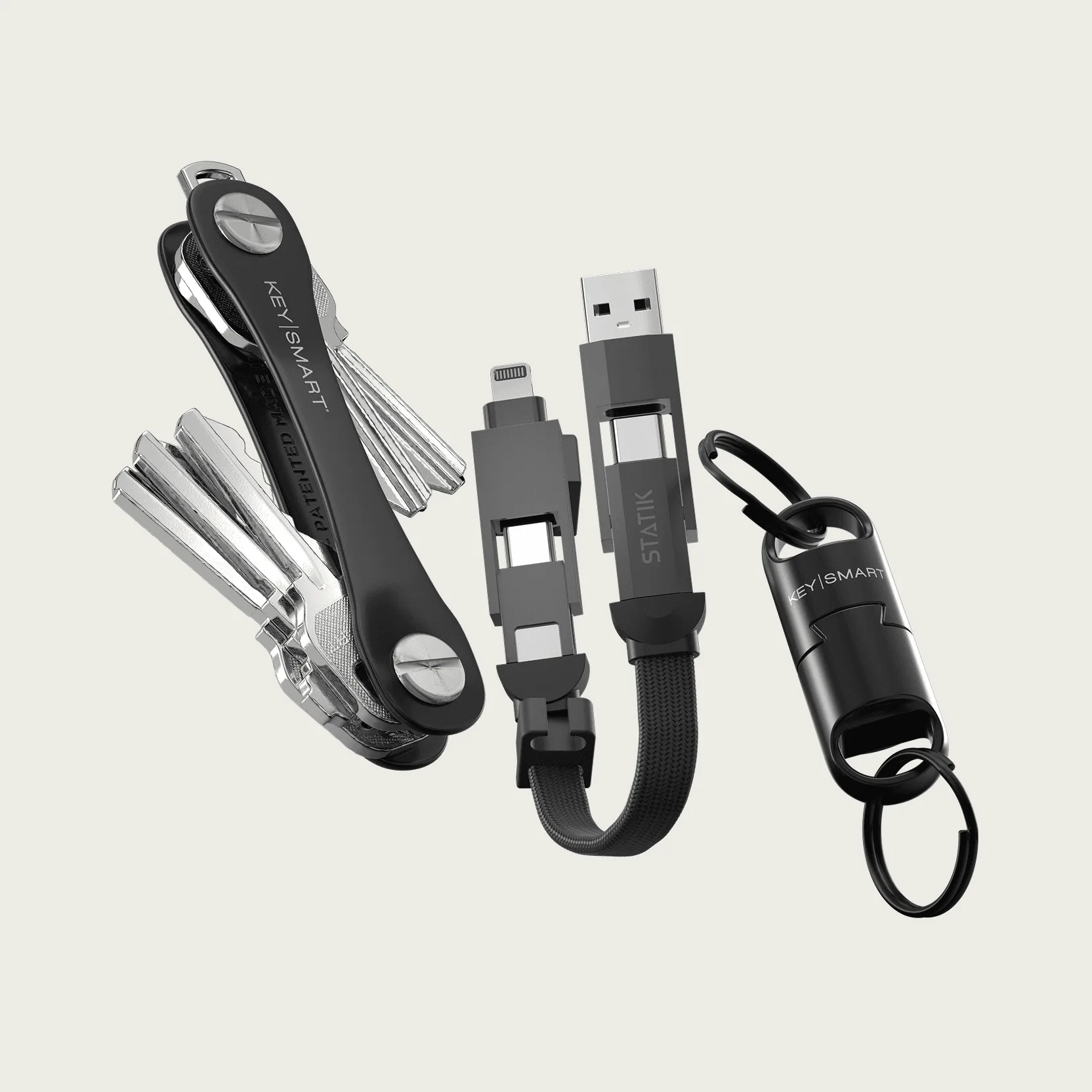
everyday carry kit