Quick answer
Buy a V30 card for 4K at moderate bitrates and casual video, and step up to a V90 UHS-II card when your camera records high-bitrate or slow-motion footage that needs a guaranteed minimum write speed. Match the card's bus type to your camera's slot before spending more on speed.
What Video Speed Class actually guarantees
Video Speed Class is a minimum sustained write guarantee, not a peak number. A V30 card is rated to sustain at least 30MB/s and a V90 card at least 90MB/s for the whole recording, which is why the class matters more than a big headline read speed on the label.
That sustained floor is what keeps long takes from stalling. The 2000x, 300MB/s figures on a card describe burst performance, not the floor your camera relies on during a 20-minute interview.
Where V30 is enough and where it isn't
V30 covers a lot of everyday video: 4K at standard bitrates, 1080p, and most vlogging or event work. It is also the safer choice for cameras with UHS-I slots, because a V90 card cannot deliver its full speed there.
V90 starts to matter with high-bitrate internal recording, 10-bit log modes, and high-frame-rate slow motion. If your camera manual specifies V60 or V90 for a mode, treat that as a hard requirement rather than a suggestion.
Capacity and card format: 32GB SDHC vs 128GB SDXC
Capacity is a workflow decision. A 32GB card fills quickly at high bitrates, so it suits short takes, second-card overflow, or a card you offload often. A 128GB SDXC card gives longer continuous recording and fewer swaps on a shoot day.
Check the format your camera accepts: SDHC tops out at 32GB, while SDXC starts above that. Older bodies may not take SDXC at all, so confirm before buying a large card.
Bus type is the hidden cost
A UHS-II card in a UHS-I slot runs at UHS-I speeds, so you pay for headroom you cannot use. If your camera has one fast slot and one slow slot, put the V90 card in the fast slot and use a V30 card in the other for backup or proxy recording.
Also budget for offload time: fast cards only shorten your workflow if your card reader matches. A slow reader becomes the bottleneck once the shoot ends.
Decision rules for picking your card
- Start with the camera manual: Find the required card class for each video mode you actually shoot. If any mode lists V60 or V90, buy a V90 card; if the highest is V30, a V30 card is the correct match. Write down the strictest requirement before comparing prices.
- Check the slot before the speed: Confirm whether your camera supports UHS-II. If it is UHS-I only, choose a V30 card and put the savings toward capacity or a faster reader.
- Choose capacity by shoot length: Pick 32GB for short takes, overflow, or frequent offloads; pick 128GB SDXC for long interviews, events, or travel where swapping cards is risky. Verify SDXC support on older bodies.
- Match the reader to the card: If you buy a UHS-II V90 card, use a UHS-II reader; otherwise offload speed falls back to the slower interface and the premium buys you less. A fast card with a slow reader is money left on the table.
Two cards that show the trade-off
-
PM SDHC Velocity CINE 32GB - V90 Video Speed Class 2000x 300MB/s UHS-II U3II U3: V90 Video Speed Class, 2000x, 300MB/s UHS-II with a 100MB/s write speed and 285MB/s download speed. The V90 floor and fast offload suit high-bitrate recording and quick turnarounds, provided your camera has a UHS-II slot.
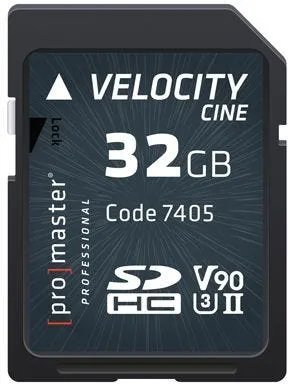
PM SDHC Velocity CINE 32GB - V90 Video Speed Class 2000x 300MB/s UHS-II U3II U3
-
PM SDXC Performance 128GB (2.0) - V30 100MB/s Memory Card: PM Performance 2.0 SDXC 128GB, V30, 100MB/s. A large V30 card covers long 4K sessions and everyday video where the camera does not demand V60 or V90.
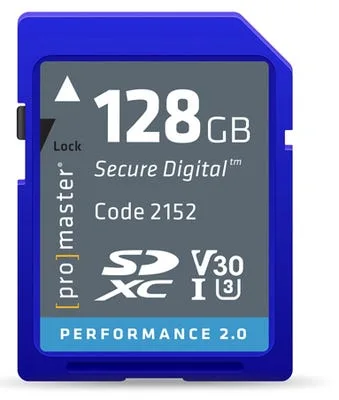
PM SDXC Performance 128GB (2.0) - V30 100MB/s Memory Card
Who each card suits
Best for
- Hybrid shooters recording 4K at standard bitrates who want a large, economical card
- Videographers with UHS-II cameras shooting high-bitrate or slow-motion footage
- Travel and event shooters who need long continuous recording without card swaps
Not for
- Cameras that only accept SDHC, which cannot use a 128GB SDXC card
- UHS-I-only bodies where a V90 card cannot reach its rated speed
- Shoots where the camera manual explicitly requires V60 or V90 and you are considering a V30 card