Quick Answer
Choose a 3-in-1 wireless charging station that matches your device lineup, delivers enough wattage for fast charging, and includes MagSafe compatibility if you own an iPhone 12 or newer. Prioritize a station that fits your desk or nightstand and supports the charging speeds your devices actually need.
A 3-in-1 wireless charging station can replace a tangle of cables and keep your iPhone, AirPods, and Apple Watch ready to go. But not all stations deliver the same power or fit every device. This guide walks you through the key specs and trade-offs so you pick a station that works with your gear, not just one that looks good on a shelf.
Before you buy, check three things: the wattage each charging pad provides, whether the station includes MagSafe for iPhones, and the physical layout for your specific devices. A station that charges your phone at 5W will work, but it will be much slower than a 15W MagSafe pad. Similarly, a station designed for a specific phone model may not fit a larger Pro Max with a case on.
Power Output: Why Wattage Matters
Wireless charging speed depends on the wattage your phone and the charger both support. iPhones support up to 15W with MagSafe, while Qi chargers typically deliver 5W to 10W. If you want the fastest top-up, look for a station that includes a MagSafe-certified pad. Without it, you may be limited to slower standard Qi charging.
For AirPods, most cases charge at 5W, which is fine for overnight top-ups. For an Apple Watch, look for a station that includes a dedicated magnetic charging puck—some stations use a standard Qi pad that may not align properly with the watch. Always check the station's specs to confirm it supports your watch model.
- Check the wattage per pad, not just the total station output.
- If you want fast iPhone charging, choose a station with a MagSafe pad.
- For Apple Watch, ensure the station includes a dedicated watch charger.
MagSafe Compatibility and Case Fit
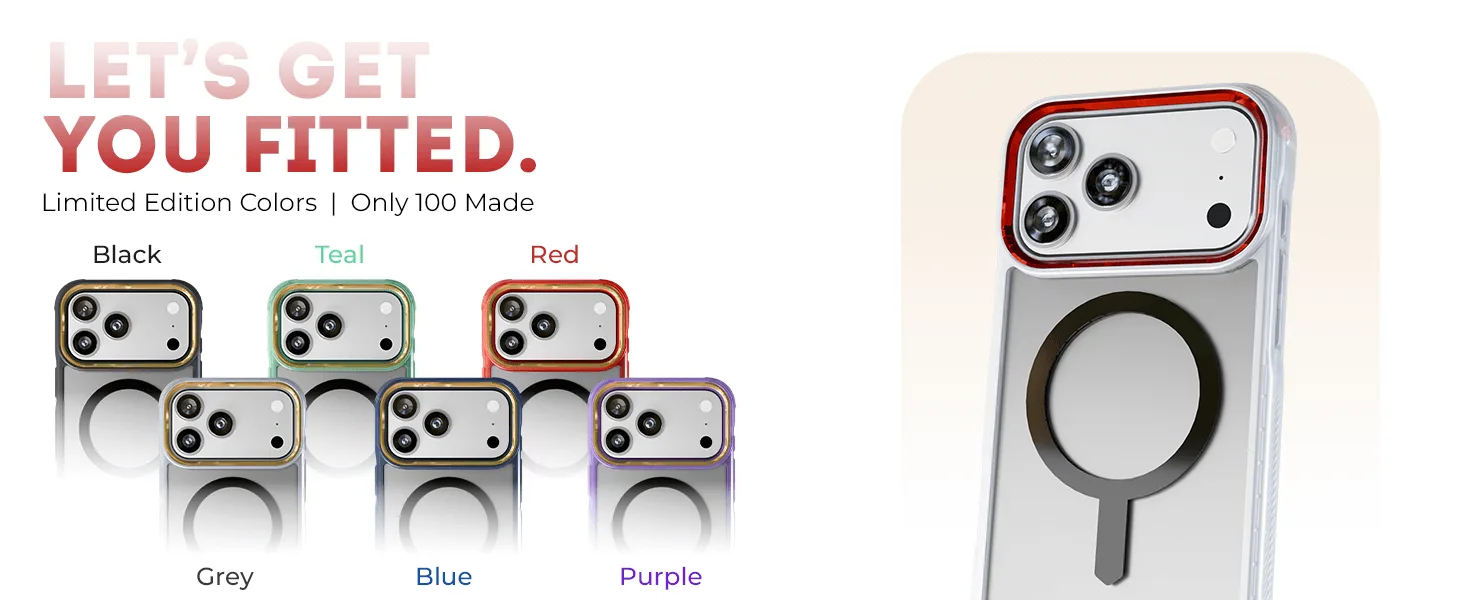
MagSafe compatibility is more than just a magnetic alignment—it also enables faster 15W charging and keeps your phone securely in place. If you use a MagSafe-compatible case, like the GHOSTEK COVERT series, the magnets align with the charger and your phone stays put even on a bumpy car ride or a tilted stand.
If you prefer a non-MagSafe case, you can still use a Qi charger, but you may need to adjust the position manually, and charging speed may drop. Also, consider the case thickness: a rugged case with a built-in kickstand may not sit flat on a charging pad. In that case, a MagSafe case with a slim profile is a better match.
- MagSafe cases ensure consistent alignment and faster charging.
- If your case is thick or has a kickstand, test it on the charger before buying.
- For easy on/off, a clear MagSafe case like COVERT works well with most stations.
Design and Layout: Fit for Your Devices
A 3-in-1 station should accommodate your specific devices without blocking ports or buttons. Some stations have a flat pad for AirPods, while others include a dedicated spot for a watch. Check the dimensions and orientation: a vertical stand may be more convenient on a nightstand, while a flat pad might be better for a desk.
Also consider the number of devices you charge at once. If you have an iPhone, AirPods, and an Apple Watch, a 3-in-1 is ideal. But if you only charge two devices, a 2-in-1 station might be more compact and cheaper. And if you travel often, look for a foldable design that fits in a bag.
- Measure your nightstand or desk space before buying.
- Choose a layout that matches your daily charging routine.
- For travel, consider a foldable or compact station.
Decision Rules for Your 3-in-1 Station
- Check device compatibility: Confirm the station supports your specific iPhone model, AirPods case, and Apple Watch. Look for MagSafe for iPhones and a dedicated watch puck. If it doesn't list your devices, it's likely not the right fit.
- Match power to your needs: For fast iPhone charging, choose a station with at least 15W MagSafe. For AirPods, 5W is sufficient. For Apple Watch, ensure the charging puck is compatible. Higher wattage isn't always necessary—match it to your device's maximum supported speed.
- Consider case thickness and material: MagSafe cases work best with MagSafe stations. If you use a thick or rugged case, test the alignment and charging speed. A slim MagSafe case like COVERT ensures reliable charging.
- Evaluate the physical layout: Make sure the station fits your space and accommodates your devices without blocking ports. Consider a foldable design for travel. Measure your space and think about your daily routine.
Related Products and How They Fit
- iPhone 17 / Air Series Protective Clear MagSafe Cases — COVERT: Built-in MagSafe compatibility for effortless wireless charging and accessory attachment. A MagSafe-compatible case ensures your iPhone aligns perfectly with a MagSafe charging station, so you get faster charging and a secure connection without removing the case.
- 45W Dual USB-C Wall Charger Fast Charging — NRGlink: 45W total power output for quick charging sessions and dual USB-C ports let you charge two devices at once. While not a wireless station, this compact charger is a reliable backup for wired charging and can power two devices simultaneously, which is useful when you need a quick top-up away from your station.
Who Should Buy a 3-in-1 Station
Best for
- Users with an iPhone, AirPods, and an Apple Watch who want a single charging spot.
- People who prefer the convenience of MagSafe alignment and faster wireless charging.
Not for
- Users who only need to charge one or two devices and prefer a more compact solution.
- Those who rely on rugged cases that may interfere with wireless charging alignment.
Choosing the right 3-in-1 wireless charging station comes down to power, compatibility, and fit. Check the wattage, confirm MagSafe support, and verify your devices and cases work with the station's layout. With these decision rules, you can find a station that keeps your iPhone, AirPods, and Apple Watch charged and ready—without the cable clutter.