Quick answer
Start with your graphics card, add roughly 150-200W for the CPU and the rest of the system, then round up to the next available size. Buy an 80 Plus Gold or Platinum unit from a brand you trust, and choose modular cables if you care about clean building. The SilverStone SX1000 Platinum is a strong fit for compact, high-draw builds, while a lower-wattage Gold unit usually makes more sense for a mid-range gaming PC.
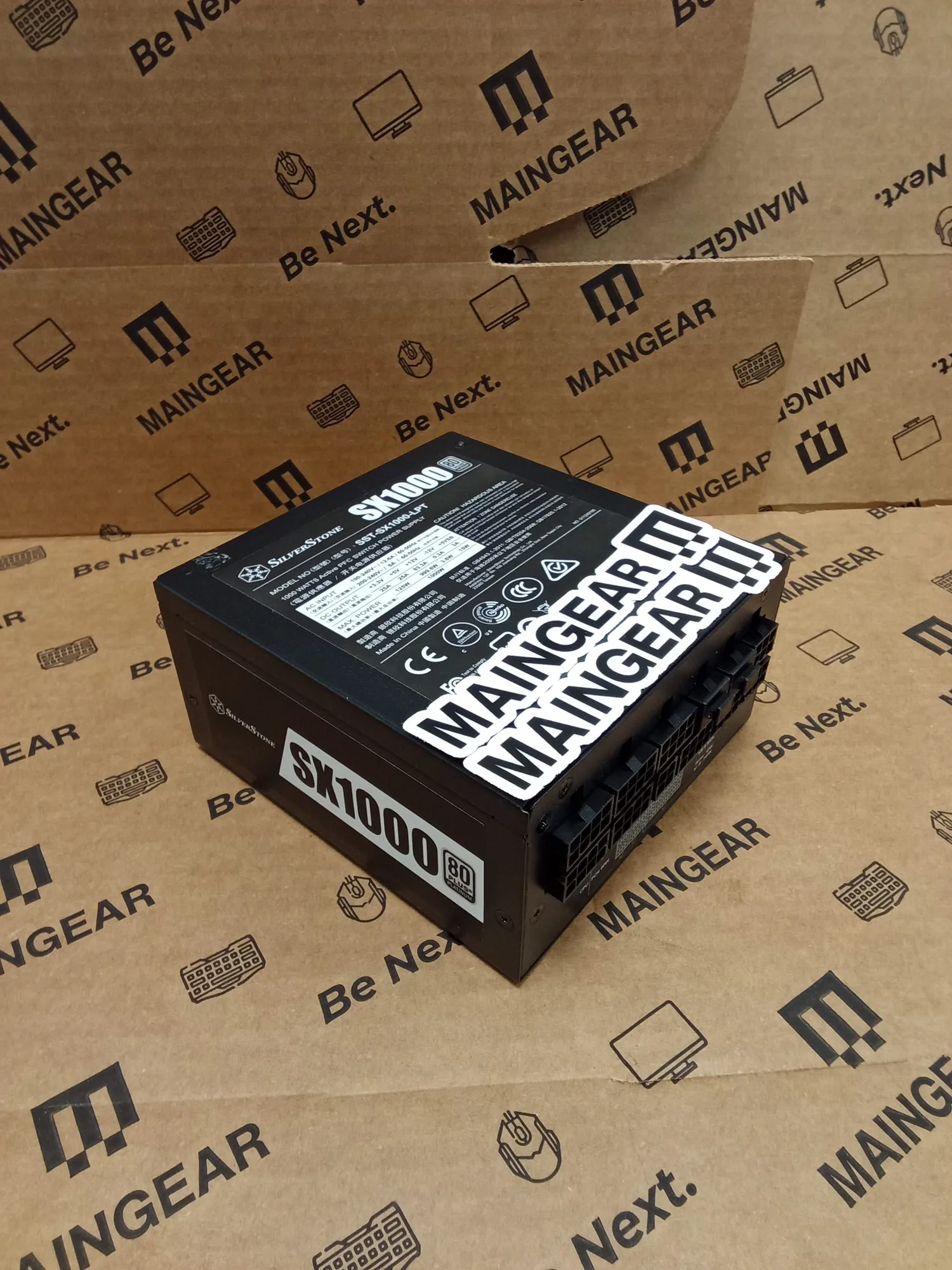
SilverStone SX1000 Platinum
The power supply is the one part you buy for the next build, not just this one. It also has the least exciting spec sheet, which is why so many people pick one by price alone and then wonder why their new graphics card shuts the system down under load.
This guide gives you a repeatable way to choose: estimate wattage, pick an efficiency tier, decide on cable management, and check that the unit physically fits your case. Every step below is something you can settle in a few minutes, without guessing.
Step 1: Estimate your wattage before you shop
Add up the two components that actually drive your power draw: the graphics card and the CPU. Everything else in a typical desktop, including drives, fans, and RGB, usually adds well under 100W. A practical rule is to take the GPU's recommended power and add roughly 150-200W for a mainstream CPU, or more for a high-core-count chip.
Then round up to the next common size rather than buying exactly at your estimate. A 650W unit running near its limit is noisier and leaves no room for a future GPU upgrade, while a 750W or 850W unit of the same quality runs cooler and quieter at the same load. Overshooting by one tier is cheap insurance; overshooting by three tiers just wastes money.
- Write down your GPU model and CPU model before you open a shopping page.
- If you plan to upgrade the GPU within two years, size for the card you expect, not the one you own.
Step 2: Pick an efficiency tier you will actually keep
80 Plus ratings describe efficiency, not quality, but they correlate well with better internals because manufacturers rarely spend on efficiency without also spending on protection circuitry. Gold is the sensible default for most gaming builds. Platinum costs more and saves a little power at the wall, which matters most in small cases where heat and fan noise are harder to manage.
Efficiency also changes with load. A unit that is dramatically oversized for your system spends most of its time in a low-load range where efficiency drops, so the 'buy the biggest you can afford' advice has a real cost. Match the tier to the build, and match the wattage to the components.
- Gold for mainstream gaming builds; Platinum when the case is small or the system runs long hours.
- Certification is a starting filter, not a complete quality signal.
Step 3: Decide on modular cables and physical fit
A modular PSU lets you attach only the cables you need, which keeps airflow clear and makes cable routing far less frustrating in a glass-side case. Semi-modular designs keep the 24-pin and CPU cables fixed, which is a reasonable compromise if you rarely rebuild. Non-modular units are the cheapest option and perfectly fine in a closed, budget case where nobody sees the inside.
Fit matters as much as wattage. Check the PSU length against your case's clearance, especially if you have a front-mounted radiator or a drive cage. Small form factor builds need a shorter unit, and that is where a compact high-wattage supply earns its price.
- Measure the PSU bay before buying, not after the return window closes.
- Confirm the GPU power connectors you need: 12VHPWR, multiple 8-pin, or both.
What the catalog tells you, and what it does not
Retail listings rarely state ripple, hold-up time, or fan bearing type, and you should not invent those numbers when comparing. Use the facts that are published: wattage, efficiency certification, form factor, and protection features. If a listing does not mention a specification you care about, treat that as a limitation of the listing rather than assuming the feature is present.
MAINGEAR's re-certified outlet components are inspected and validated by technicians before sale, which is a useful middle path if you want a higher-tier unit without paying full retail. That inspection covers functionality and performance, so you know the unit works, but it is still a re-certified part rather than a new one.
- Compare only the specs that are actually listed for both units.
- Re-certified stock is a legitimate way to move up an efficiency tier on a budget.
Decision rules for buying a PSU
- Mid-range gaming build, single GPU: Estimate GPU plus 150-200W, then buy one tier above that number in 80 Plus Gold. A 750W Gold unit covers most current mid-range systems with headroom for a GPU upgrade.
- Small form factor or high-draw GPU: Prioritize a compact unit with Platinum efficiency and confirmed case clearance over the cheapest high-wattage option. The SilverStone SX1000 Platinum fits this brief with 1000W and 92% or higher efficiency in a compact body.
- Budget build with a closed case: Skip modular cables and spend the difference on a better efficiency tier instead. Cable tidiness is invisible behind a solid panel; efficiency and protections are not.
- Upgrading an existing PC: Check the age and wattage of your current unit before replacing it; if it is already Gold and within one tier of your estimate, keep it. Replace the PSU when wattage or connector standards fall short, not on a calendar.
Two units worth comparing
- SilverStone SX1000 Platinum: 1000W in a compact design with a full suite of protections and 80 Plus Platinum certification rated at 92% efficiency or higher. If you are building in a small case with a power-hungry GPU, this delivers high wattage and Platinum efficiency without demanding a full-size PSU bay.
- Super 16 | RTX 5070 Ti: A pre-configured MAINGEAR laptop with an RTX 5070 Ti GPU, and a Boost option that doubles RAM and storage. If you game on a laptop instead of a desktop, the PSU question disappears; size your desktop build only if you actually need one, and put the budget into the machine you will use.
Who this advice fits
Best for
- First-time builders choosing a PSU for a single-GPU gaming PC
- Small form factor builders who need high wattage in a short chassis
- Anyone upgrading a GPU and unsure whether the existing PSU is enough
Not for
- Laptop buyers, who do not choose a PSU at all
- Workstation or multi-GPU builders who need vendor-specific power and connector guidance
- Buyers who want a single brand recommendation without comparing wattage and efficiency
Choose the wattage from your GPU and CPU, pick Gold or Platinum based on case size and runtime, and only then decide on modular cables. That order keeps you from overpaying for capacity you will never use or underbuying the one part that protects everything else.