Quick Answer
For a gaming setup, choose a TV stand with built-in power outlets, enough storage for consoles and accessories, and a size that fits your TV and space. The Tangkula TV Stand with Power Outlets & LED Lights for PS5 is a solid choice if you need a compact, feature-packed option.
Why Power Outlets Matter for Gaming
Gaming setups usually include a TV, console, soundbar, and other devices that all need power. A TV stand with built-in power outlets reduces cable clutter and makes it easier to plug everything in without reaching behind furniture.
Look for a stand that offers both AC outlets and USB ports. USB and Type-C ports are handy for charging controllers, headsets, or phones without taking up an AC outlet.
LED Lights: More Than Just Looks
LED lights on a TV stand can enhance the gaming atmosphere, especially in a dark room. They can also reduce eye strain by providing ambient light behind the TV.
Consider whether you want adjustable colors or brightness. Some stands offer simple lighting that adds style without being distracting.
Storage and Organization for Gaming Gear
Games, controllers, headsets, and cables can quickly clutter a gaming area. Open shelving is great for displaying consoles and allowing airflow, while a fabric drawer can hide smaller items like remotes and gamepads.
Think about what you need to store and how often you access it. Open shelves are convenient for frequently used items, while drawers keep things tidy and out of sight.
Size and Fit Considerations
Measure your TV and the space where the stand will go. A stand that supports TVs up to 65 inches is versatile, but you also need to consider the depth and width to ensure it fits your room.
Adjustable foot pads help level the stand on uneven floors, which is useful if you have carpet or an older floor that isn't perfectly flat.
Decision Rules for Choosing a Gaming TV Stand
- Check TV size compatibility: Measure your TV's diagonal size and compare it to the stand's maximum supported size. Make sure the stand is wider than the TV base for stability.
- Count your power needs: List all devices that need power (TV, console, soundbar, etc.) and ensure the stand provides enough AC outlets. Add USB ports for controllers and accessories. If you have more devices than outlets, consider a stand with a higher outlet count or plan a power strip.
- Evaluate storage for your gear: Decide between open shelves for easy access to consoles and drawers for hiding cables and small items. Choose a mix that matches your clutter level.
- Assess LED lighting needs: If you want ambient lighting, check if the stand has LED lights and whether they offer adjustable colors or brightness. If not, you can add your own LED strip.
- Measure your space: Measure the width, depth, and height of the area where the stand will go. Account for doorways and clearance for cables. Use painter's tape to outline the stand's footprint on the floor to visualize the fit.
Product Spotlight
-
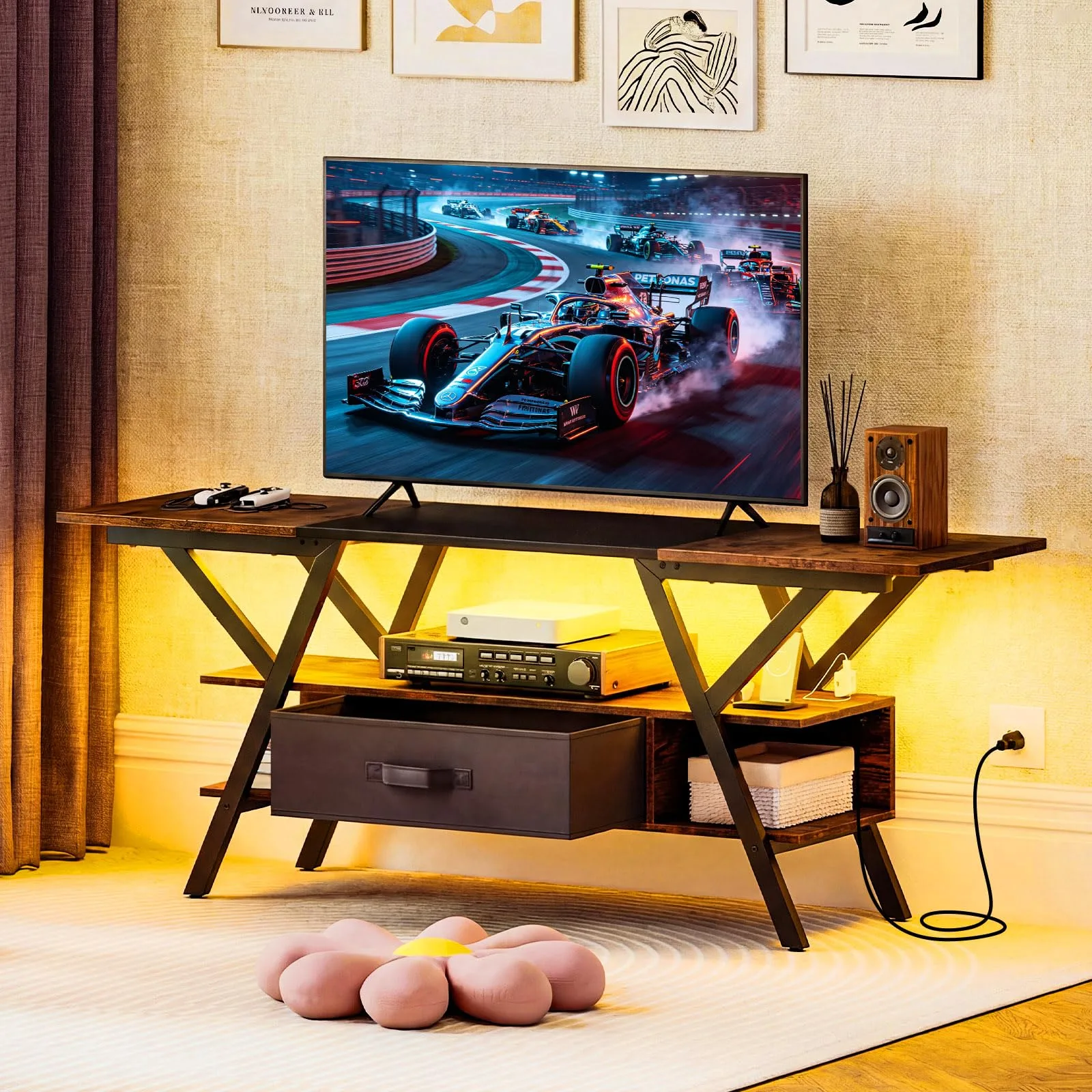
Tangkula TV Stand with Power Outlets & LED Lights for PS5: This TV stand features a built-in charging hub with 2 AC outlets, a USB port, and a Type-C port. You can power your console, TV, and charge controllers or accessories without extra power strips.
Tangkula TV Stand with Power Outlets & LED Lights for PS5
-
Tangkula TV Stand with Power Outlets & LED Lights for PS5: It includes open shelving and a removable fabric drawer for organizing DVDs, multimedia devices, remotes, and gamepads. You get both display space for consoles and hidden storage to keep the area neat.
-
Tangkula TV Stand with Power Outlets & LED Lights for PS5: The stand accommodates TVs up to 65 inches and has a robust metal frame with Y-shaped legs and adjustable foot pads. It offers stability for larger TVs and can be leveled on uneven floors.
Who Should Choose This Type of TV Stand?
Best for
- Gamers who want a compact, all-in-one solution with power outlets and storage
- People with a 55-inch or smaller TV who want a modern, space-saving stand
Not for
- Audiophiles or gamers with many large components that need extra-deep shelving
- Those who require a stand wider than 50 inches or with glass shelves