Quick answer
Choose a VESA bracket that matches your monitor's VESA pattern and weight, and pick a tilt-slide model when you need fine angle and depth adjustments without moving the whole stand.
VESA pattern and weight: the non-negotiable basics
Before you look at tilt and slide features, check your monitor's VESA pattern (the distance between the four mounting holes) and its weight. Common patterns are 100x100 mm and 200x200 mm, but larger monitors may use a wider spacing. The bracket must match that pattern exactly, or you will need an adapter plate.
Weight matters just as much. A bracket rated for a heavier monitor than yours is fine, but never exceed the rated capacity. If the spec is not listed, treat it as a red flag and look for a bracket that clearly states its limit.
Tilt and slide: what they actually do for you
A tilt mechanism lets you angle the screen up or down, which helps align the top edge of your monitor with your eye line. Slide (fore-aft adjustment) brings the screen closer or farther without loosening the main stand clamps. This is handy when you switch between cars with different seating positions.
The trade-off is complexity: more moving parts means more potential for play or loosening. A well-built bracket with a positive locking mechanism will hold its position, but cheaper designs may sag over time.
Build quality and finish: what to look for
Sim racing rigs vibrate, so your monitor bracket needs to be rigid. Steel brackets with a powder-coated finish resist corrosion and scratches, and they hold their shape under repeated stress. Thicker steel (around 2 mm) is a good sign of durability.
A matte black finish is not just cosmetic—it reduces glare from overhead lights and keeps the rig looking clean. Avoid brackets with shiny or unpainted surfaces if you can.
Decision rules for choosing a VESA bracket and tilt slide
- Match the VESA pattern: Measure your monitor's VESA hole spacing (e.g., 100x100 or 200x200) and choose a bracket that supports that exact pattern. If you have a 200x200 monitor, a 100x100-only bracket won't fit without an adapter. Check your monitor's manual or measure the holes yourself before ordering.
- Check the weight rating: Confirm the bracket's weight capacity is higher than your monitor's weight. If the rating is not listed, contact the seller or choose a bracket that clearly specifies it. When in doubt, go heavier—a bracket rated for 15 kg can safely hold a 10 kg monitor.
- Decide if you need tilt and slide: If you only need to mount the monitor at a fixed angle, a simple fixed VESA plate is enough. Choose a tilt-slide bracket when you want to fine-tune the angle and distance without loosening the main stand clamps. Tilt-slide adds convenience but also more moving parts; make sure the locking mechanism is solid.
- Prioritize rigidity over price: Look for brackets made from thick steel (2 mm or more) with a powder-coated finish. These resist flex and vibration, keeping your monitor stable during intense racing. A cheap, thin bracket may work at first but can develop play over time.
Products mentioned
-
SimXPro VESA bracket tilt - slide 100 - 200 - 2x: The SimXPro Tilt-Slide VESA Brackets 100/200 are made from 2 mm hardened steel with a matt-black powder coating and fit both 100x100 and 200x200 VESA patterns. This bracket gives you a rigid, precise mount that works with most monitors and lets you adjust tilt and slide without loosening the main stand.
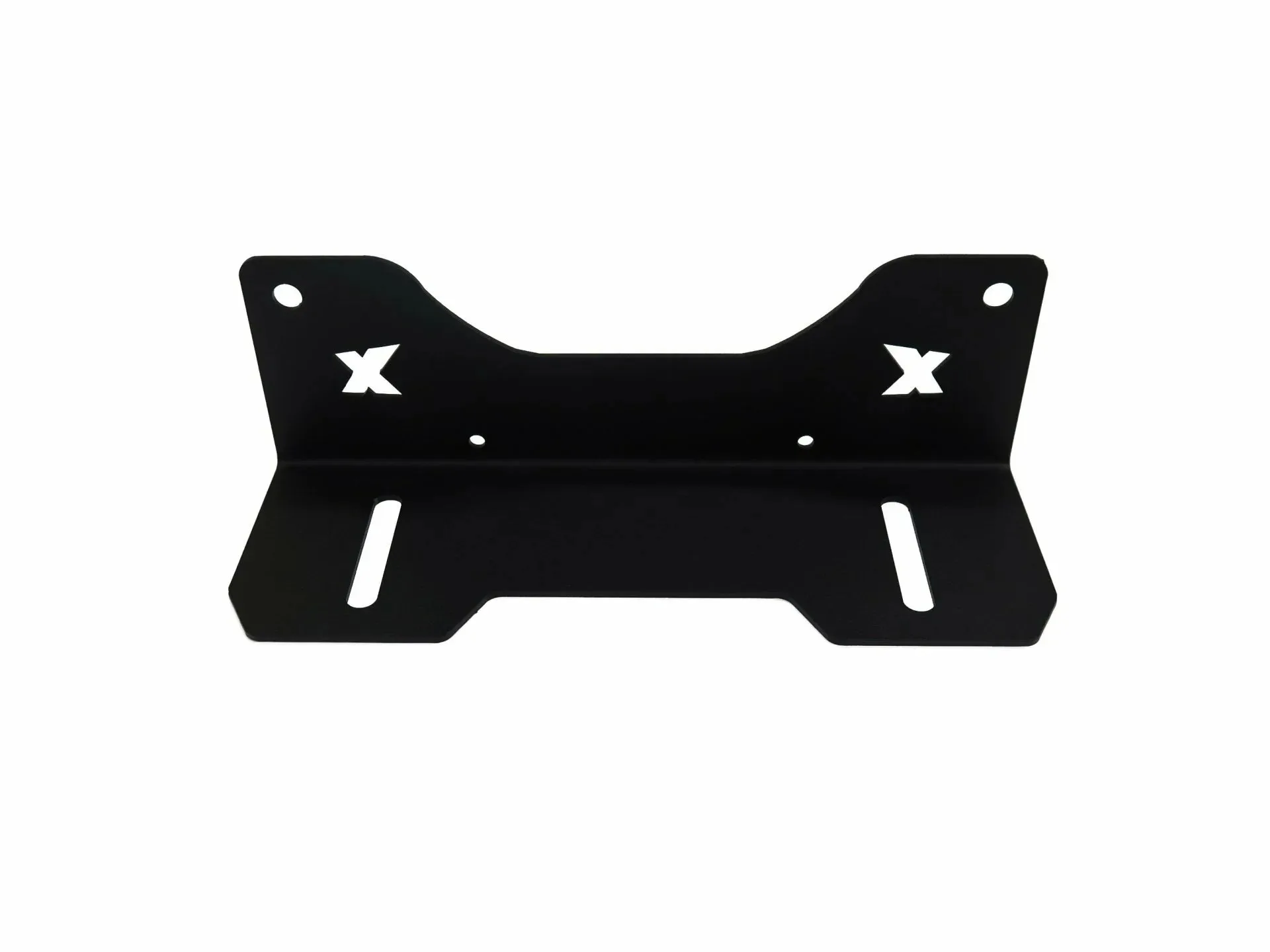
SimXPro VESA bracket tilt - slide 100 - 200 - 2x
Who should choose a tilt-slide VESA bracket?
Best for
- Sim racers who need to fine-tune monitor angle and distance frequently
- Builds with adjustable seats or multiple driving positions
- Users with monitors that have 100x100 or 200x200 VESA patterns
Not for
- Fixed monitor setups where the screen never moves
- Monitors with non-standard VESA patterns that require adapters