Your Airflow Stand is more than a laptop accessory—it's a daily workhorse that keeps your device cool and your posture comfortable. But over time, dust, fingerprints, and spills can dull its sleek aluminum finish. Cleaning it might seem straightforward, but using the wrong cloth or cleaner can leave unsightly scratches that ruin its appearance.
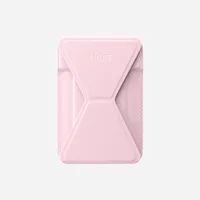
Airflow Stand
In this guide, we'll walk you through the safest methods to clean your Airflow Stand without damaging the aluminum surface. You'll learn what tools to use, what to avoid, and simple habits to keep your stand looking pristine for years. Whether you're a first-time owner or a seasoned user, these tips will help you maintain your stand's beauty and functionality.
Why Aluminum Needs Special Care
Aluminum is lightweight and durable, but it's also softer than steel or stainless steel. This means it's more prone to scratches from abrasive materials or harsh chemicals. The Airflow Stand's surface often has a brushed or anodized finish, which can be easily marred by rough cloths or aggressive scrubbing.
Understanding the material is the first step in proper care. Aluminum naturally forms a thin oxide layer that protects it from corrosion. Harsh cleaners can strip this layer, leading to discoloration or pitting. That's why gentle, pH-neutral solutions and soft microfiber cloths are your best friends when it comes to cleaning.
- Always test any cleaner on a small, inconspicuous area first.
- Avoid using paper towels, which can be abrasive and leave lint.
What You'll Need: The Safe Cleaning Kit
Before you start, gather the right supplies. A soft, lint-free microfiber cloth is essential—it's gentle on aluminum and picks up dust without scratching. You'll also need a mild dish soap or a dedicated aluminum cleaner, but make sure it's free of ammonia, bleach, or abrasive particles. Distilled water is preferable to tap water, as it leaves no mineral deposits.
For stubborn spots, a soft-bristled toothbrush can help, but use it only on textured areas and with light pressure. Avoid steel wool, scouring pads, or any cleaning tools with rough edges. These can cause micro-scratches that become more visible over time.
- Microfiber cloth (at least two: one for wet cleaning, one for drying)
- Mild dish soap or pH-neutral aluminum cleaner
- Distilled water
- Soft-bristled toothbrush (optional)
Step-by-Step Cleaning Process
Start by removing any loose dust or debris with a dry microfiber cloth. This prevents larger particles from scratching the surface when you apply liquid. Then, mix a few drops of dish soap with distilled water in a bowl. Dip a clean microfiber cloth into the solution, wring it out well, and wipe the stand in gentle, circular motions. Avoid soaking the stand—excess moisture can seep into hinges or rubber pads.
For sticky spots or dried-on residue, let the damp cloth sit on the area for a few seconds to soften it before wiping. If you need more scrubbing power, use a soft-bristled toothbrush dipped in the soapy water, but keep the pressure light. After cleaning, rinse the cloth with clean water and wipe the stand again to remove any soap residue. Finally, dry the stand immediately with a separate dry microfiber cloth to prevent water spots.
- Always wipe in the direction of the brushed finish to avoid visible streaks.
- Never use compressed air or a vacuum cleaner directly on the stand, as they can force debris into crevices.
What to Avoid: Common Mistakes That Cause Scratches
Many people unknowingly damage their aluminum stands by using the wrong products. Avoid any cleaner that contains ammonia, bleach, or alcohol, as these can discolor or corrode the finish. Also, steer clear of abrasive sponges, steel wool, or scrub brushes with stiff bristles—they're guaranteed to leave scratches.
Another common mistake is using paper towels or napkins, which may seem soft but can be abrasive due to wood fibers. Even some 'scratch-free' scouring pads are too harsh for aluminum. If you're unsure about a cleaner, test it on a hidden part of the stand first. Always err on the side of caution: when in doubt, use plain water and a microfiber cloth.
- Don't use vinegar or lemon juice—their acidity can damage the anodized layer.
- Avoid cleaning while the stand is hot, such as right after heavy use.
Daily Care to Keep Your Stand Scratch-Free
Prevention is better than cure. A quick daily wipe with a dry microfiber cloth can remove dust before it accumulates and causes micro-scratches during regular use. When you're not using the stand, store it in a protective sleeve or a drawer to keep it away from keys, coins, or other sharp objects that could scratch it.
If you often move your stand between home and office, consider carrying it in a padded case. The Airflow Stand is durable, but a little extra protection goes a long way. Additionally, avoid placing heavy items on top of the stand when it's folded, as pressure can cause dents or warping.
- Keep a microfiber cloth at your desk for quick daily dusting.
- Use a soft case or sleeve when traveling with your stand.
With these simple cleaning and care tips, your Airflow Stand will stay looking brand new for years. Regular maintenance not only preserves its aesthetic appeal but also ensures it continues to perform at its best. For more high-quality desk accessories that combine style and durability, check out the Airflow Stand and other products from Moft.