Your Catzilla Panel: What You Need to Know
The Catzilla front panel is a best-selling design for the MG-1 chassis. Its unique look makes it a standout piece, but keeping it clean and well-maintained is key to preserving its appearance. This guide covers what the catalog confirms about care and what steps you can take.
Before you begin, identify your MG-1 model version: the panel is available for both the All-new MG-1 and the Classic MG-1. Selecting the correct version ensures proper fit and avoids handling issues.
Catzilla Front Panel Key Facts
-
Catzilla: It's our best-selling panel and it's not even close. Its popularity means many owners will benefit from proper care guidance to keep it looking great.
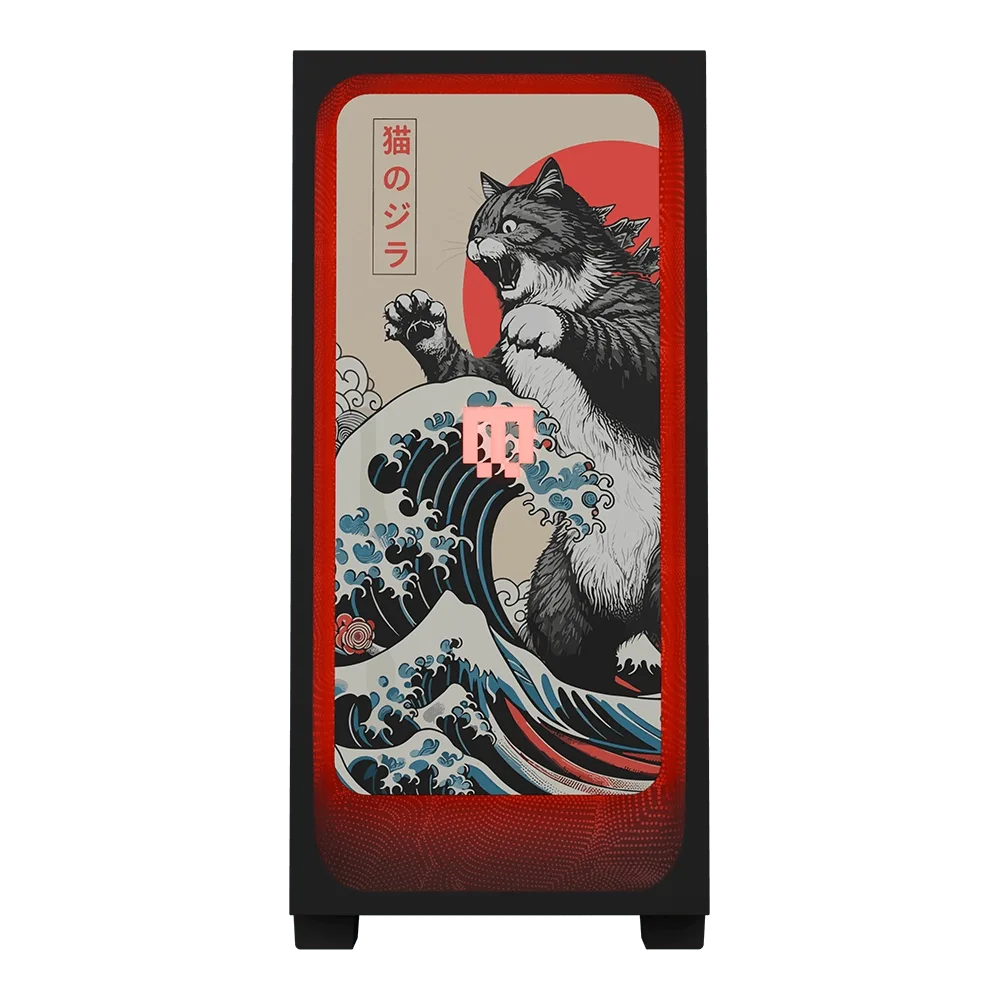
Catzilla
-
Catzilla: Select your MG-1 model to proceed: All-new MG-1 or Classic MG-1. Choosing the right version avoids fitment problems and ensures your cleaning routine is appropriate for your specific panel.
General Care Guidelines
The catalog does not include specific cleaning instructions for the Catzilla panel. However, general front panel care principles apply: use a soft, lint-free microfiber cloth to gently wipe the surface. Avoid abrasive cleaners, paper towels, or rough sponges that could scratch the panel's finish.
If a deeper clean is needed, lightly dampen the cloth with water or a mild electronics-safe cleaner. Do not spray liquid directly onto the panel. Wipe dry immediately to prevent moisture from seeping into edges or connectors.
Simple Cleaning Steps for Your Catzilla Panel
Follow these steps to safely clean your Catzilla front panel. The catalog does not specify a cleaning interval, so clean only when visible dust or smudges appear.
- Power down and disconnect: Turn off your PC and unplug it from the wall. This prevents any electrical risk and allows you to see dust clearly.
- Remove the front panel: Gently detach the Catzilla panel from your MG-1 chassis. Refer to your chassis manual for the proper removal method to avoid damaging clips or connectors.
- Dust with a dry microfiber cloth: Wipe the panel surface with a clean, dry microfiber cloth to remove loose dust and debris. Work from top to bottom.
- Dampen cloth for stubborn marks: If needed, slightly dampen the cloth with water or a mild cleaner. Wipe the affected area gently, then dry immediately with a separate dry cloth.
- Reattach the panel: Once the panel is completely dry, reattach it to your MG-1 chassis. Ensure it clicks into place securely before powering on your PC.
What the Catalog Does Not Cover
The catalog does not provide specific cleaning agents, recommended intervals, or instructions for dealing with scratches or heavy stains. For questions beyond general dusting, contact MAINGEAR support or refer to your MG-1 chassis documentation. Avoid using household cleaners, alcohol, or solvents unless you have confirmed they are safe for your panel's finish.