Quick Answer
Clean your Dream ISOFIX Base with a damp cloth and mild soap, avoiding harsh chemicals. Regularly inspect the ISOFIX connectors and support leg for debris and wear to ensure safe installation.
Why Regular Maintenance Matters
Your Dream ISOFIX Base is a safety-critical component. Dirt, crumbs, or spills can interfere with the locking mechanisms and colour-coded guides, making it harder to confirm correct fitment. A quick clean after each use keeps the base functioning as intended.
Unlike fabric car seats, the base has no soft parts to wash. Focus on the hard plastic shell, ISOFIX connectors, and support leg. Avoid submerging the base or using a pressure washer, which can damage internal components.
Step-by-Step Cleaning and Maintenance
- Remove the Infant Carrier: Detach your Dream i-Size infant carrier from the base. Store it safely. This gives you full access to the base's top surface and locking mechanism. Never clean the base while the carrier is attached — you may miss debris in the connection points.
- Wipe Down the Plastic Shell: Use a soft, damp cloth with a few drops of mild dish soap. Wipe all exterior surfaces, including the area where the carrier clicks in. Avoid abrasive sponges or cleaners containing bleach, ammonia, or alcohol. Harsh chemicals can degrade the plastic and fade the colour-coded guides over time.
- Inspect and Clean the ISOFIX Connectors: Extend the ISOFIX arms fully. Check for visible dirt, sand, or sticky residue. Wipe with a damp cloth. Ensure the paddle levers move freely and click back into place. If a lever feels stiff, do not force it — a buildup of grit may be the cause. Rinse with clean water and dry thoroughly.
- Check the Support Leg: Extend the adjustable support leg to its full length. Wipe the leg and foot with a damp cloth. Look for any debris caught in the hinge or locking buttons. A clean support leg ensures stable contact with the vehicle floor, reducing forward rotation in a crash.
- Dry and Reinstall: Allow all parts to air dry completely before retracting the ISOFIX arms or support leg. Once dry, click the Dream i-Size carrier back onto the base and perform a fitment check using the colour-coded guides. Moisture trapped in the connectors can cause rust or corrosion over time. Always dry before storing or reinstalling.
About the Dream ISOFIX Base
-
Dream ISOFIX Base: Colour-coded guides indicate correct fitment, and paddle levers release the base from ISOFIX points. Keeping these guides and levers clean ensures you can visually confirm a secure installation every time.
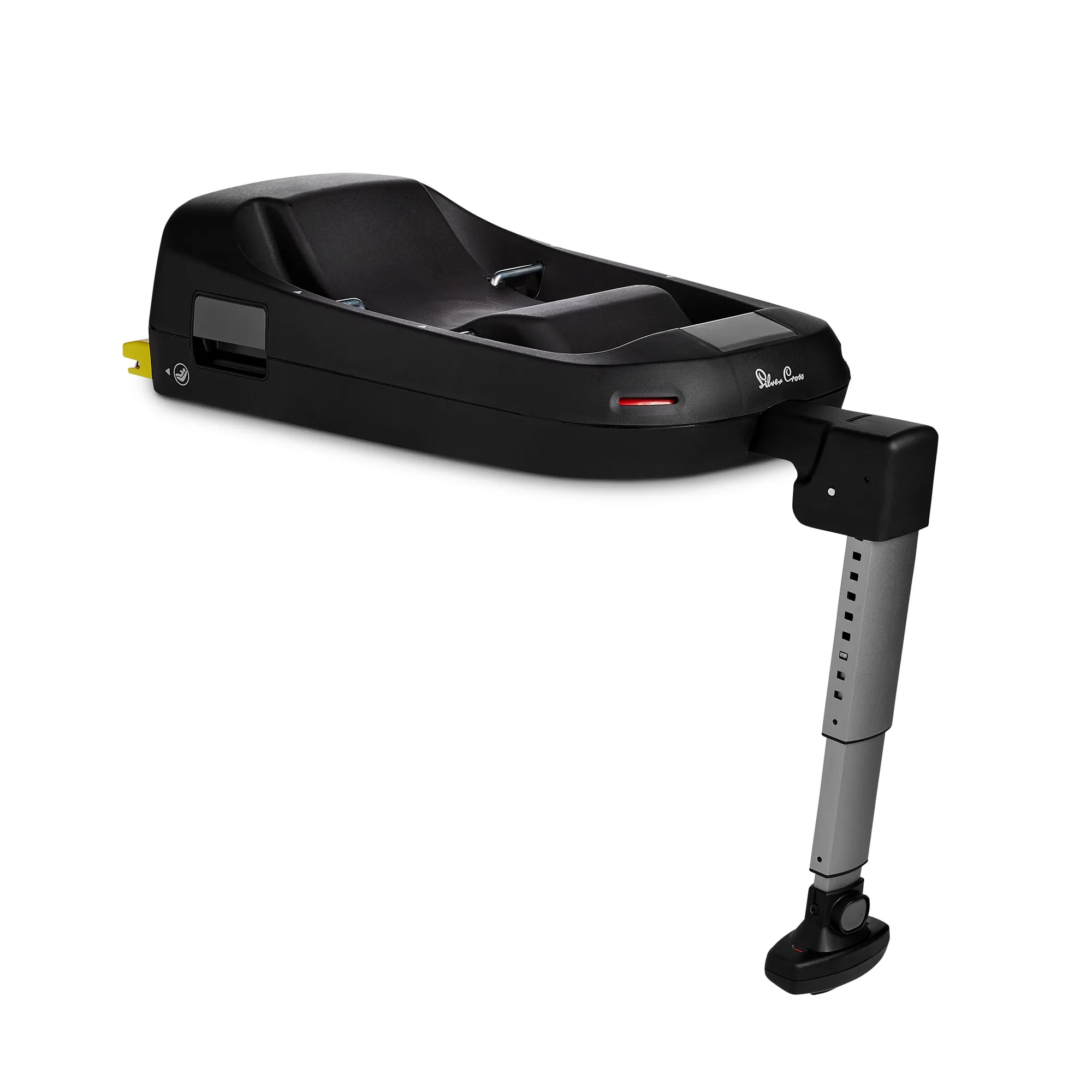
Dream ISOFIX Base