Quick answer
To clean and restore Game Boy Color cartridges safely, first remove dust and grime from the plastic shell with a soft cloth and mild soap, then clean the metal contacts with isopropyl alcohol and a cotton swab. If the game still does not save, replace the cartridge battery. Always test the game before and after cleaning, and never use water or abrasive materials on the contacts.
test
Tools and safety before you start
Gather these before touching any cartridge: 91% isopropyl alcohol, cotton swabs, a soft microfiber cloth, a small flathead screwdriver, a tri-wing screwdriver (for most Game Boy Color cartridges), and a replacement CR2025 battery with soldering tools or a battery holder if you plan to replace it. Work on a clean, well-lit surface away from carpet, which can hide small screws.
Do not use water, glass cleaner, or abrasive pads on the cartridge contacts. Water can corrode the metal, and abrasives will strip the thin gold plating. Also avoid inserting a wet cartridge into a console. If you are unsure about soldering, practice on a dead cartridge first or ask a repair shop.
Step 1: Inspect and test before cleaning
Insert the cartridge into a Game Boy Color or Game Boy Advance and turn it on. Note whether the game boots, if the save file is intact, and if the label is damaged. This baseline tells you whether the problem is dirt, a dead battery, or a deeper board issue. If the game does not boot at all, try a second console to rule out a dirty cartridge slot.
Step 2: Clean the plastic shell
Remove the cartridge from the console. Dampen a microfiber cloth with a little mild soap and water, wring it out thoroughly, and wipe the plastic shell. Do not let liquid seep into the seams or the label. For sticky residue, use a cotton swab lightly dipped in isopropyl alcohol. Let the shell dry completely before moving on.
Step 3: Clean the metal contacts
Dip a cotton swab in 91% isopropyl alcohol and gently rub each gold contact in a back-and-forth motion. Use a new swab for each pass until the swab comes away clean. If corrosion is stubborn, use a pencil eraser lightly, then follow with alcohol. Never scrape with a knife or screwdriver. Let the contacts dry for a minute before testing.
Step 4: Replace the save battery if needed
If the game does not hold a save, the CR2025 battery is likely dead. Open the shell with a tri-wing screwdriver, noting screw locations. Desolder the old battery and solder in a fresh CR2025, or install a battery holder for future swaps. Observe polarity: the positive side usually faces up. If you are not confident soldering, stop and seek a professional.
Step 5: Reassemble and test again
Close the shell and tighten screws gently to avoid cracking the plastic. Insert the cartridge and test boot, save, and load. If the game still fails, the issue may be a damaged trace or chip, which is beyond basic cleaning. For games that boot but need a boost, a GameShark can enable cheats, but it will not repair a faulty cartridge.
Step-by-step cartridge care
- Inspect and test before cleaning: Insert the cartridge and note boot and save behavior. This baseline prevents misdiagnosing dirt as a dead battery. If it boots and saves, cleaning is likely enough.
- Clean the plastic shell: Wipe with a damp microfiber cloth and mild soap. Avoid soaking the label or seams. Let the shell dry completely before touching contacts.
- Clean the metal contacts: Use 91% isopropyl alcohol and a cotton swab, rubbing gently until clean. Never use water or abrasives. Shiny gold contacts mean better conductivity.
- Replace the save battery: If saves fail, open the shell and swap the CR2025 battery. Observe polarity and use a battery holder if possible. Stop if you are not comfortable soldering.
- Reassemble and test: Close the shell, tighten screws gently, and test boot, save, and load again. If it still fails, the issue is likely board-level.
Product facts
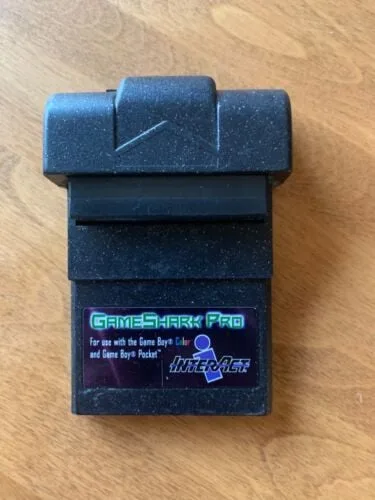
- Game Boy Color Pocket Gameshark Pro V3.0: Game Boy Color Pocket Gameshark Pro V3.0 is a USED game enhancer for Game Boy Color and Game Boy Pocket that allows access to new levels and weapons, infinite health, endless ammo, and unlimited time. A GameShark can extend the life of working cartridges by unlocking content, but it is not a repair tool for physically damaged games.
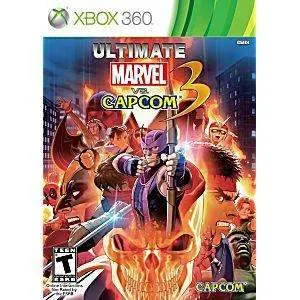
- Ultimate Marvel vs Capcom 3 - Xbox 360 Game: Ultimate Marvel vs Capcom 3 for Xbox 360 is a used game that is fully tested and guaranteed to work, and includes the disc only unless otherwise specified. This shows the standard for tested retro games: disc-only listings can still be reliable, but always check the condition notes before buying.
- FreekStyle – PS2 Game: FreekStyle for PlayStation 2 is a pre-owned game that has been fully tested and is working, and includes the disc only unless otherwise specified. Even disc-based games benefit from careful cleaning and testing, so the same care principles apply across retro formats.