Quick answer
Clean Grado headphone cushions in two layers: brush or wipe them after every few listening sessions, then hand-wash foam pads in cool water with a drop of mild soap only when they look or smell dirty. Never machine wash, tumble dry, or soak pads overnight. Always remove the cushions from the headphone first, and let them air-dry fully before refitting so the foam keeps its shape and fit.
Grado cushions sit directly against your ears, so they collect skin oils, hair products, dust, and sweat faster than any other part of the headphone. That buildup does not just look bad. It can harden the foam, change how the pads sit on your ears, and shorten the life of a part you would otherwise replace only occasionally.
The good news is that cushion care takes a few minutes and no special products. The routine below works for the foam pads used across Grado's lineup, including the F-Cushions and the W-Cushions made for the GW100. Follow the steps in order, and pay attention to the checkpoints, because most cushion damage comes from a handful of avoidable habits.
What you need before you start
Keep the kit simple: a soft brush or dry toothbrush, two microfiber cloths, a bowl of cool water, and a drop of mild hand soap or dish soap. Skip alcohol wipes, bleach sprays, fabric softener, and hot water. Foam pads are porous, and harsh cleaners leave residue that can irritate skin or break down the foam faster than normal use would.
Work over a clean, dry surface such as a towel. Cushions are light and easy to lose, and small parts like the plastic mounting ring should not end up on a hard floor. If your pads are already torn, shedding foam crumbs, or noticeably compressed, cleaning will not restore them, and replacement is the better move.
- Use cool water only. Hot water is the fastest way to warp foam.
- Keep one cloth dry and one slightly damp so you always have a finishing wipe.
How often to clean, and when to just replace
A quick brush every week or two handles most of the buildup for daily listeners. A full wash makes sense every one to three months, or sooner if you wear the headphones during workouts, in humid weather, or after applying hair products. If you share the headphones, clean them more often, since oils and residue accumulate from more than one person.
Replacement timing matters as much as cleaning. Once the foam stays flattened after a wash, feels stiff, or no longer seals gently around your ears, cleaning has stopped being the answer. Grado sells replacement cushions separately, so you can refresh the pads without replacing the headphone itself.
- If the pad springs back after squeezing, it still has life left.
- If it stays compressed or crumbles, replace it instead of washing again.
Cleaning the headphone itself while the pads are off
With the cushions removed, wipe the plastic or metal housing and the grille area with a dry microfiber cloth. Do not let water drip into the driver housing, and never submerge the headphone. If the headband or cable looks dusty, a dry cloth is enough for routine care; the drivers and cable do not need liquids.
This is also the moment to inspect the cable entry and the connector. If you use a Grado 12-Conductor Mini Adaptor Cable - X Series to convert a 1/4 inch plug to 1/8 inch, check that the connection still seats firmly. A loose adaptor is a common cause of one-channel dropouts that people mistakenly blame on the cushions.
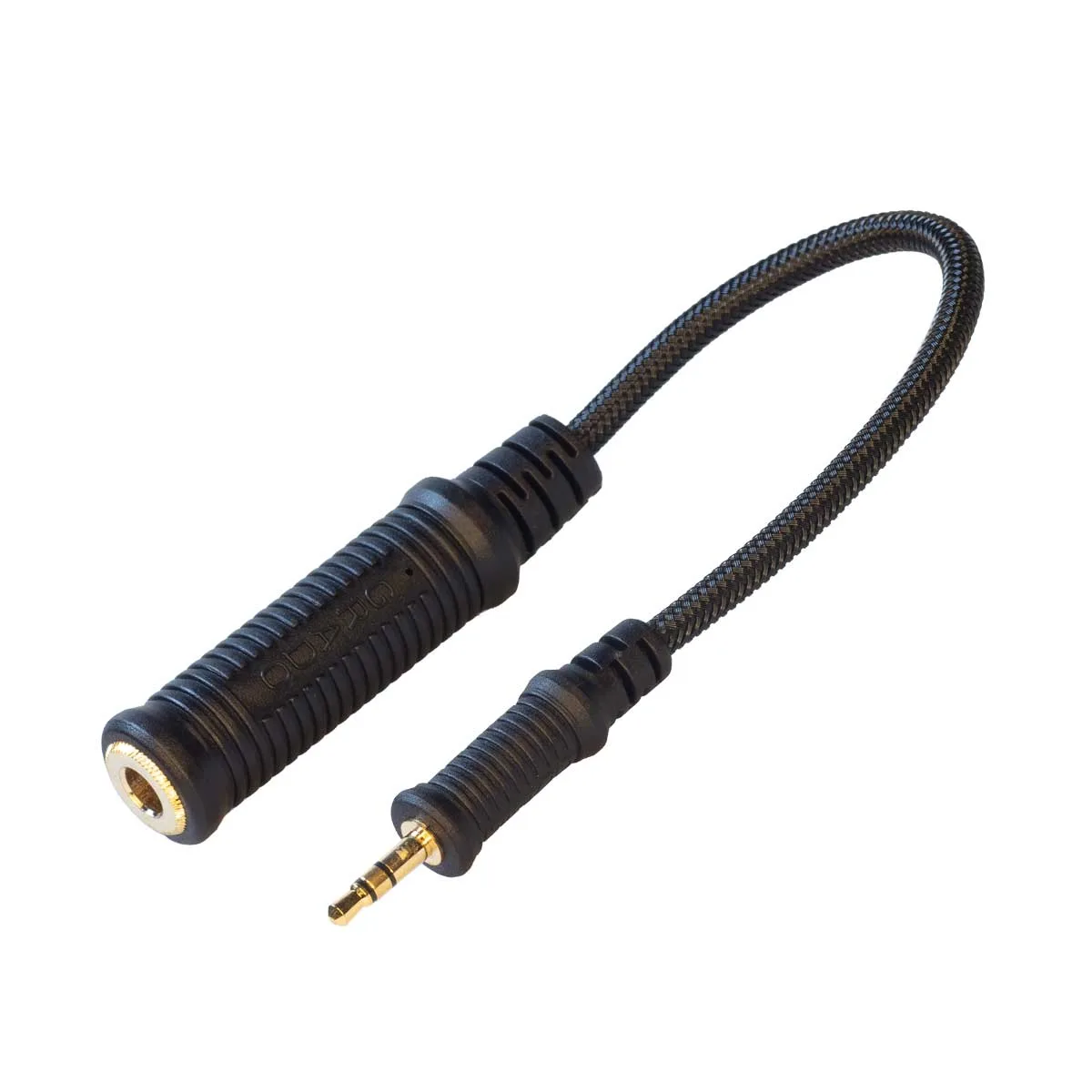
Grado 12-Conductor Mini Adaptor Cable - X Series
- Wipe the housing before the pads go back on, not after.
- Keep liquids away from the driver grille at all times.
Storing and carrying your headphones
Most cushion wear happens between listening sessions, not during them. Leaving headphones loose in a bag crushes the foam and collects lint. A dedicated case keeps the pads round and clean, and it keeps dust out of the driver grille. Grado offers a Medium Hard-Shell Case for Grado Headphones that fits the Prestige Series, GW100, GH1 through GH4, RS2e, and Hemp models when they are fitted with S, WS, L, or Flat Cushions.
One caution: that case is sized for those cushion types. If you have swapped to a different pad, check the fit before relying on the case for transport, because forcing a larger cushion into a smaller shell is exactly how foam gets permanently compressed.
- Store headphones flat or on a stand, never under heavy objects.
- Avoid leaving foam pads in direct sun or in a hot car.
Your step-by-step cushion care routine
- Step 1: Remove the cushions from the headphone: Grip the pad at the edge and ease it off the mounting ring. Do not pull by the foam itself, and do not use tools, which can tear the pad or scratch the housing. Checkpoint: if the foam tears during removal, it was already brittle and should be replaced.
- Step 2: Dry-brush the foam: Brush loose dust, hair, and lint off both sides of the pad with a soft brush or dry toothbrush. Work over a towel so debris does not spread. Mistake to avoid: skipping this step and going straight to water, which turns surface dust into a paste that works deeper into the foam.
- Step 3: Hand-wash in cool water with mild soap: Fill a bowl with cool water and add one drop of mild soap. Submerge the pads and gently squeeze them a few times, then rinse in clean cool water until no suds remain. Mistake to avoid: hot water, bleach, or fabric softener. All three damage foam and leave residue against your ears.
- Step 4: Press out water, never wring: Place each pad between two dry towels and press down firmly. Do not twist, wring, or squeeze hard, because wet foam tears easily and loses its shape. Checkpoint: the pad should still look round and even after pressing. If it is distorted now, it will dry that way.
- Step 5: Air-dry completely at room temperature: Lay the pads flat on a dry towel away from sunlight, radiators, and hair dryers. Depending on humidity, expect several hours to overnight. Mistake to avoid: refitting damp pads. Trapped moisture causes odor and can affect the driver area over time.
- Step 6: Refit and check the seal: Once fully dry, press each cushion back onto its mounting ring and rotate it gently to seat it evenly. Put the headphones on and confirm both pads sit comfortably around your ears. Next step: if the pad no longer springs back or sits flat, replace it rather than washing it again.
Grado parts that make cushion care easier
- Grado Headphone Replacement F-Cushions: Genuine Grado ear cushions, standard equipment on the SR225, SR325, and Hemp, and they also fit all Prestige, Reference, Statement, Professional, and Limited Edition headphones. Because one cushion type covers so many models, keeping a spare set on hand means you can wash one pair while the other dries, with no downtime.
- Grado Headphone Replacement W-Cushions: Standard equipment on the GW100, and these cushions only fit the GW100. If you own the GW100, order the W-Cushions specifically. A pad made for another model will not fit, no matter how similar it looks.
- Medium Hard-Shell Case for Grado Headphones: Hard-shell zipper case with an embossed Grado logo, fitting all Prestige Series, GW100, GH1/GH2/GH3/GH4, RS2e, and Hemp headphones when fitted with S/WS, L, or Flat Cushions. Proper storage protects the foam from crushing and dust, which is the single easiest way to extend cushion life between washes.
Cushion care comes down to a short, regular routine: brush often, wash gently in cool water, dry fully, and store the headphones so the foam is not crushed. Do that, and your pads will stay comfortable and clean for far longer, with replacement needed only when the foam itself finally gives out.


