Quick answer
Clean your RAM mount every one to three months with mild soap, warm water, and a soft cloth, then dry it fully before use. Check the spring tension and rubber tips on spring-loaded cradles, and tighten any loose base hardware. In dusty or salty environments, shorten that interval to monthly and rinse the mount after every exposure.
What you need before you start
Gather a soft microfiber cloth, a second dry cloth, a soft-bristle brush (an old toothbrush works), mild dish soap, warm water, and a can of compressed air if you have one. Skip abrasive pads, scouring powder, and harsh solvents such as acetone or brake cleaner; they can dull the finish and dry out rubber components. If your mount is attached to a vehicle, remove the device first and work on the mount in place rather than unbolting the base unless the hardware is loose.
Cleaning the cradle and spring mechanism
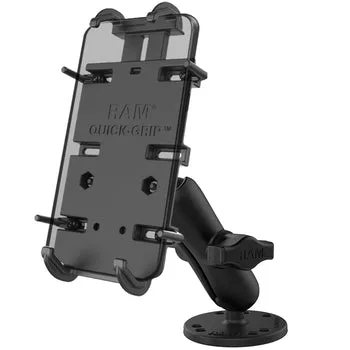
Spring-loaded cradles collect dust in the gaps around the arms and in the spring housing. Blow out loose debris first, then brush the crevices with a dry soft brush before introducing any moisture. Wipe the cradle with a cloth dampened in mild soapy water, and avoid soaking the spring area. On a RAM® Quick-Grip™ XL Spring-Loaded Phone Mount with Drill-Down Base, the spring arms should move freely after cleaning; if they feel gritty, repeat the dry-brush step rather than adding lubricant, which attracts more dust.
Cleaning form-fit and flat-surface mounts
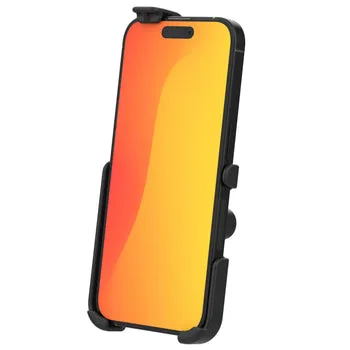
Form-fit holders have tighter tolerances, so trapped grit can scratch a phone's finish. Remove the device, wipe the interior surfaces with a barely damp cloth, and let the holder air-dry completely before reinserting the phone. For flat-surface mounts, clean the mounting plate and the area around the base with the same mild solution. A RAM® Form-Fit Holder for Apple iPhone 13, 13 Pro, 14, 14 Pro, 15 & 16 has a custom-fit interior; a soft cloth is enough, and you should never pry at the side walls to reach debris.
Tablet holders and larger cradles
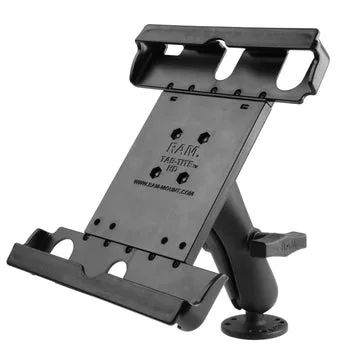
Larger cradles such as the RAM® Tab-Tite™ 9"-10.5" Tablet Holder with Flat Surface Mount have more surface area and more places for dust to settle. Remove the tablet, brush the corner grips, and wipe the back plate. Check that the adjustable arms still hold the tablet snugly; if the fit feels loose after cleaning, inspect the grip pads for wear rather than overtightening anything.
Corrosion prevention in cars, trucks, and boats
Salt air, road spray, and humid garages are the main causes of finish damage on any mount. After exposure, rinse the mount with fresh water, dry it thoroughly, and leave it to air-dry before reinstalling your device. A light coat of silicone spray on metal hardware, applied away from rubber grips, adds a barrier without leaving a greasy film. Never store a wet mount with the device attached; trapped moisture between the cradle and the phone is the fastest route to corrosion and screen damage.
Your 7-step RAM mount care routine
- Remove the device and power down: Take the phone or tablet out of the cradle and turn it off so you can work without notifications or heat buildup. Checkpoint: the mount should be empty and cool before you start.
- Dry-brush loose debris: Use a soft-bristle brush or compressed air to clear dust from the arms, spring housing, and base before any liquid touches the mount. Mistake to avoid: skipping this step turns dust into abrasive paste when you add water.
- Wipe with mild soapy water: Dampen a microfiber cloth in warm water with a drop of mild dish soap, wring it out, and wipe all surfaces without soaking the spring mechanism. Checkpoint: the cloth should be barely damp, not dripping.
- Clean the grip pads and interior surfaces: Wipe the rubber tips, grip pads, and the inside of form-fit holders gently; do not pry at side walls or use abrasive pads. Mistake to avoid: harsh solvents dry out rubber and reduce grip.
- Rinse and dry completely: Wipe away soap residue with a clean damp cloth, then dry every surface with a dry cloth and let the mount air-dry before reinstalling the device. Checkpoint: no moisture should remain in crevices or under the base.
- Check hardware and spring tension: Test the spring arms for smooth movement and tighten any loose base screws; if the cradle feels loose, inspect the grip pads for wear. Mistake to avoid: overtightening base hardware can strip threads or crack plastic.
- Schedule the next cleaning: Set a reminder for one to three months, or monthly if you drive in dusty, salty, or humid conditions. Next step: note the date so maintenance becomes a habit, not a repair.
Mounts that benefit most from a care routine
- RAM® Quick-Grip™ XL Spring-Loaded Phone Mount with Drill-Down Base: Spring-loaded Quick-Grip™ XL cradle with a drill-down base for a permanent, stable mount. The spring arms and exposed base hardware collect dust and road grime, so a quarterly dry-brush and damp-wipe routine keeps the grip reliable.
- RAM® Tab-Tite™ 9"-10.5" Tablet Holder with Flat Surface Mount: Holds 9" to 10.5" tablets with a flat surface mount and a Tab-Tite™ mechanism for a snug fit. The larger cradle has more surfaces to clean, and keeping the grip pads free of grit protects both the tablet and the holder.
- RAM® Form-Fit Holder for Apple iPhone 13, 13 Pro, 14, 14 Pro, 15 & 16: Form-fit holder designed for Apple iPhone 13, 13 Pro, 14, 14 Pro, 15, and 16. The custom-fit interior needs gentle cleaning with a soft cloth; abrasive tools or prying can damage the fit that keeps the phone secure.