Quick Answer
To keep your metal heater performing at its best, unplug it, let it cool completely, then gently vacuum the exterior and heating coils with a soft brush attachment. Regular cleaning every two to four weeks during heavy use prevents dust buildup that can reduce efficiency and cause odors.
Why Dust and Debris Hurt Heater Performance
Dust and debris can accumulate on the heating elements and inside the cabinet, restricting airflow and forcing the heater to work harder. This can lead to longer heating times, higher energy consumption, and even a burning smell when the unit is first turned on. Keeping the metal cabinet and coils clean not only maintains performance but also reduces the risk of overheating.
The VMHi500 Metal Heater with Auto Climate Control features a cool-touch, powder-coated gloss metal cabinet and two LED displays for easy settings visibility. Its durable steel construction is designed for serious comfort, but like any heater, it benefits from regular maintenance to keep it running efficiently.
Step-by-Step Metal Heater Cleaning Process
- Unplug and Cool Down: Always unplug the heater from the wall outlet and wait at least 30 minutes for it to cool completely. Never attempt to clean a heater that is still warm or plugged in. Check that the power cord is not frayed or damaged before plugging it back in later.
- Vacuum the Exterior and Vents: Use a vacuum cleaner with a soft brush attachment to gently remove dust from the metal cabinet, vents, and grilles. Work slowly to avoid scratching the powder-coated finish. Avoid using a hard bristle brush or abrasive cloth, which can damage the surface.
- Clean the Heating Coils: With the heater unplugged and cool, use the soft brush attachment to carefully vacuum the heating coils and surrounding area. If dust is stubborn, use a can of compressed air to blow it out, directing the air away from the electrical components. Do not use water or liquid cleaners on the coils—moisture can cause electrical hazards.
- Wipe Down the Cabinet: Dampen a microfiber cloth with water or a mild soap solution, wring it out well, and wipe the metal cabinet. Avoid saturating the surface, and never let moisture enter the vents or openings. Dry the cabinet with a clean, dry cloth to prevent water spots or streaks.
- Check the Remote and Controls: If your heater has a remote control, wipe it with a dry cloth and check the battery compartment for corrosion. Clean the buttons on the unit itself with a slightly damp cloth, then dry thoroughly. Replace remote batteries if the range seems reduced.
- Reassemble and Test: After cleaning, ensure all parts are dry and properly reassembled. Plug the heater back in, turn it on, and let it run for a few minutes in a well-ventilated area to confirm it operates normally and that no burning odor persists. If a burning smell continues, turn the heater off and contact Vornado support for further guidance.
Product Facts
-
VMHi500 Metal Heater with Auto Climate Control: The VMHi500 features a cool-touch, powder-coated gloss metal cabinet and two LED displays for easy settings visibility. The cool-touch exterior allows for safe handling during cleaning, while the LED displays help you confirm settings after reassembly.
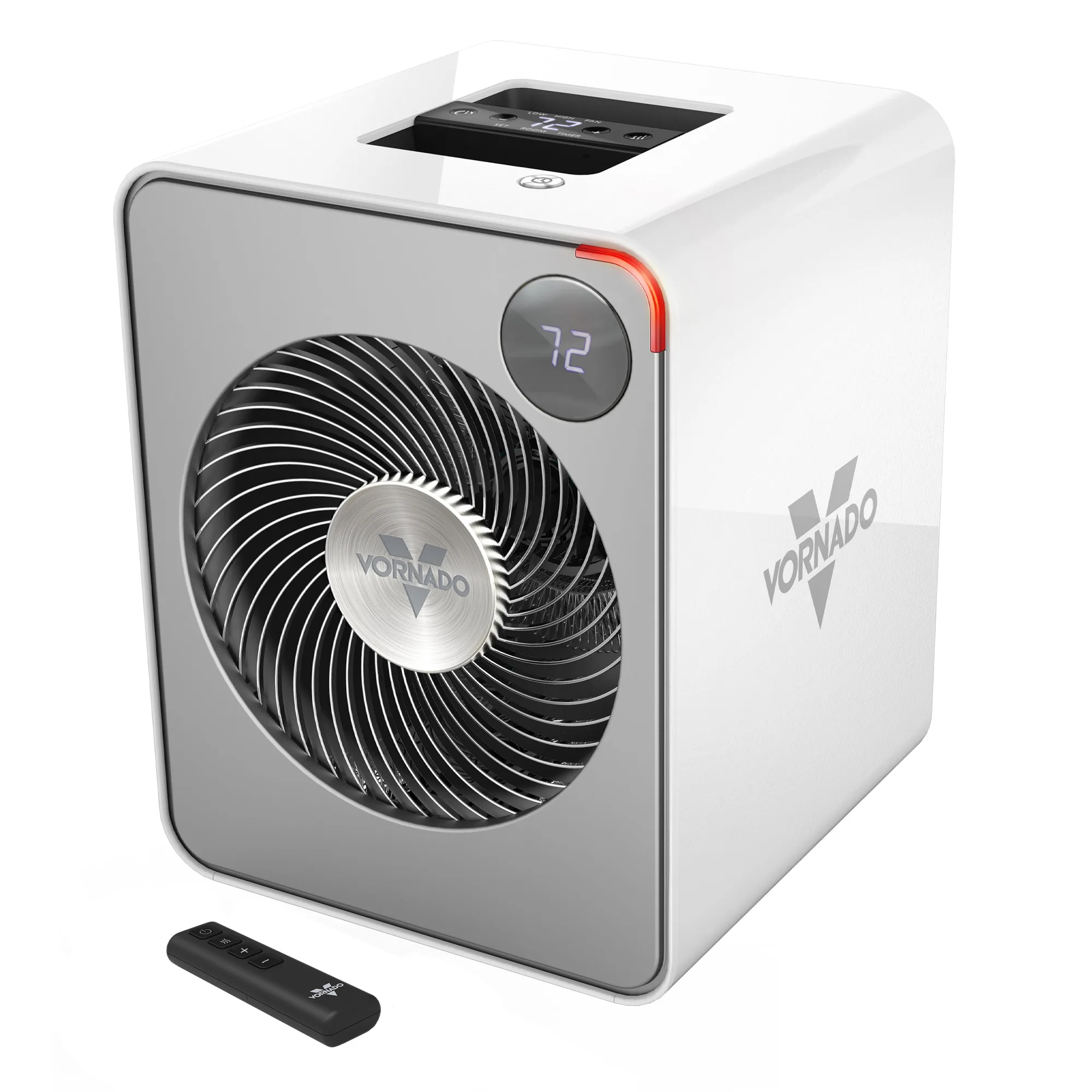
VMHi500 Metal Heater with Auto Climate Control