Why a Phone Cleaning Kit with Putty Works
Phones, tablets, and headphones collect dust, lint, and earwax in places you can't reach with a dry cloth. A phone cleaning kit that includes cleaning putty is designed to lift debris from ports, speaker grilles, and gaps without using liquid. The putty is pressed into openings, where it grabs particles, then peeled away cleanly. This approach is especially useful for USB-C ports and headphone jacks, where sticky residue or compressed dust can interfere with charging or audio.
What the Lens-Aid 5-in-1 Cleaning Set Includes
The Lens-Aid Handy Reinigungsset (5-in-1) comes with pre-portioned cleaning putty, two 2-in-1 brushes (plastic and wire tip), 25 double-sided cleaning sticks, and a large microfiber cloth. All items are stored in a compact aluminum tin with foam insert, making it easy to carry or keep at a desk. The putty is single-use, so you always work with a fresh, hygienic portion.
How to Clean Your Phone with the Kit
Follow these steps to clean your phone, USB-C port, headphone jack, and keyboard.
- 1. Clean the screen and body: Use the included microfiber cloth to wipe the display and back panel. This removes fingerprints and loose dust without scratching. For stubborn smudges, breathe lightly on the surface and buff gently.
- 2. Use putty for ports and speaker grilles: Take one pre-portioned piece of cleaning putty and roll it into a small ball. Press it firmly into the USB-C port, headphone jack, or speaker grille. Hold for a few seconds, then pull it out. The putty pulls out dust and debris that a brush might miss. Discard the putty after one use.
- 3. Brush out remaining debris: Use the 2-in-1 brush with the plastic tip for wider openings and the wire tip for tight crevices. Gently sweep around the port edges and speaker mesh. The brush helps dislodge anything the putty loosened but didn't remove.
- 4. Clean the keyboard with putty and sticks: Press a fresh piece of putty over the keyboard keys and lift. For crumbs between keys, use a double-sided cleaning stick. The stick's pointed end reaches into gaps, and the flat end can wipe the keycaps.
- 5. Finish with a final wipe: Give the phone and keyboard a last pass with the microfiber cloth to remove any residue from the putty or sticks.
What the Kit Provides for Port Cleaning
-
Handy Reinigungsset inkl. Reinigungsknete für USB-C Anschluss, Kopfhörer, Tastatur, etc.: The cleaning putty is pre-portioned for single use, making it easy to reach USB-C ports, speaker grilles, and AirPods/earbuds without liquid. Single-use portions keep the putty hygienic and prevent cross-contamination between different devices or areas.
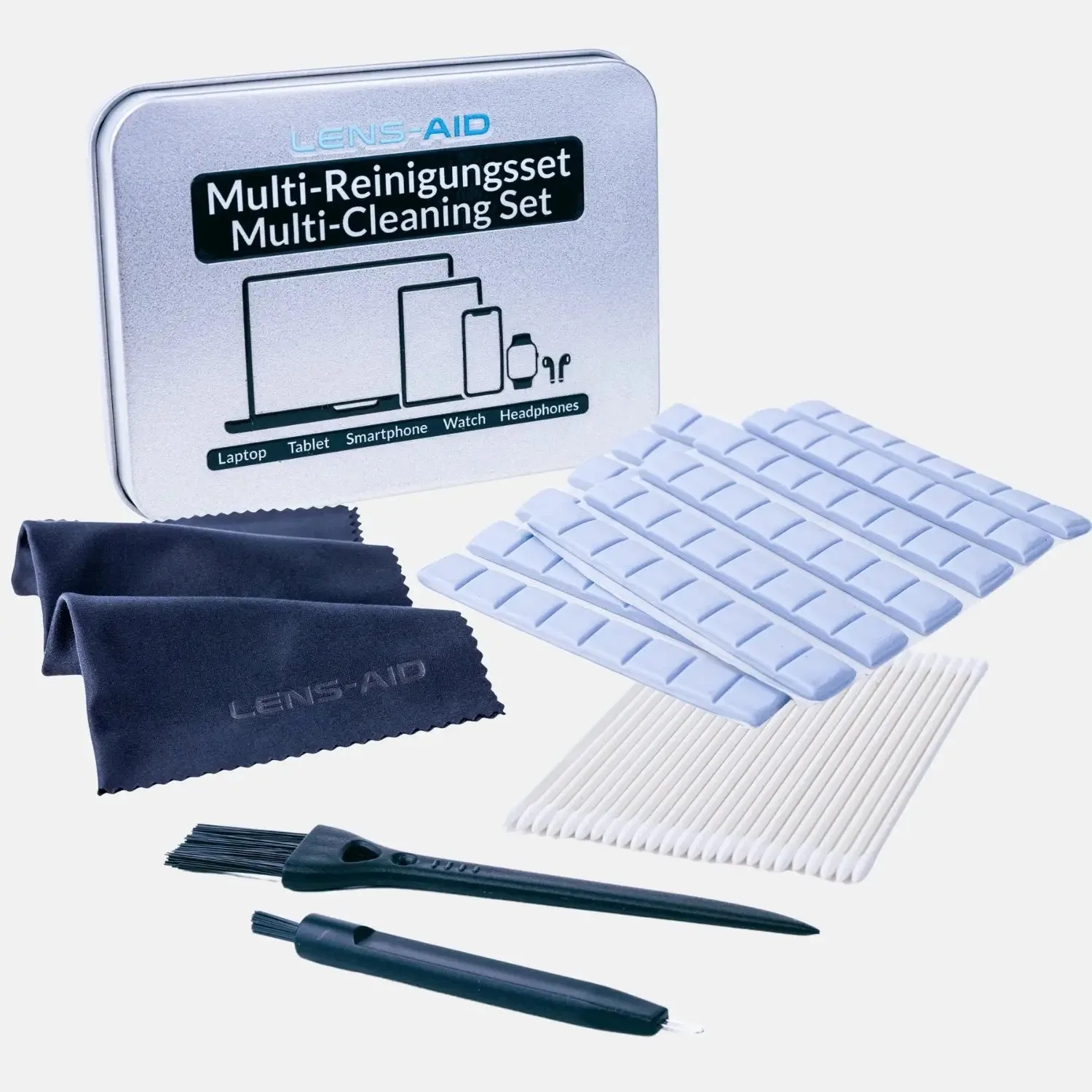
Handy Reinigungsset inkl. Reinigungsknete für USB-C Anschluss, Kopfhörer, Tastatur, etc.
-
Handy Reinigungsset inkl. Reinigungsknete für USB-C Anschluss, Kopfhörer, Tastatur, etc.: The set includes 25 double-sided cleaning sticks, ideal for keys, ports, and in-ear headphones. Cleaning sticks provide precise control for small gaps where brushes or cloths cannot reach effectively.
-
Handy Reinigungsset inkl. Reinigungsknete für USB-C Anschluss, Kopfhörer, Tastatur, etc.: Two 2-in-1 brushes with plastic and wire tips remove stubborn dirt from tight spaces. The wire tip can dislodge compacted debris, while the plastic tip is safe for delicate components like speaker mesh.
What to Keep in Mind When Using Putty
Cleaning putty is effective for dry debris but not for sticky or wet spills. If liquid has entered a port, let it dry completely before using putty. Also, avoid pressing putty too hard into deep ports; gentle pressure is enough. The putty is single-use, so use a fresh portion for each device or area to maintain hygiene. The kit's aluminum tin keeps the remaining putty and tools clean for the next use.