Quick Answer
Install the CRKD x Mechanism Wall Display Kit in minutes using the adhesive mount or optional screws for extra security—then attach your controller with the included NEO S Grip.
Why Use a Wall Display Kit
A wall mount keeps your controller visible and accessible while freeing up desk or shelf space. The CRKD x Mechanism Wall Display Kit is designed for collectors who want a clean, organized look without damaging their gear.
Adhesive vs. Screw Mounting
The kit includes a strong adhesive pad for renters or smooth surfaces, plus drywall anchors and screws for a more permanent hold on drywall. Adhesive works well on clean, non-porous surfaces but may not hold on textured walls or in high-humidity areas. Screws are the better choice if you want extra security or plan to move the mount later.
Installation Steps
- Choose Your Mounting Spot: Select a clean, flat wall area away from direct sunlight or moisture. Hold the mount against the wall to confirm the controller fits without hitting nearby objects. Do not mount over electrical outlets or heat sources.
- Prepare the Surface: Wipe the wall area with rubbing alcohol and let it dry completely. For adhesive mounting, the surface must be free of dust, grease, or old paint flakes. Skipping this step may cause the adhesive to fail later.
- Attach the Mount (Adhesive or Screws): Peel the adhesive backing and press the mount firmly for 30 seconds. For screws, mark the anchor points, drill pilot holes, insert the drywall anchors, then screw the mount in place. If using screws, ensure the anchors are fully seated before tightening.
- Attach the NEO S Grip to Your Controller: Press the grip onto the back of your controller until it clicks or snaps into place. The grip is designed to hold securely without scratching the controller surface. Check that the grip is centered so the controller hangs straight.
- Hang the Controller on the Mount: Align the grip with the mount and slide it down gently until it locks. Give the controller a light tug to confirm it is secure. If the controller feels loose, remove it and recheck the grip alignment.
Product Details
-
CRKD x Mechanism Wall Display Kit: The kit includes an adhesive wall mount and a NEO S Grip that attaches firmly to the controller. You don't need to buy extra hardware for most setups, and the grip keeps the controller secure while on display.
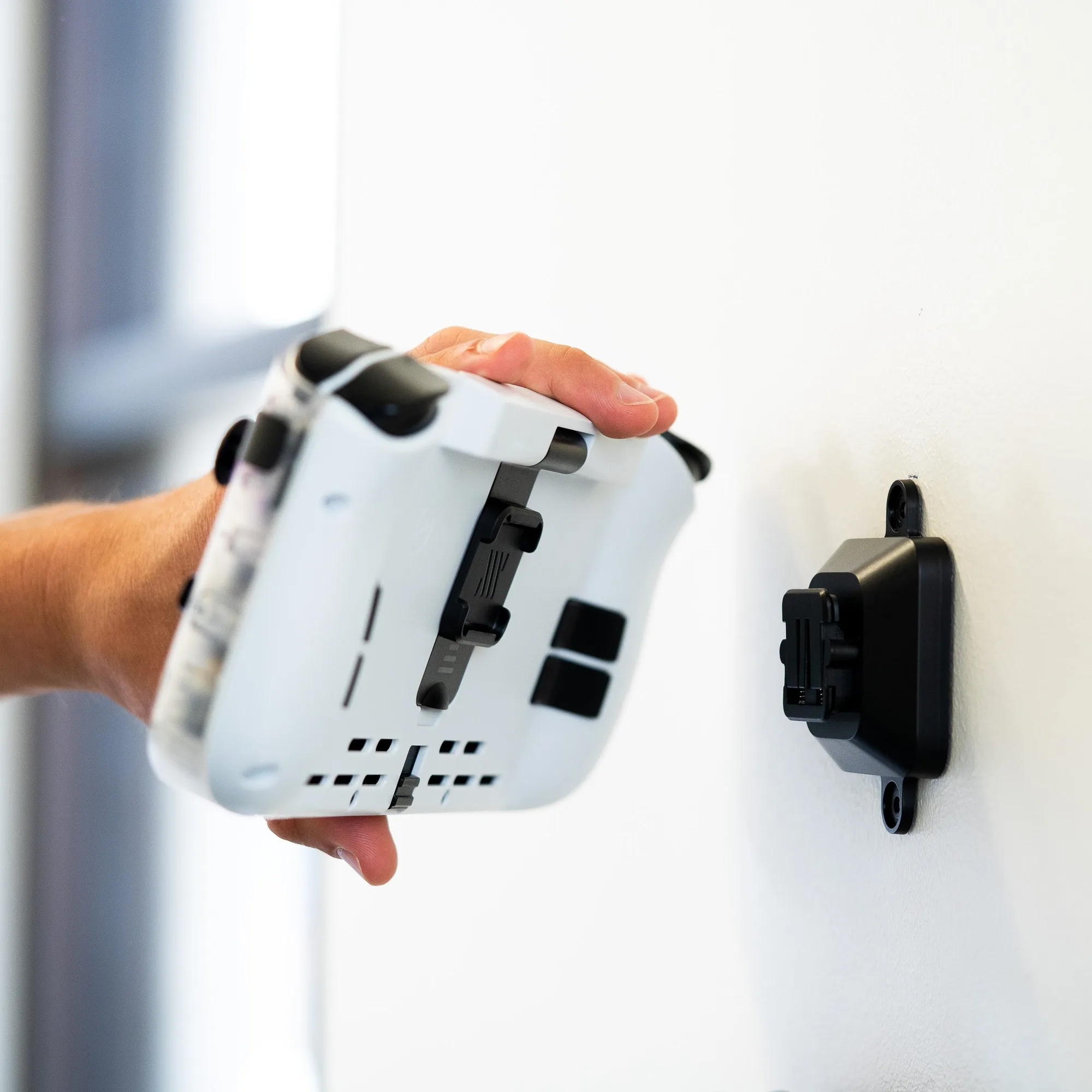
CRKD x Mechanism Wall Display Kit