What the GO GAMER CLASSIC TRAY Includes
The GO GAMER CLASSIC TRAY is a countertop point-of-purchase retail display tray designed to hold and showcase 12 handheld gaming devices. Each tray includes 4 units of the Go Gamer Classic Red (DGUNL-3909), 4 units of the Go Gamer Classic Purple (DGUNL-3910), and 4 units of the Go Gamer Classic Blue (DGUNL-3913).
Each handheld comes packed with 300 built-in games, a full color 2.5" screen, a built-in speaker with volume control, and a 3.5 mm headphone port. The tray also features an On/Off LED switch that illuminates the buttons, adding a visual highlight to your display.
GO GAMER CLASSIC TRAY Key Facts
-
GO GAMER CLASSIC TRAY -12 PCS: Includes 4 PCS of DGUN-3909 (Red), 4 PCS of DGUN-3910 (Purple), 4 PCS of DGUN-3913 (Blue). You get a balanced assortment of three color variants right out of the box, ready for display.
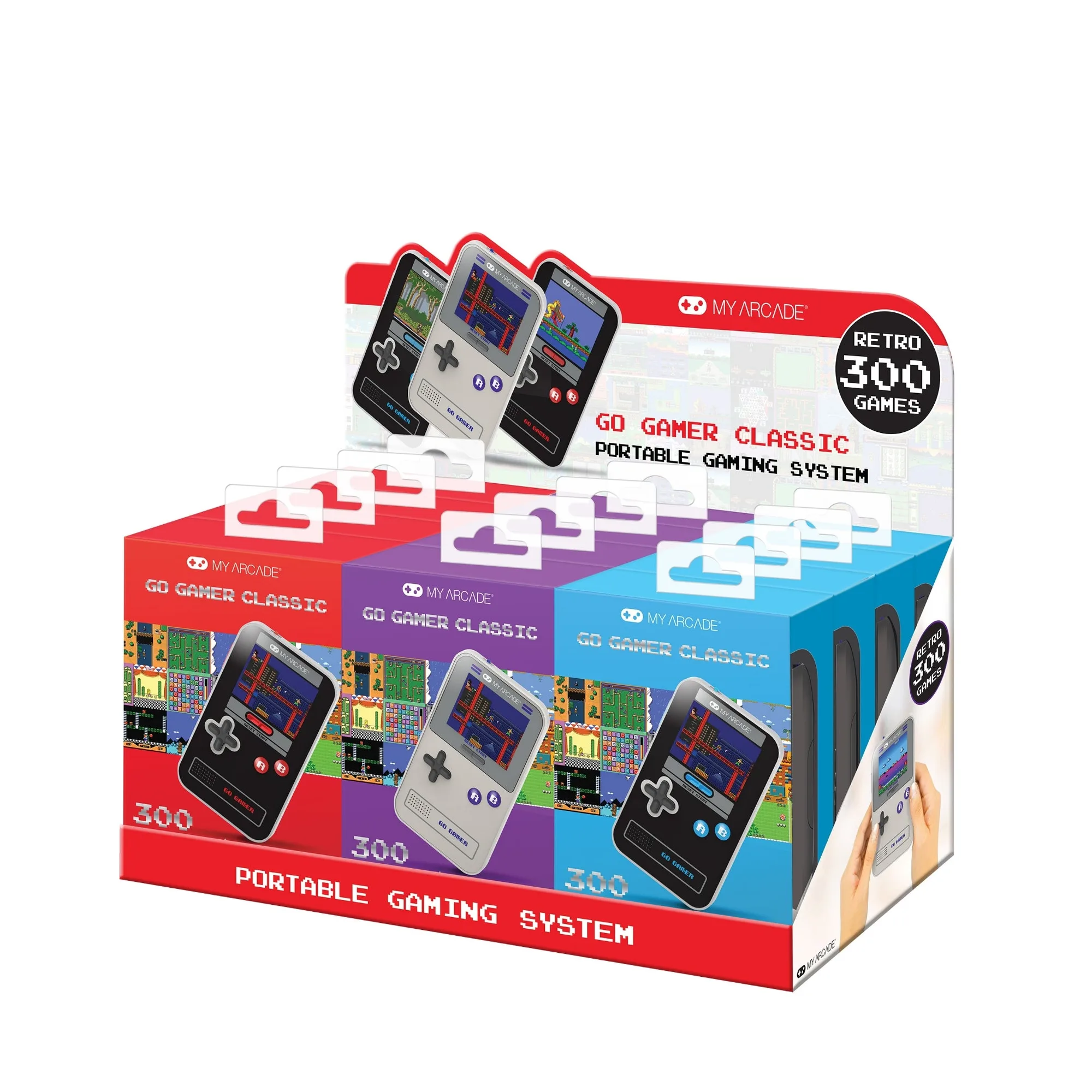
GO GAMER CLASSIC TRAY -12 PCS
-
GO GAMER CLASSIC TRAY -12 PCS: Packed with 300 built-in games. Each handheld offers a large game library, making the tray a conversation starter for retro gaming enthusiasts.
-
GO GAMER CLASSIC TRAY -12 PCS: Powered by 3 AAA batteries (not included). Batteries are not included, so you'll need to purchase them separately before powering on the handhelds for display.
-
GO GAMER CLASSIC TRAY -12 PCS: On/Off LED switch for illuminated buttons. The LED lighting makes the tray visually appealing, especially in a dimly lit room or retail setting.
Setting Up the Display Tray
Setting up the GO GAMER CLASSIC TRAY is straightforward. Follow these steps to get your display ready.
- Unbox and Arrange the Handhelds: Remove the tray from its packaging. Take out each handheld and place them into the tray slots. The tray is designed to hold 12 units—4 red, 4 purple, and 4 blue. Arrange them in any order you prefer.
- Insert Batteries: Each handheld requires 3 AAA batteries (not included). Open the battery compartment on the back of each unit and insert the batteries. Close the compartment securely.
- Power On and Test: Press the power button on each handheld to turn it on. Verify that the screen displays the game menu and that the built-in speaker works. Adjust the volume using the volume control on the side.
- Activate the LED Switch: Locate the On/Off LED switch on the tray. Flip it to the On position to illuminate the buttons. This adds a colorful glow to your display, making it more eye-catching.
- Position the Tray: Place the tray on a countertop, desk, or shelf where it can be easily seen. Ensure the surface is stable and the tray is not at risk of being knocked over. The tray is designed for point-of-purchase retail displays, so it works well in both home and store settings.
Tips for an Attractive Display
To make the most of your GO GAMER CLASSIC TRAY, consider these display tips.
Position the tray in a well-lit area to highlight the full color 2.5" screens. The LED illumination on the buttons is most effective in lower light, so you might place it near a window or under a spotlight for contrast.
Keep the handhelds clean by wiping the screens and shells with a soft, dry cloth. Avoid using liquids or abrasive cleaners, as the supplied information does not confirm specific cleaning instructions.
If you rotate the handhelds for display, ensure each one has fresh batteries to maintain consistent brightness and sound. The tray itself does not require any maintenance beyond occasional dusting.
What the Supplied Information Doesn't Cover
The supplied product information does not include specific cleaning or storage instructions for the tray or handhelds beyond general use. It also does not specify a battery life estimate for the handhelds or the LED switch. For any maintenance or troubleshooting, refer to the manufacturer's documentation that came with your unit.
If you plan to use the tray for long-term display, check the batteries periodically to avoid leakage. The tray itself is a sturdy countertop display, but it is not designed for outdoor or high-moisture environments.