Quick Answer
Frame your posters with UV-protective acrylic and acid-free backing, then hang them away from direct sunlight to prevent fading and damage. For detailed maps like the Space Worlds Map, use a large frame that preserves the full artwork.
Why framing matters for your collection
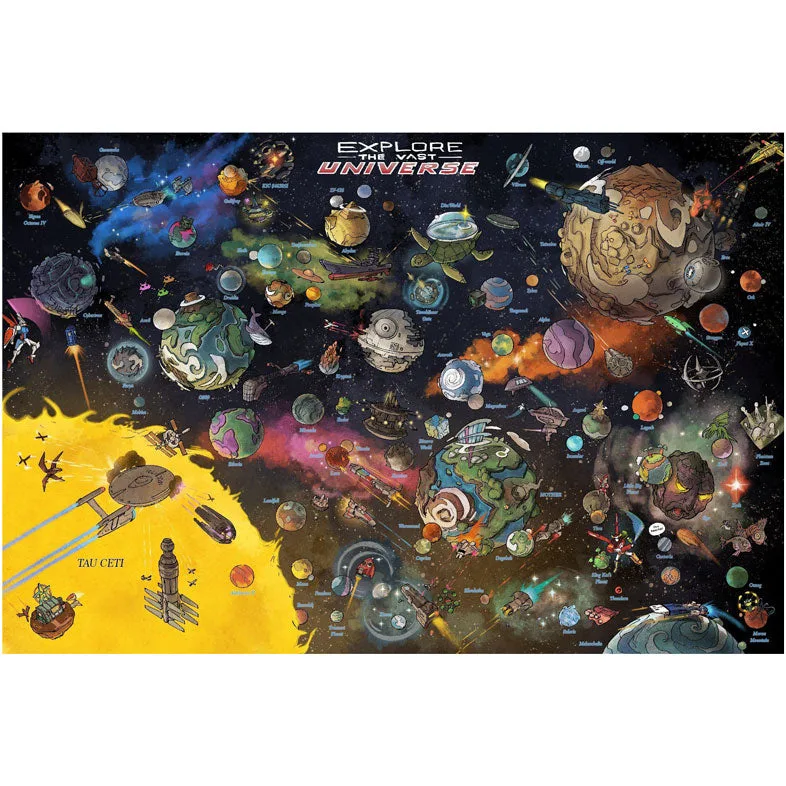
Unframed posters are vulnerable to dust, moisture, and UV light, which can cause fading, yellowing, and tearing over time. A quality frame not only protects but also enhances the visual impact of your gaming art. For detailed posters like the Space Worlds Map, which features over 70 planetary destinations and 50 vessels, a frame prevents creases and allows you to appreciate the full scope of the artwork.
5 Steps to Display Your Video Game Poster Collection
- 1. Choose the Right Frame Size and Type: Measure your poster's dimensions and select a frame that fits exactly. For posters like the Space Worlds Map, avoid frames that crop edges. Use a frame with a mat to create a border and prevent the poster from touching the glass. A common mistake is using a frame that's too small or without a mat, which can cause the poster to stick to the glass over time.
- 2. Use Acid-Free Materials: Purchase acid-free mounting board and backing to prevent the poster paper from yellowing or becoming brittle. Acid in standard cardboard can cause long-term damage. Checkpoint: Verify the mounting board is labeled 'acid-free' or 'archival' before use.
- 3. Install UV-Protective Glazing: Use UV-protective acrylic or glass in your frame to block harmful ultraviolet rays that fade inks. This is especially important for vibrant gaming art. Common mistake: Skipping UV protection leads to noticeable fading within months if the poster is in a bright room.
- 4. Hang Away from Direct Sunlight and Humidity: Choose a wall that doesn't receive direct sunlight, and avoid bathrooms or kitchens where humidity fluctuates. Use a level to ensure the frame is straight. Checkpoint: Use picture-hanging hooks rated for the frame's weight to avoid falls.
- 5. Clean and Rotate Periodically: Dust the frame glass with a microfiber cloth monthly. Every six months, consider rotating posters to different walls to distribute light exposure evenly. Common mistake: Using spray cleaner directly on the glass can seep into the frame and damage the poster.
Product Spotlight
-
Space Worlds Map by Edison Yan - Default: The Space Worlds Map by Edison Yan is a painstakingly researched poster print that merges over 70 popular planetary destinations and 50+ vessels/characters into one large map. This level of detail means you need a large, high-quality frame to display the entire map without cropping or distortion, and UV protection to keep the colors vibrant.
Space Worlds Map by Edison Yan - Default