Quick Answer
To fit a service dog tag on a clip-on ID carrier, slide the tag into the clear vinyl pocket and attach the carrier to your dog's collar using the sturdy clip. Ensure the tag sits flat and the carrier is securely fastened to prevent loss.
Why Use a Clip-On ID Carrier?
A clip-on ID carrier offers a practical way to display your dog's service dog identification without adding extra holes to the collar. It keeps the ID card visible from both sides, which is helpful when you need to show credentials quickly.
The heavy-gauge clear vinyl protects the card from dirt, moisture, and wear, so your dog's information stays legible over time. The clip design makes it easy to move the carrier between collars or attach it to a harness when needed.
Choosing the Right Tag for the Carrier
When pairing a tag with a clip-on carrier, consider the size and thickness. A standard service dog tag, like the Service Dog Tag Medical Alert, is designed to fit most ID carriers, but you should always check the dimensions to ensure a snug fit without bulging.
If the tag is too thick, it may not slide into the vinyl pocket easily or could stretch the carrier, making it less secure. In that case, you might prefer attaching the tag directly to the collar with a split ring.
Step-by-Step: Attaching Your Service Dog Tag
- Prepare the Tag and Carrier: Remove any protective film from the clear vinyl carrier. Check that your service dog tag fits inside the pocket without forcing it. If the tag has sharp edges, file them down to avoid puncturing the vinyl. A tag that is too large or sharp can tear the carrier; choose a tag that fits comfortably.
- Slide the Tag into the Carrier: Hold the carrier with the opening facing up. Gently slide the tag into the pocket, ensuring it lies flat and the printed side faces outward. Press out any air bubbles to keep the tag visible and secure. A flat tag with no air bubbles is easier to read and less likely to shift.
- Attach the Carrier to the Collar: Open the clip on the back of the carrier. Position it on your dog's collar, preferably near the ID tag or where it won't slide around. Press the clip closed until it clicks securely. Make sure the clip is fully closed to prevent the carrier from falling off during activity.
- Check the Fit and Security: After attaching, gently tug on the carrier to confirm it is secure. Ensure it does not interfere with your dog's movement or cause discomfort. Adjust the position if necessary. A secure, comfortable fit means the carrier will stay put during walks and play.
Products That Help
-
Service Dog Tag Medical Alert - ADA Access Required Chrome Tag: The Service Dog Tag Medical Alert - ADA Access Required Chrome Tag comes with a split ring and bolt snap and is a perfect size for working service dogs. The split ring and bolt snap give you flexible attachment options, so you can also wear the tag on a bracelet or lanyard if you prefer not to use a carrier.
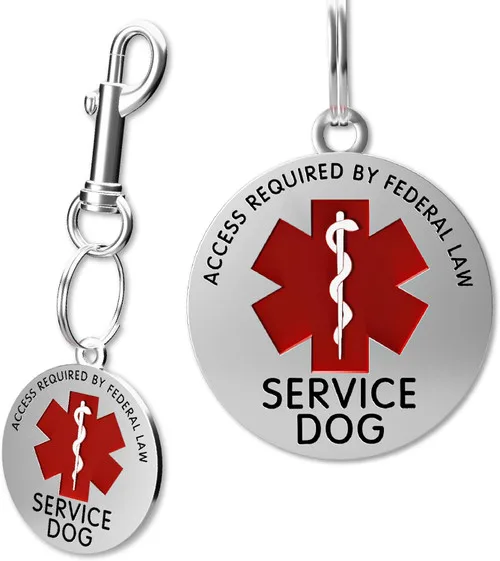
Service Dog Tag Medical Alert - ADA Access Required Chrome Tag
-
Service Dog Clip-On ID Carrier: The Service Dog Clip-On ID Carrier is made from heavy-gauge clear vinyl and displays identification cards from both sides. This carrier keeps your dog's ID visible and protected, making it easy for others to read the information without removing the card.
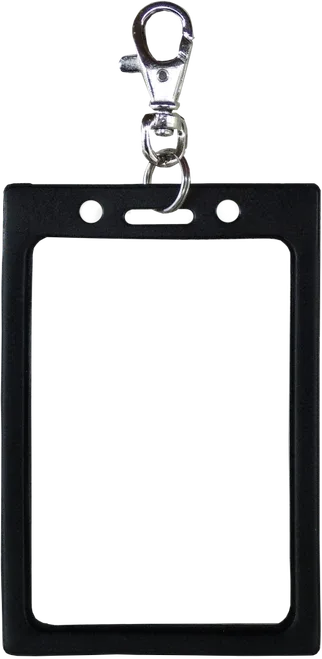
Service Dog Clip-On ID Carrier