Quick answer
Installing the Neon Kingdom front panel on your MAINGEAR MG-1 is a straightforward process that takes just a few minutes. Choose the correct version for your MG-1 model, then follow the alignment and snap-in steps below.
Why version selection matters
The Neon Kingdom front panel comes in two versions: All-new MG-1 and Classic MG-1. Using the wrong version can prevent proper alignment or cause the panel to sit loosely. Check your MG-1 model before ordering—look for a label on the chassis interior or consult your original purchase documentation.
Installation steps
- Power down and unplug your PC: Shut down your computer and disconnect the power cable. This prevents accidental damage to internal components or the front panel connectors. Common mistake: leaving the PC plugged in can cause static discharge or short circuits. Always unplug first.
- Remove the existing front panel: Gently pull the bottom edge of the current front panel outward. It is held by plastic clips—apply even pressure until the clips release. Lift the panel away from the chassis. Common mistake: pulling from the top can crack the clips. Start from the bottom and work your way up.
- Select the correct Neon Kingdom version: Verify your MG-1 model (All-new or Classic) and pick the matching Neon Kingdom version. The panel is keyed to fit only one chassis revision. Common mistake: forcing the wrong version can damage the artwork or the bezel. Double-check your model before proceeding.
- Align the new panel with the chassis: Hold the Neon Kingdom panel so the top edge aligns with the top of the front opening. The clip slots should line up with the chassis tabs. Press the panel gently into place. Common mistake: misaligning the panel can cause gaps or uneven lighting. Ensure all tabs are seated before pressing.
- Snap the panel into place: Starting from the top, press firmly along the edges until you hear each clip click into position. Work your way down to the bottom edge. Common mistake: pressing only the center can leave outer clips unlatched. Apply pressure along the full perimeter.
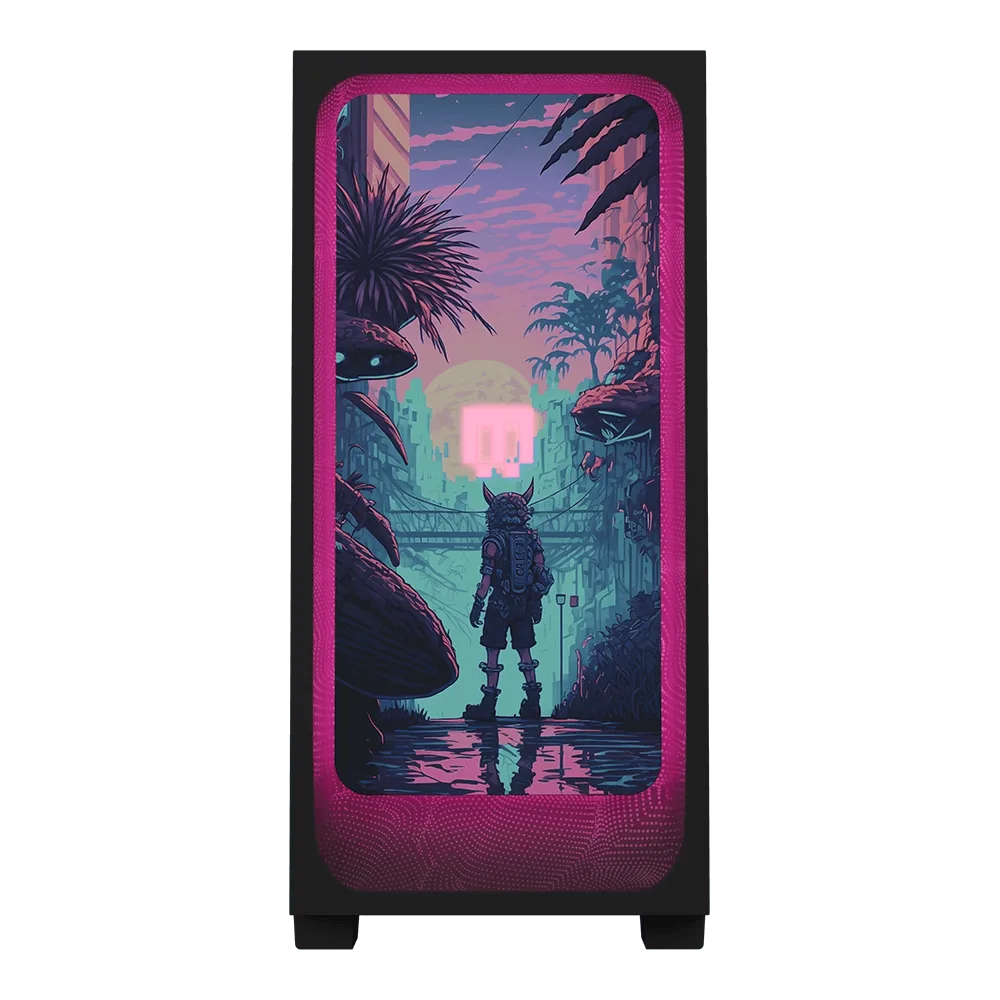
- Reconnect power and test: Plug in your PC and power it on. The Neon Kingdom panel does not require additional wiring—its artwork is passive. Check that the panel sits flush and the neon design is visible through the front bezel. Common mistake: if the panel looks crooked or loose, one or more clips may not be engaged. Remove and reinstall carefully.
Product facts
-
Neon Kingdom: Front panel artwork with a neon-lit lost kingdom theme, using cyan and magenta neon color tones. The vibrant neon colors make the panel a focal point on your MG-1, but the artwork is designed specifically for the MG-1 front bezel shape, so proper fit is essential.
Neon Kingdom