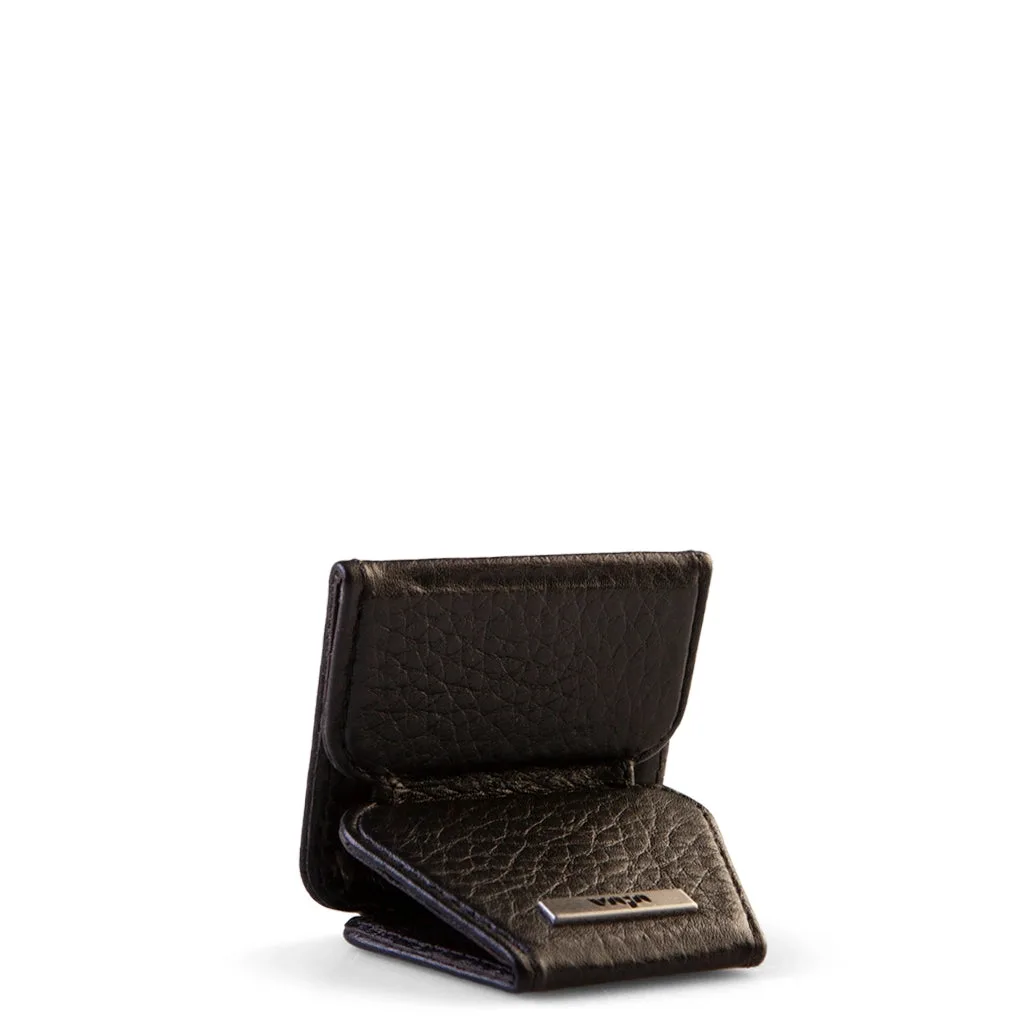
The V-Mag Fold Stand is a versatile accessory that transforms your iPhone into a hands-free viewing station. Whether you're watching videos, making video calls, or following a recipe, this stand offers a stable and adjustable viewing angle. In this guide, we'll walk you through the simple process of installing and removing the V-Mag Fold Stand, ensuring you get the most out of this handy accessory.
Before you begin, it's important to note that the V-Mag Fold Stand is designed to work with MagSafe-compatible cases, such as the Wallet - iPhone 16 Pro Max leather case V-Mag or the Buckler Wallet – iPhone 17 Pro Leather Wallet Case with MagSafe. If you're using a non-MagSafe case, you'll need a separate magnetic adapter.
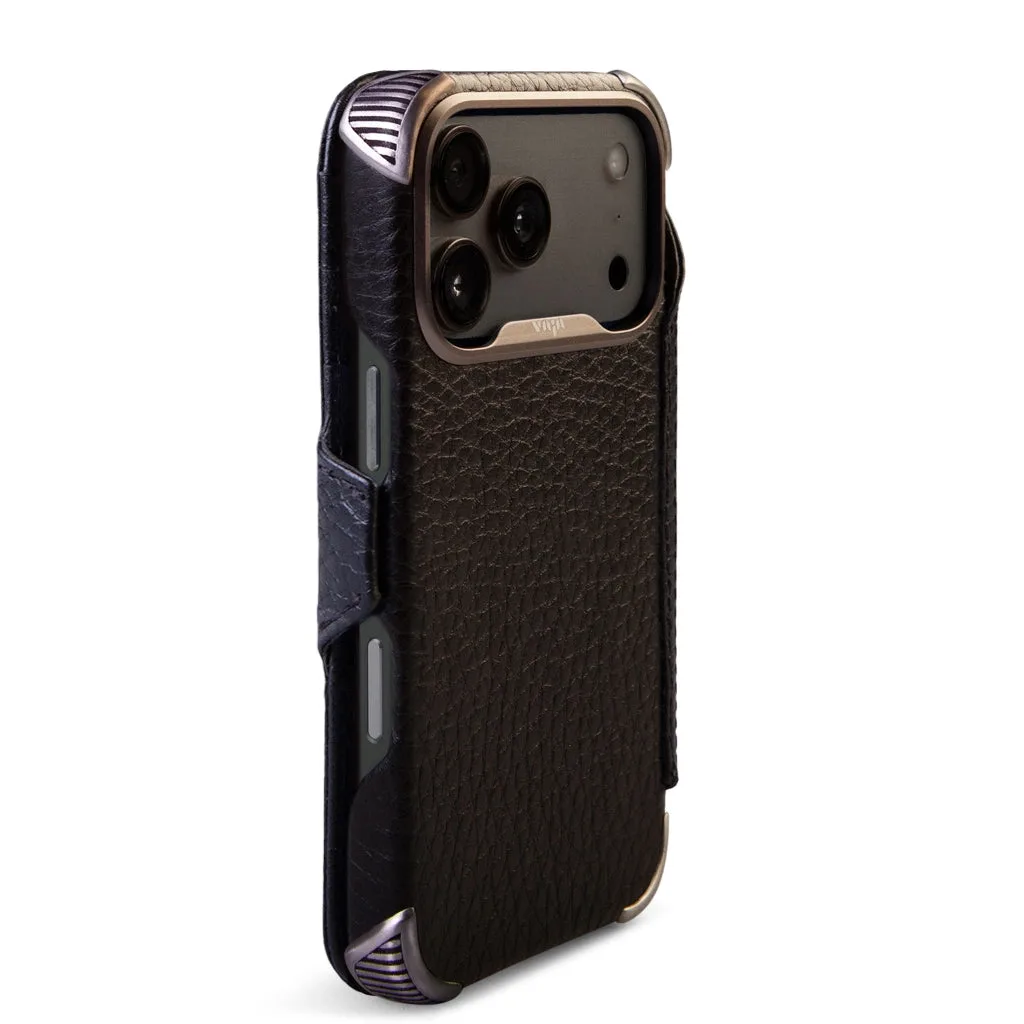
Buckler Wallet – iPhone 17 Pro Leather Wallet Case with MagSafe
What's in the Box?
When you purchase the V-Mag Fold Stand, you'll receive the stand itself and a quick-start guide. The stand is compact and lightweight, making it easy to carry in your pocket or bag. It features a strong magnetic back that snaps securely onto your iPhone or case.
The stand also includes a folding mechanism that allows you to adjust the viewing angle from 0 to 90 degrees. This flexibility ensures you can find the perfect position for any activity, whether you're typing or watching a movie.
- V-Mag Fold Stand unit
- Quick-start guide
- Optional adhesive magnetic plate (if your case is not MagSafe-compatible)
How to Install the V-Mag Fold Stand
Installing the V-Mag Fold Stand is a breeze. First, ensure your iPhone is in a compatible MagSafe case. If you're using a case like the Custom Crossbody iPhone 14 Pro leather case, make sure it has a built-in magnet ring or a separate magnetic adapter.
Next, align the stand's magnetic back with the center of your iPhone's back. You'll feel a strong magnetic pull as it snaps into place. That's it! The stand is now securely attached and ready to use. To adjust the angle, simply fold out the stand's kickstand and choose your desired position.
- Clean the back of your phone before attaching to ensure a strong hold.
- If your case is not MagSafe, attach the included magnetic plate to the back of your case first.
How to Remove the V-Mag Fold Stand
Removing the V-Mag Fold Stand is just as easy. To detach it, hold your iPhone with one hand and grip the stand with the other. Gently pull the stand away from the phone, applying even pressure. The magnetic connection will release smoothly without any residue.
If you're having trouble removing the stand, try twisting it slightly while pulling. This helps break the magnetic seal. Once removed, you can store the stand in your pocket or bag, ready for the next time you need it.
- Avoid pulling at an angle, as this may strain the magnet.
- Store the stand in a safe place to prevent damage when not in use.
Tips for Everyday Use
To get the most out of your V-Mag Fold Stand, consider pairing it with a high-quality leather case. The Wallet - iPhone 16 Pro Max leather case V-Mag not only provides excellent protection but also integrates seamlessly with the stand, offering a sleek and functional combo.
When using the stand, place your iPhone on a flat, stable surface to prevent tipping. The stand's non-slip grips on the bottom ensure it stays put, even when you're tapping the screen. For video calls, position the stand at eye level for the most flattering angle.
- Use the stand in landscape mode for widescreen video viewing.
- Clean the magnetic surface periodically to maintain a strong hold.
The V-Mag Fold Stand is a must-have accessory for anyone who wants to enjoy hands-free viewing on their iPhone. With its easy installation and removal, you can switch between using your phone normally and propping it up in seconds. Whether you're at home, in the office, or on the go, this stand enhances your device's versatility. Explore the Wallet - iPhone 16 Pro Max leather case V-Mag to pair with your stand for the ultimate setup.