Quick Answer
To install a metal band case on your Apple Watch Ultra, first remove the existing band, then align the case's lugs with the watch's slots, slide them in, and secure the band. Always double-check that the case is flush and the screen protector is aligned before use.
Swapping your Apple Watch Ultra's band for a rugged metal band case can boost protection and give your device a tougher look. But a proper installation is key to avoiding scratches, loose connections, or a compromised screen protector.
This guide walks you through the process step by step, whether you're upgrading to a 49mm case or just replacing the band. We'll also highlight common mistakes and how to fix them.
Before You Start: What You Need
Before you begin, make sure you have the correct case for your Apple Watch Ultra model. The Apple Watch Ultra typically uses a 49mm case, so verify that your new case is designed for that size. Using a case meant for a different size can lead to poor fit and reduced protection.
You'll also want a clean, soft cloth to wipe down the watch and case, and a well-lit workspace. Avoid using tools unless the case instructions specify them; many rugged cases install by hand without screws or special equipment.
- Check that the case is compatible with your Apple Watch Ultra size (e.g., 49mm).
Step 1: Remove the Existing Band
Turn your Apple Watch Ultra over and locate the band release buttons on the back. Press and hold one of these buttons, then slide the band sideways to release it. Repeat for the other side. If you're replacing a metal band, be careful not to drop it.
Once both bands are removed, set them aside. Clean the watch's edges with a soft, dry cloth to remove any dust or debris that could interfere with the new case's fit.
- Common mistake: Forcing the band off without pressing the release button can scratch the watch.
Step 2: Align the Case Lugs with the Watch Slots
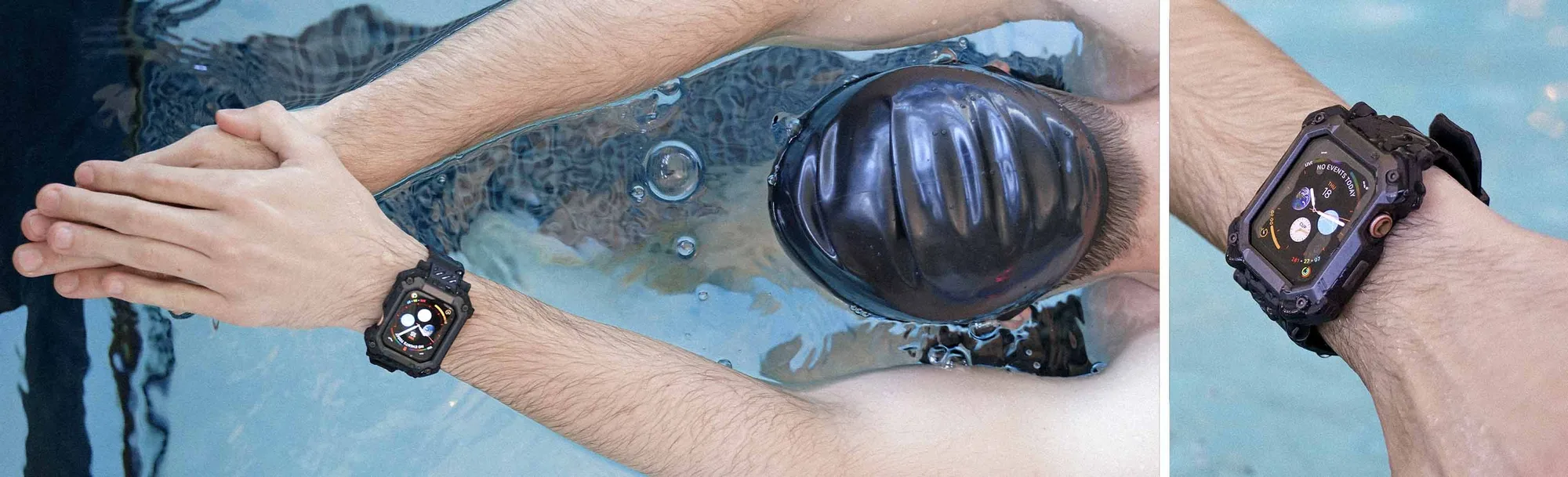
Take your new metal band case and identify the lugs—the small protrusions that connect to the watch. Align them with the slots on the top and bottom of your Apple Watch Ultra. The case should sit flush against the watch's body.
If the case includes a built-in screen protector, ensure it's positioned over the display before you slide the case into place. This prevents misalignment that could leave the screen partially exposed.
- Tip: Look for a case with a built-in screen protector, like the Apple Watch Unicorn Beetle PRO GLASS Rugged Wristband Case, to simplify installation.
Step 3: Slide the Case into Place
Gently slide the lugs into the slots until you hear a click or feel them seat firmly. Apply even pressure on both sides to avoid bending the case. If the case has a locking mechanism, secure it according to the manufacturer's instructions.
After the case is in place, check that the band is securely attached by gently tugging on it. The watch should not wobble or slide out of the case.
- Common mistake: Not pushing the lugs all the way in can cause the band to detach during wear.
Step 4: Test the Fit and Functionality
Once installed, test the watch's buttons, crown, and screen responsiveness. Make sure the case doesn't block any controls or the speaker. If the case has a screen protector, verify it's clean and free of bubbles.
Wear the watch for a few minutes to ensure the band feels comfortable and secure. If you notice any looseness, remove the case and reinstall it, paying extra attention to the lug alignment.
- Checkpoint: The watch should sit snugly in the case, with no gaps between the case and the device.
Installation Checklist
- Remove old band: Press the release buttons and slide the band out. Clean the watch edges. Checkpoint: Both sides are free of bands and dust.
- Align lugs: Match the case lugs with the watch slots, ensuring the screen protector is positioned correctly. Checkpoint: The case sits flush before sliding.
- Slide and secure: Push the lugs in evenly until they click. Lock any mechanism if present. Checkpoint: The band doesn't wobble when tugged.
- Test functionality: Check buttons, crown, and screen. Wear for a few minutes to confirm comfort. Checkpoint: All controls work; no loose fit.
Product Facts
- Apple Watch Unicorn Beetle PRO GLASS Rugged Wristband Case with Tempered Glass Screen Protector 45mm-Metallic Red: Rugged wristband case engineered for Apple Watch 45mm models. Includes a tempered glass screen protector for added display. If you're using a 45mm Apple Watch (not Ultra), this case offers a built-in screen protector, so you don't need to install a separate film, saving time and reducing the risk of bubbles.
Installing a metal band case on your Apple Watch Ultra is straightforward when you follow the steps and pay attention to alignment. A secure fit not only protects your watch but also ensures the band stays put during daily wear. If you're using a 45mm model, consider a case with a built-in screen protector for added peace of mind.