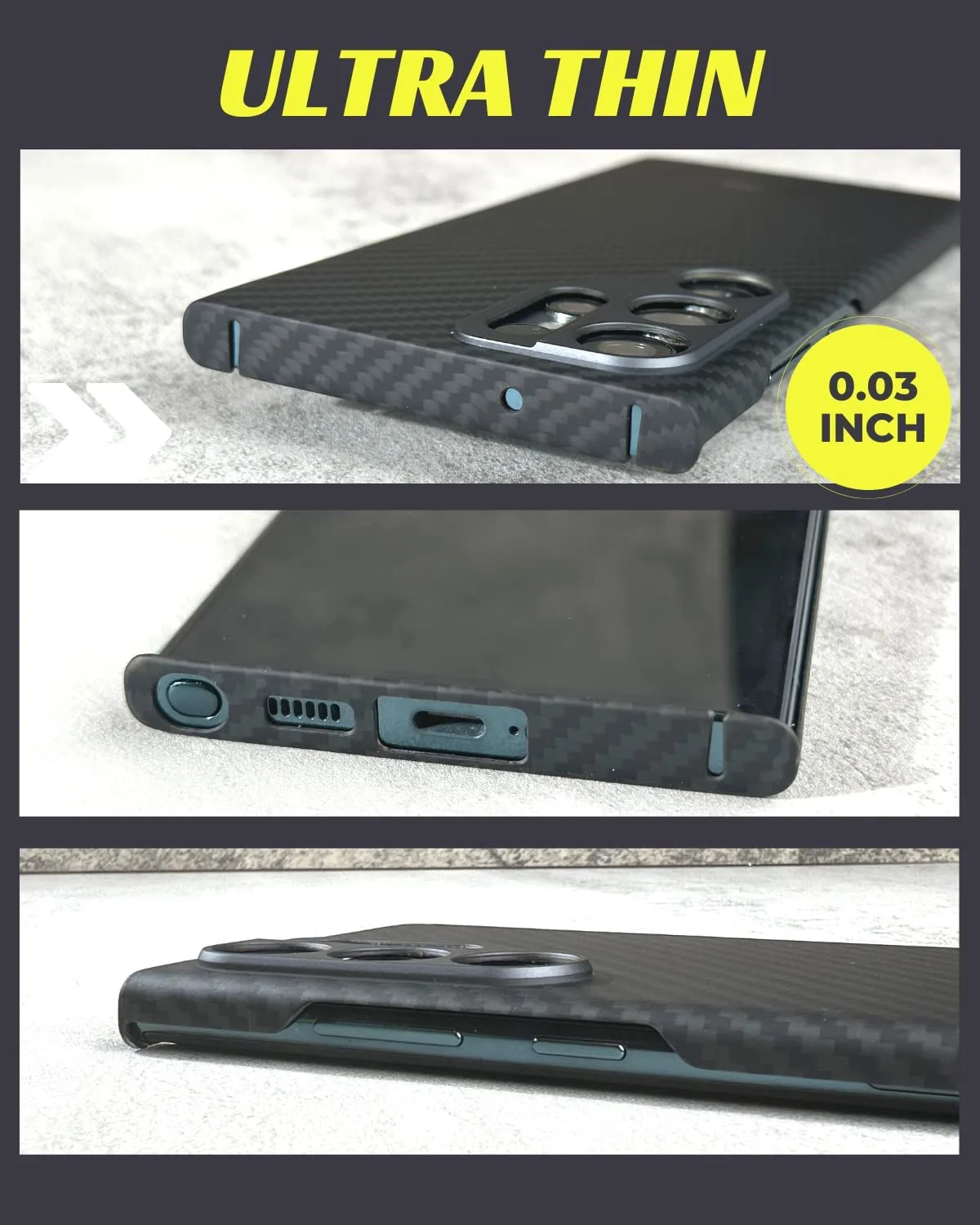
Super thin aramid fiber cases are prized for their featherlight feel and sleek profile, but their tight fit can make installation and removal a bit tricky. Whether you've just unboxed a new case for your iPhone 17 Pro or you're switching to a fresh color for your Galaxy S24 Ultra, knowing the correct technique is essential to avoid scratches, cracks, or a case that never fits the same again.
In this guide, we'll walk you through the step-by-step process of safely putting on and taking off a super thin aramid fiber case. We'll also share pro tips for keeping your case and phone in pristine condition, so you can enjoy that minimalist look worry-free.
Why Super Thin Aramid Fiber Cases Need Special Care
Aramid fiber, known for its incredible strength-to-weight ratio, is the same material used in bulletproof vests. When woven into a phone case, it offers excellent protection against drops and scratches while remaining incredibly thin—often less than 1mm thick. This thinness is what makes these cases so attractive, but it also means they have very little give. Unlike bulky rubber cases that stretch easily, aramid fiber cases are rigid and snap onto the phone with precision.
Because of their snug fit, forcing the case on or off can lead to cracked corners, bent edges, or even damage to your phone's frame. Additionally, the material's smooth surface can be slippery if your hands are sweaty or if you're working on a hard surface. Taking a few extra minutes to follow the proper method will save you from costly mistakes.
- Always work in a well-lit area with a soft surface (like a microfiber cloth) to prevent slips.
- Never use tools like screwdrivers or knives to pry the case off—this can scratch your phone and the case.
- If the case feels too tight, check that you're aligning it correctly before applying pressure.
How to Install a Super Thin Aramid Fiber Case
Installing a super thin aramid fiber case is all about aligning the corners and applying even pressure. Start by holding your phone with the screen facing you. Identify the top and bottom of the case—most cases have cutouts for the camera and buttons that make orientation obvious. Insert the top corner of your phone into the case first, ensuring the camera cutout aligns perfectly with the lens module.
Once the top is seated, gently work your way around the edges, pressing the case onto the phone. Use your thumbs to push the sides and bottom into place, applying pressure uniformly. You should hear a satisfying click or feel the case snap into place. Avoid pressing directly on the camera lens or any exposed buttons. If you're using a MagSafe-compatible case like the https://peacefulnestyai.shop/products/super-thin-iphone-16-pro-max-case-600d-aramid-fiber-magsafe-301705Super Thin iPhone 16 Pro Max Case - 600D Aramid Fiber | MagSafe, the magnets will help align the case on the back, but you still need to secure the edges carefully.
After installation, run your fingers along the edges to ensure there are no gaps. If you notice any lifting, remove the case and start again. It's better to take a few extra seconds than to risk a misaligned case that doesn't offer full protection.
- Start from the top corner with the camera cutout—this ensures alignment.
- Press from the center outward to avoid bending the case.
- If your case has a lip around the screen, make sure it sits evenly before pressing down.
How to Remove a Super Thin Aramid Fiber Case
Removing a super thin aramid fiber case requires a different approach. Instead of pulling from the top or bottom, which can stress the material, you'll want to gently peel the case away from one corner. Begin by locating the corner opposite the camera cutout—this is usually the easiest to lift. Using your thumb or index finger, apply slight upward pressure on the inside edge of the case, just enough to create a small gap between the case and the phone.
Once you have a gap, work your fingers around the perimeter, slowly loosening the case. You can also use a soft, thin tool like a guitar pick or a plastic opening tool if you have one, but never use metal. Slide the tool along the edge to release the clips. As you go, lift the case away from the phone, keeping it parallel to the device to avoid bending. The case should come off with minimal resistance. If it feels stuck, double-check that you haven't missed a corner that's still snapped in.
For phones with larger camera bumps, like the iPhone 17 Pro Max, be extra cautious around the lens area. The case may have a raised lip that hooks around the camera module; gently wiggle the case to release it before pulling. Patience is key—rushing this step can result in a cracked case or a scratched phone.
- Start from the corner opposite the camera to minimize stress on the case.
- Use a plastic opening tool if needed—never metal.
- If the case resists, stop and re-check for any remaining clips.
Caring for Your Super Thin Case and Phone
To keep your aramid fiber case looking new, clean it regularly with a soft, slightly damp microfiber cloth. Avoid harsh chemicals or abrasive cleaners that can dull the finish. If your case has picked up dust or lint, use a gentle adhesive tape or a soft brush to remove it. Also, periodically remove the case to clean your phone, especially around the ports and buttons where debris can accumulate.
When not using the case, store it in a cool, dry place away from direct sunlight. Extreme heat can warp the material, and prolonged UV exposure may cause discoloration. By following these simple care steps, your super thin case will maintain its sleek appearance and protective qualities for years.
If you're thinking about upgrading your phone, check out our range of super thin cases for the latest models, including the Super Thin Google Pixel 10 Case | Magsafe and the Galaxy S26 Ultra Case. Each is designed with the same precision and durability you've come to expect from aramid fiber.
- Clean with a microfiber cloth and mild soap if needed.
- Avoid exposing the case to extreme temperatures.
- Remove the case weekly to clean both the case and your phone.
Mastering the installation and removal of a super thin aramid fiber case is a simple skill that protects your investment. With these step-by-step instructions and care tips, you can confidently switch cases whenever you like. For a case that combines ultra-slim design with robust protection, explore our collection—like the Super Thin iPhone 16 Case—and find the perfect fit for your device.