Quick answer
Installing the Precision Router Lift RL2.0K on your router table is straightforward: mount the lift into the router table plate, secure it, attach your router, and calibrate the height adjustment. Follow the steps below for a precise setup.
Why Choose the RL2.0K for Your Router Table
The Precision Router Lift RL2.0K is a German-engineered lift that offers extremely precise height adjustment down to 1/10mm. Its smooth-running spindle columns allow continuous fine tuning, making it ideal for detailed routing tasks. The lift is made of high-quality aluminum and steel, ensuring durability and stability.
One trade-off is that the RL2.0K does not include a rip fence, but it has two drill holes for a rip fence pin, enabling free routing of round workpieces. This design gives you flexibility when working without a fence.
What You'll Need
Before starting, gather the Precision Router Lift RL2.0K, your router table plate, a hex key (likely 4mm or 5mm), and your router. Ensure your router table has a compatible opening for the lift.
Step-by-Step Installation Guide
- Step 1: Prepare the Router Table Plate: Remove any existing insert plate from your router table. Clean the opening and ensure the surface is flat. Place the RL2.0K lift into the opening to check fit—it should sit flush without rocking. A common mistake is forcing the lift into an opening that's too small; measure your table's cutout first.
- Step 2: Secure the Lift to the Plate: Using the provided mounting screws, attach the RL2.0K to the router table plate. Tighten the screws evenly but don't overtighten—aluminum can strip. Use the hex key to snug them. Over-tightening can warp the plate or strip threads; hand-tighten plus a quarter turn is enough.
- Step 3: Mount Your Router: Attach your router to the lift's mounting plate. Align the screw holes and use the included bolts. Ensure the router base is centered and secure. Check that the router's power cord isn't pinched. If your router has a fixed base, remove it first to expose the mounting holes. A common mistake is leaving the base on, which prevents proper attachment.
- Step 4: Adjust Height and Calibrate: Use the hex key to turn the height adjustment mechanism. The RL2.0K adjusts to 1/10mm precision. Turn clockwise to raise, counterclockwise to lower. Lock the spindle lock once at desired height. Always calibrate with a dial indicator or depth gauge after initial setup—factory settings may need fine-tuning for zero reference.
- Step 5: Test and Fine-Tune: Plug in the router and make a test cut on scrap wood. Check for smooth operation and consistent depth. If the cut is uneven, re-check the lift's alignment and router attachment. If the height drifts during use, ensure the spindle lock is fully engaged. A loose lock can cause bit movement.
Product Facts
-
Precision Router Lift RL2.0K: Height adjustment to 1/10mm: extremely precise adjustment, with exact scaling and effective spindle lock, easily operated via hex key. This allows you to dial in exact bit height for consistent cuts, critical for joinery and detailed work.
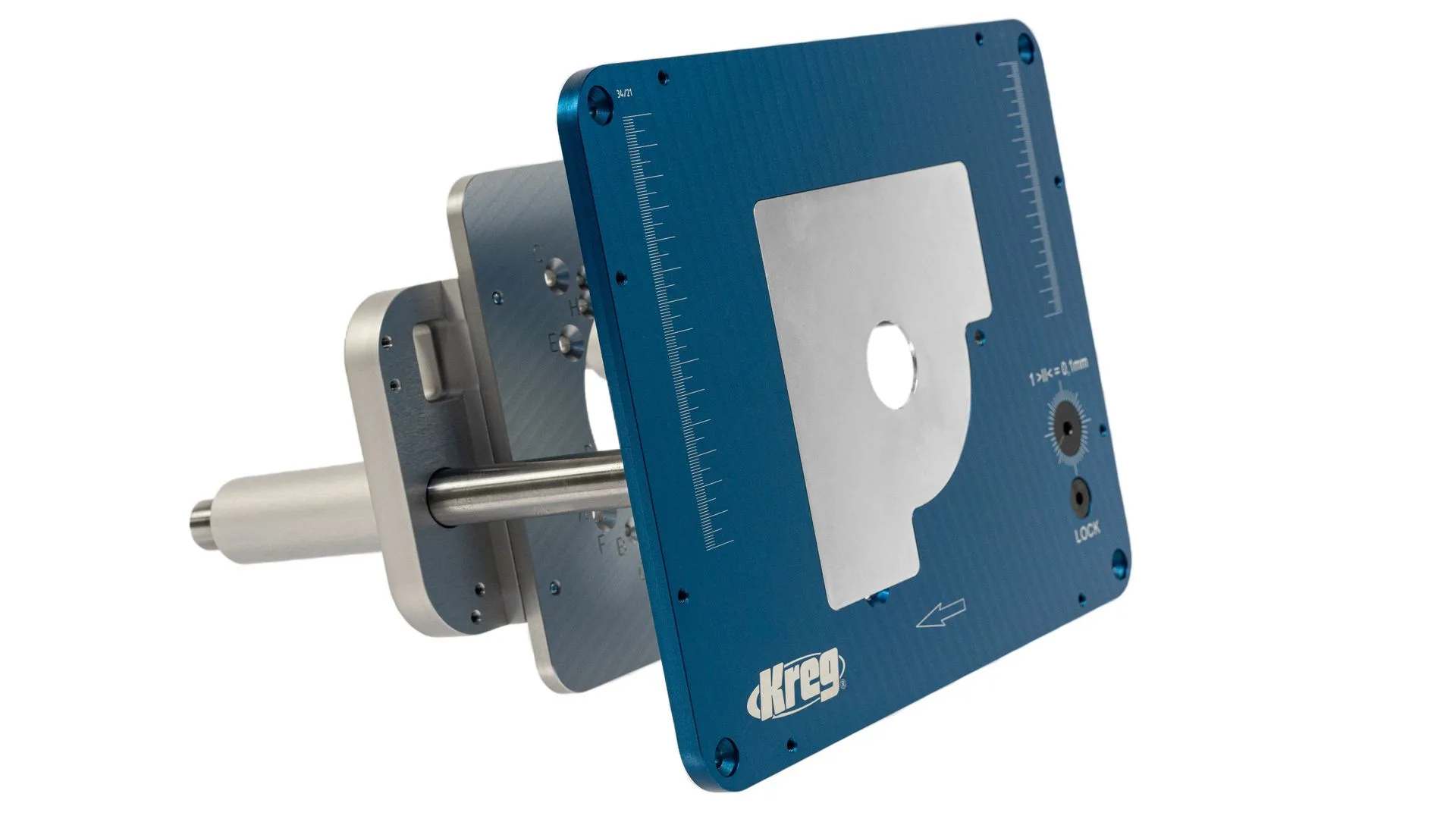
Precision Router Lift RL2.0K