Quick answer
To install Spare Default Hands (Coffee) on your Smart Doll, gently pull the existing hand off the wrist peg, align the new hand's socket, and press it firmly but carefully into place.
Why choose Spare Default Hands (Coffee)?
These hands match the Coffee colorway and are designed as direct replacements for standard Smart Doll figures. They allow you to swap poses or restore a damaged hand without altering the doll's original look.
Because they are genuine option parts, the fit and finish are identical to the factory-default hands. No modification or adhesive is needed.
Installation steps
- Remove the existing hand: Hold the doll's forearm firmly near the wrist. Gently pull the hand straight off the wrist peg. Avoid twisting or yanking at an angle. If the hand feels stuck, warm the wrist area with a hairdryer on low heat for a few seconds to soften the vinyl.
- Align the new hand: Take the Spare Default Hands (Coffee) and orient the thumb and fingers to match the desired pose. Slide the hand's socket over the wrist peg, ensuring it is straight. Check that the hand is not rotated backward; the thumb should face forward in a natural position.
- Press the hand into place: Apply steady, even pressure to push the hand fully onto the peg until you hear or feel a soft click. Do not force it if it resists. If the hand does not seat fully, remove it and check for debris inside the socket. Never use glue or tools to force it.
Product fact
-
Spare Default Hands (Coffee): Spare Default Hands (Coffee) are replacement hands for Smart Doll figures, offered under the Hands category. This option part is associated with the Coffee colorway and customize use. If you own a Coffee-colored Smart Doll or want to mix and match tones, these hands provide an exact color match and a secure fit without extra modification.
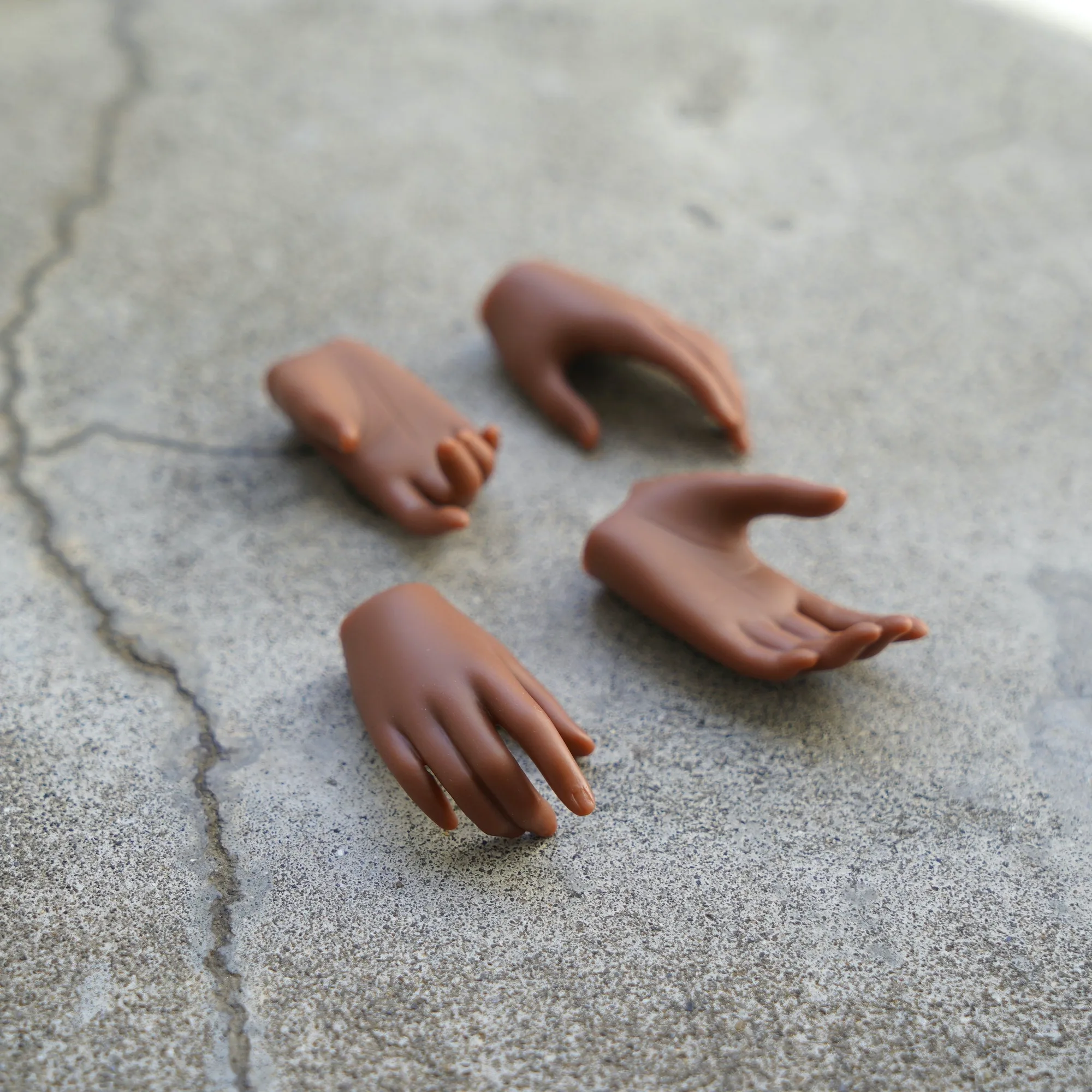
Spare Default Hands (Coffee)