What You Need to Know Before Installing the Fantasm Front Panel
The Fantasm front panel is a fantasy-themed artwork replacement for your MAINGEAR MG-1. Before you begin, you need to know which MG-1 version you own: the All-new MG-1 or the Classic MG-1. The panel is available in two versions, and selecting the correct one when ordering ensures a proper fit.
The installation itself is straightforward—no special tools or wiring changes are required. This guide walks you through the key steps and considerations.
Fantasm Front Panel Key Facts
-
Fantasm: Fantasy-themed artwork panel for the MAINGEAR MG-1 This is a cosmetic upgrade, not a functional component—installation focuses on swapping the front bezel, not rewiring.
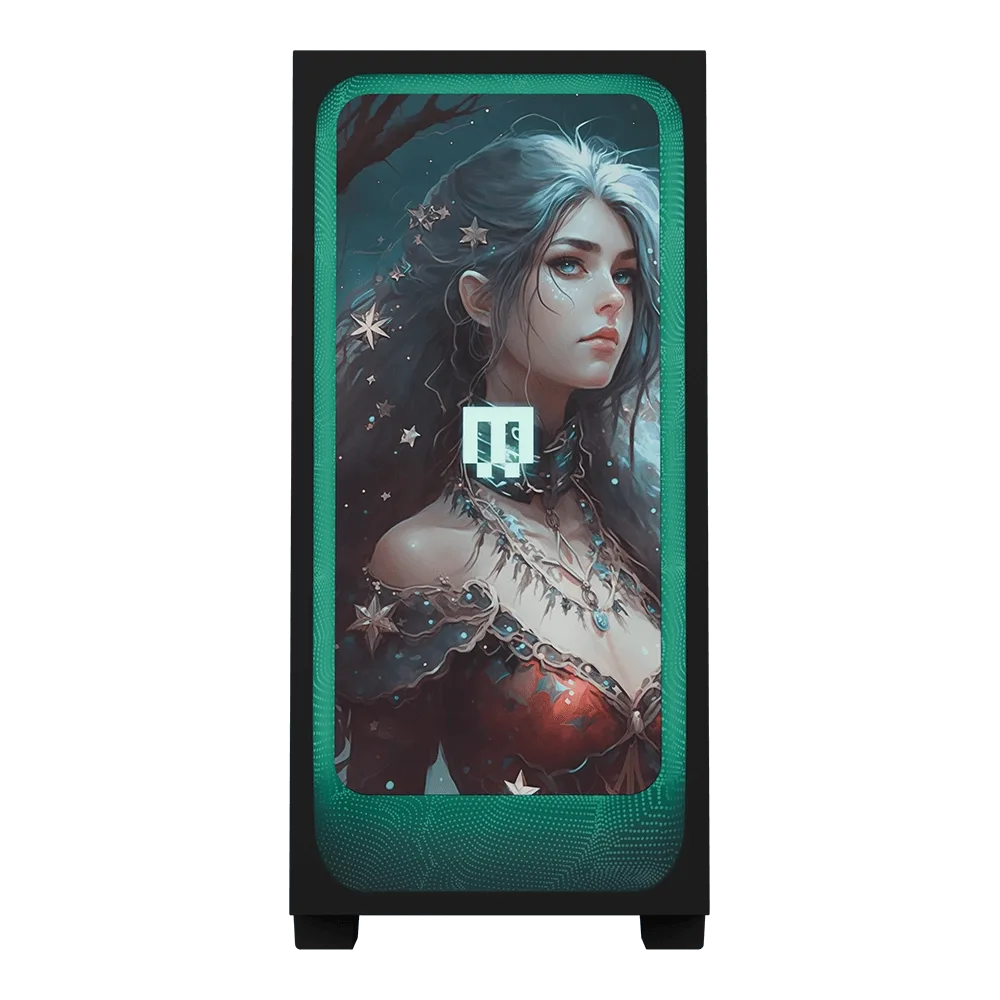
Fantasm
-
Fantasm: Available in two versions: All-new MG-1 and Classic MG-1 Choosing the wrong version may result in an incompatible fit. Confirm your MG-1 model before ordering.
-
Fantasm: Choose the version that matches your MG-1 model The panel is designed specifically for the MG-1 chassis; no modifications or adapters are needed when the correct version is selected.
Installation Steps
Follow these steps to install the Fantasm front panel. The process is the same for both All-new and Classic MG-1 versions.
- 1. Power down and unplug your PC: Shut down your computer and disconnect the power cable. This prevents accidental damage and ensures your safety.
- 2. Remove the existing front panel: Gently pull the current front panel away from the chassis. Most MG-1 front panels are held by clips—apply even pressure to release them. If you encounter resistance, check for any screws or fasteners.
- 3. Align the Fantasm panel: Position the Fantasm panel so its edges line up with the MG-1 chassis. The artwork should face outward and the panel should sit flush against the case.
- 4. Press the panel into place: Firmly press the panel until you hear the clips snap into position. Ensure all edges are secure and the panel does not wobble.
- 5. Reconnect power and test: Plug your PC back in, power it on, and verify that the front panel is seated correctly. No wiring or driver changes are needed.
Choosing Between the All-new MG-1 and Classic MG-1 Versions
The Fantasm panel is offered in two versions: one for the All-new MG-1 and one for the Classic MG-1. The physical dimensions and clip positions differ between these two chassis revisions, so it is important to select the correct variant when placing your order.
If you are unsure which MG-1 model you own, check the original product documentation or contact MAINGEAR support. Using the wrong version may prevent the panel from snapping in securely.