Quick answer
Install your universal bike bar mount by choosing a clean, straight handlebar section, tightening the mount securely, and testing the grip before riding. The Rokform Universal Bike Bar Mount uses a twist-lock system for extra security.
Why a secure install matters
A loose mount can damage your phone or cause a dangerous distraction. The universal bike bar mount must grip the handlebar tightly and hold your phone steady over bumps and turns. The Rokform mount uses both magnets and a twist-lock to keep your device locked in place.
Choosing the right handlebar section
Pick a straight, smooth section of the handlebar at least 2 inches long. Avoid curved or tapered areas where the mount might not sit flush. Also keep the mount away from brake levers and shifters so it doesn't interfere with controls.
Step-by-step installation guide
- 1. Prepare the handlebar: Clean the chosen handlebar section with a damp cloth to remove dirt and grease. Wipe it dry. A clean surface helps the mount grip better and prevents slipping. Dirty bars are the top cause of mount movement. Always clean first.
- 2. Loosen the mount clamp: Turn the clamp screw counterclockwise until the opening is wide enough to fit over your handlebar. Don't remove the screw completely; just loosen it enough to slide the mount on. If the screw is too loose, the rubber padding may bunch up when you tighten.
- 3. Position the mount on the bar: Slide the mount onto the handlebar and center it where you want it. Make sure the mount faces upward so your phone screen is visible while riding. The mount should sit flat against the bar. If the mount feels crooked, reposition it before tightening.
- 4. Tighten the clamp securely: Turn the clamp screw clockwise until the mount feels firm on the bar. Use the included Allen key or a screwdriver to tighten it further, but stop when you feel resistance. Overtightening can crack the clamp. A good test: try twisting the mount with your hand. If it moves, tighten a little more.
- 5. Attach your phone and test: Place your phone into the mount. For the Rokform mount, twist the phone 90 degrees until it clicks into the locked position. Give the phone a gentle tug to confirm it's secure. Ride slowly on flat ground first to check stability. If the phone wobbles or the mount shifts, repeat steps 4 and 5 until everything is solid.
Product facts
-
Universal Bike Bar Mount: The Universal Bike Bar Mount features MagSafe-compatible magnets and a RokLock twist-lock system. This dual security means even if the magnetic hold is jostled, the twist-lock keeps your phone from falling off on rough terrain.
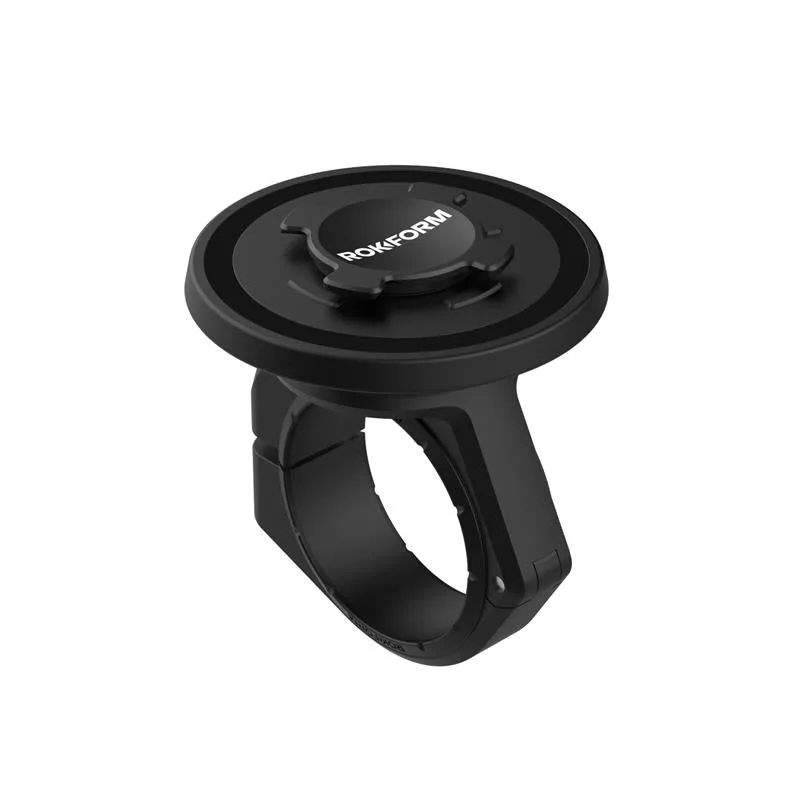
Universal Bike Bar Mount