Quick answer
Start with one simple, kid-friendly handheld, play the first session together, and keep it to short bursts. Choose a device with approachable controls and a clear goal, like the Ms.PAC-MAN Joystick Player, then let your child set the pace. The goal is shared fun, not mastering every classic on day one.
Retro games can be a wonderful family activity, but the wrong first device or a rushed setup can turn excitement into frustration. Kids today are used to intuitive touchscreens and gentle tutorials, so the best introduction is one that feels immediately playable.
This guide walks through a simple, ordered process: pick the right handheld, prepare it, play together, and build a routine. Along the way, you will see how specific devices fit different ages and interests, and where a little patience pays off.
Why retro gaming still works for kids
Classic games rely on simple rules and quick feedback, which makes them easy for children to understand. A single screen, a clear objective, and immediate results keep attention without overwhelming them. That simplicity is exactly why retro games remain a great entry point for young players.
Many retro titles are also naturally short. A round of Ms.PAC-MAN or Space Invaders can last a few minutes, which fits a child's attention span and makes it easy to stop on a positive note. This is a big advantage over longer modern games that demand more time and reading.
- Look for games with one clear goal per screen.
- Favor short rounds that end quickly and kindly.
- Let your child choose the game when possible.
Step 1: Pick a device that matches your child
The biggest mistake is buying the most advanced handheld first. A device packed with 200 games and six control types can overwhelm a beginner. Instead, match the device to your child's age and patience level, and keep the first purchase focused.
For younger children, a single-game handheld with a joystick is ideal. The Ms.PAC-MAN Joystick Player offers one clear objective and a familiar character, so there is nothing to configure. If your child already enjoys variety, the GAMER V CLASSIC Black/Blue packs 220 games into a pocket-sized system, but expect to guide the first few sessions.
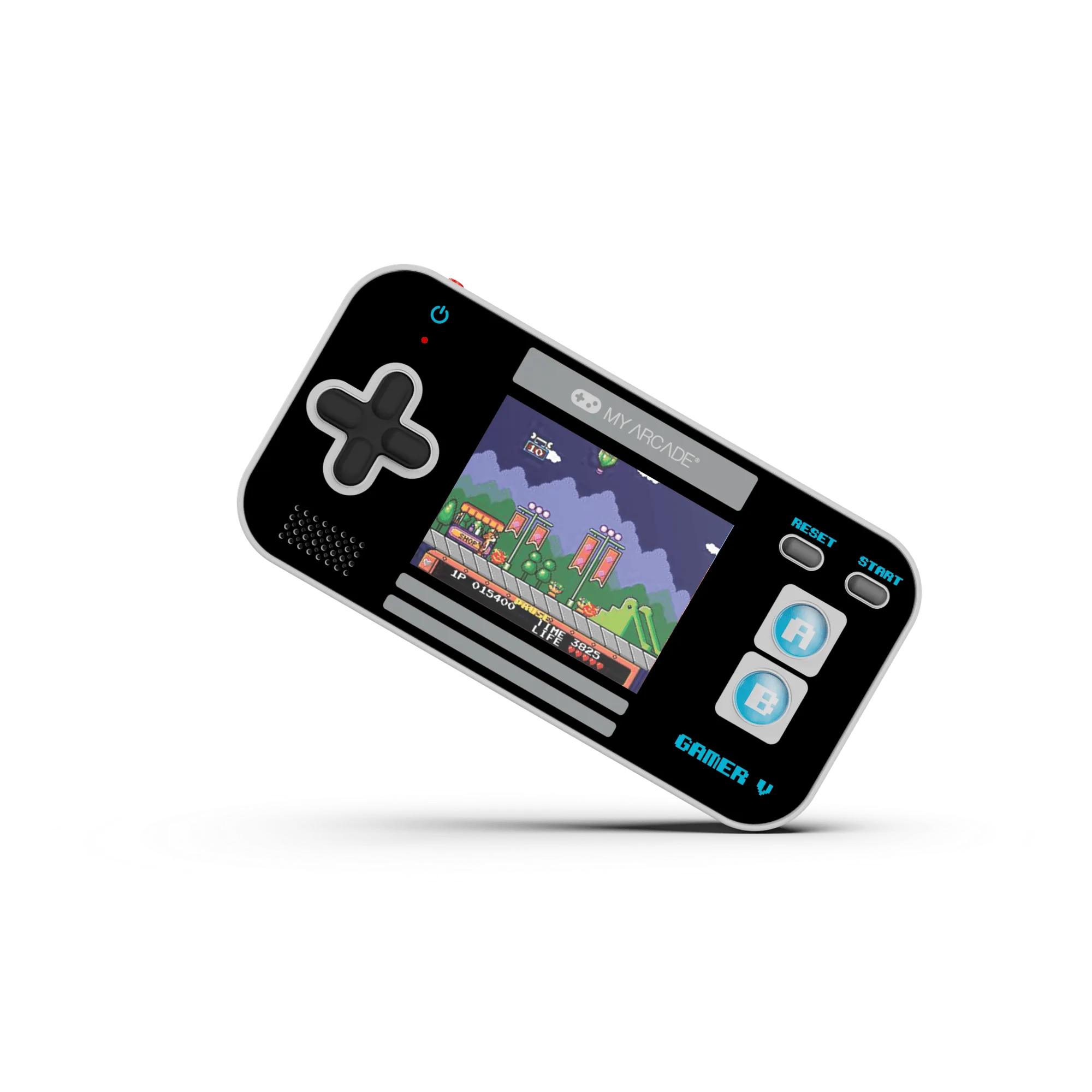
GAMER V CLASSIC Black/Blue
- Ages 5-7: one-game handhelds with a joystick or simple buttons.
- Ages 8-10: multi-game handhelds with a clear menu.
- Ages 10+: devices with more controls, like the ATARI GAMESTATION GO.
Step 2: Set up the device before you hand it over
Nothing kills momentum like dead batteries or a confusing menu. Charge or insert batteries, test the sound, and confirm the game starts before your child sits down. This small preparation makes the first experience feel smooth and intentional.
If the device has multiple games, decide together which one to try first. For a sports-loving kid, the GAMER V CLASSIC Black/Blue includes golf and tennis among its 220 games, which can be a natural hook. For a child who likes puzzles, the Casino Player offers over 30 casino and puzzle games, though you may want to preview the themes first.
- Test the device yourself before the first session.
- Preselect one or two games to avoid menu scrolling.
- Keep spare batteries or a charging cable nearby.
Step 3: Play the first session together
Sit beside your child and play the first round together. Demonstrate the controls once, then hand it over and let them try. Resist the urge to correct every mistake; the goal is comfort, not a high score.
If the game is too hard, switch to something simpler or take turns. The BUBBLE BOBBLE Micro Player has simple yet strategic gameplay that rewards practice, while the Space Invaders Joystick Player offers a clear, wave-based challenge. Both work well for shared play because the rules are easy to explain.
- Model one round, then pass the device.
- Celebrate small wins, not just high scores.
- Switch games if frustration appears.
Step 4: Build a short, predictable routine
Retro gaming works best as a small, recurring family activity rather than an all-day event. A 15-minute session after homework or on a weekend morning gives your child something to look forward to without turning it into a battle over screen time.
Use a timer or a natural stopping point, like the end of a level. This teaches kids to finish on a good note and makes it easier to put the device away. If you have multiple children, rotate turns or let each child pick one game per session.
- Keep sessions to 15-20 minutes at first.
- End on a win or a completed level.
- Let each child choose one game per turn.
Step 5: Expand slowly as skills grow
Once your child is comfortable with one game, introduce a second device or a new genre. The ATARI GAMESTATION GO includes over 200 console and arcade games and six different control types, so it can grow with your child for years. But it is not a beginner device; save it for when they are ready to explore.
Keep an eye on what your child enjoys. If they gravitate toward sports, puzzles, or action, you can tailor the next purchase to that interest. The goal is a small, curated collection that gets played, not a shelf of unused devices.
- Add one new game or device at a time.
- Follow your child's interests, not a checklist.
- Store devices safely between sessions.
Your step-by-step introduction plan
- Choose one simple device: Pick a handheld with a clear goal and few controls, like the Ms.PAC-MAN Joystick Player. Avoid multi-game devices for a first experience. Checkpoint: your child can start a game without help.
- Prepare before you play: Charge or insert batteries, test the sound, and preselect one game. If using the GAMER V CLASSIC Black/Blue, choose golf or tennis if your child likes sports. Checkpoint: the device is ready and one game is loaded.
- Play the first round together: Demonstrate the controls once, then hand over the device. Let your child play without correction. Switch to a simpler game if frustration appears. Checkpoint: your child smiles or asks to play again.
- Keep sessions short and predictable: Set a 15-minute timer or stop at the end of a level. A consistent routine prevents screen-time battles and keeps the activity special. Checkpoint: the device goes away without a fight.
- Expand slowly: Add a new game or a more advanced device like the ATARI GAMESTATION GO only when your child is comfortable and curious. Checkpoint: your child can explain the goal of the new game.
Devices that fit a kid-friendly introduction
- Ms.PAC-MAN Joystick Player: A handheld game featuring Ms.PAC-MAN with maze-chase action in a sleek, portable design, ideal for on-the-go casual play. One clear objective and a familiar character make it an easy first retro game for young kids.
- GAMER V CLASSIC Black/Blue: Loaded with 220 fun and easy-to-play video games, including golf and tennis, in a pocket-sized system. A good step up for kids who want variety, especially if they already enjoy sports games.
- ATARI GAMESTATION GO: Plays over 200 console and arcade games and packs six different controls, including a paddle, trak-ball, d-pad, and classic gamepad buttons. Best for older kids ready to explore many genres, but too complex for a first-timer.
Introducing retro gaming to kids works best when you start simple, play together, and let their interest lead. Pick one kid-friendly handheld, keep the first sessions short, and expand only when they are ready. The shared time matters more than the score.