Quick answer
Maintaining a Pedal Commander mostly means protecting the harness and connectors from strain, moisture, and dirt, keeping the app and firmware current, and removing the unit before dealer service. You do not need to open the controller or apply any internal cleaners. A few minutes of care every few months is enough to protect throttle response and keep your 2-year product warranty intact.

Pedal Commander
A Pedal Commander is a plug-and-play device, but that does not mean it is maintenance-free. The controller lives in the footwell or near the pedal assembly, where it faces heat, vibration, dust, and the occasional kicked foot. Most long-term problems come from the installation environment, not from the electronics themselves.
This guide walks through the habits that keep throttle response sharp and the unit reliable: mounting it securely, cleaning the right surfaces, updating the app, and knowing when to pull it out before a service visit. It applies to any Pedal Commander, whether you drive a Ferrari 812, an Audi TT, or a Nissan NV1500.
Start with a strain-free installation
The most common cause of intermittent throttle response is a connector that is not fully seated or a cable that is pulled tight. Before you think about cleaning anything, check that both ends of the harness click into place and that there is a little slack at each connector. The controller should not hang from its own cable.
Route the harness away from moving pedals, sharp metal edges, and hot surfaces. If the cable crosses the pedal travel, reposition it. A controller that moves every time you press the accelerator will eventually wear its connector pins or the pedal sensor plug.
- Checkpoint: with the engine off, press and release the accelerator several times and confirm the harness does not move or tug.
- Common mistake: zip-tying the cable so tight that it pulls on the pedal connector.
Mount the controller where it stays put
Pedal Commander units are small, but they still need a stable home. Use the supplied mounting surface or a small piece of automotive-grade hook-and-loop tape to fix the unit to a flat panel under the dash. Avoid mounting it directly above the accelerator pedal where your foot can strike it.
Bluetooth models such as the Pedal Commander PC46 Bluetooth let you control settings from your phone, so you do not need to reach the unit while driving. That means you can tuck it farther out of the way, which reduces accidental kicks and wear.
Pedal Commander PC46 Bluetooth
- Checkpoint: the unit should not rattle when you tap the dashboard or drive over a bump.
- Common mistake: leaving the controller loose in the footwell, where it can slide into the pedal linkage.
Clean only the exterior and connectors
You should never open the controller housing or spray cleaner into it. To clean a Pedal Commander, wipe the outer case with a dry or very slightly damp microfiber cloth. If the connector area is dusty, use a soft brush or a can of electronics-grade compressed air to blow debris away.
Do not use brake cleaner, contact spray, or water on the connectors. Those can leave residue or moisture that interferes with the low-voltage signal. If a connector looks corroded, do not scrape it; contact support and ask about a replacement harness.
- Checkpoint: after cleaning, let the area dry completely before reconnecting the harness.
- Common mistake: spraying cleaner directly into the plug, which can push dirt deeper into the pins.
Keep the app and firmware current
If you use the Pedal Commander app on Google Play or the App Store, update it when a new version is available. App updates can improve Bluetooth pairing and keep the sensitivity settings you rely on working correctly. Pairing problems are more often caused by an outdated app than by a failed controller.
When you update, reconnect and confirm your preferred mode and sensitivity level are still selected. The controller stores settings, but a firmware or app change can occasionally reset the profile. A quick check before you drive avoids confusion about why the throttle feels different.
- Checkpoint: after any update, verify the unit responds to mode changes before you leave the driveway.
- Common mistake: assuming a Bluetooth dropout means the controller is broken when the app simply needs an update.
Remove the unit before dealer service
Pedal Commander is a plug-and-play modification, but many dealerships will still flag any non-OEM device connected to the pedal sensor. If your vehicle is going in for warranty work, diagnostics, or a software flash, remove the controller and reconnect the factory harness first.
This is also a good time to inspect the connectors for dust or wear. Reinstall after service by repeating the same strain-free routing and mounting steps. If you are unsure which Pedal Commander fits your vehicle, use the option selector on the product page before ordering.
- Checkpoint: after reinstalling, confirm the factory pedal response returns when the controller is set to a stock-like mode.
- Common mistake: leaving the controller installed during a dealer software update, which can cause a fault code.
Your 10-minute Pedal Commander care routine
- Inspect the harness routing: With the engine off, trace the cable from the pedal sensor to the controller. Look for tight bends, contact with moving pedals, or areas where the cable rubs against metal. If you find a rub point, reroute and secure the cable before driving.
- Check connector seating: Press each connector firmly until you hear or feel a click. Gently tug the harness near the plug to confirm it is locked. A loose connector is the most common cause of a throttle controller that works intermittently.
- Wipe the exterior case: Use a dry microfiber cloth to remove dust from the controller housing. Do not open the case or use liquid cleaners. Exterior dust is harmless; internal moisture is not.
- Blow out the connector area: Use short bursts of electronics-grade compressed air to clear dust from around the plugs. Keep the can upright to avoid propellant spray. Skip this step if the area is already clean; over-cleaning can push debris into the pins.
- Update the app and verify settings: Open the Pedal Commander app, install any available update, reconnect via Bluetooth, and confirm your preferred mode and sensitivity are still selected. If the app will not pair, restart your phone before assuming the controller has failed.
- Remove before dealer service: Disconnect the Pedal Commander and reconnect the factory pedal harness before any dealership visit, diagnostic, or software update. Reinstall afterward using the same strain-free routing.
Product facts that affect maintenance
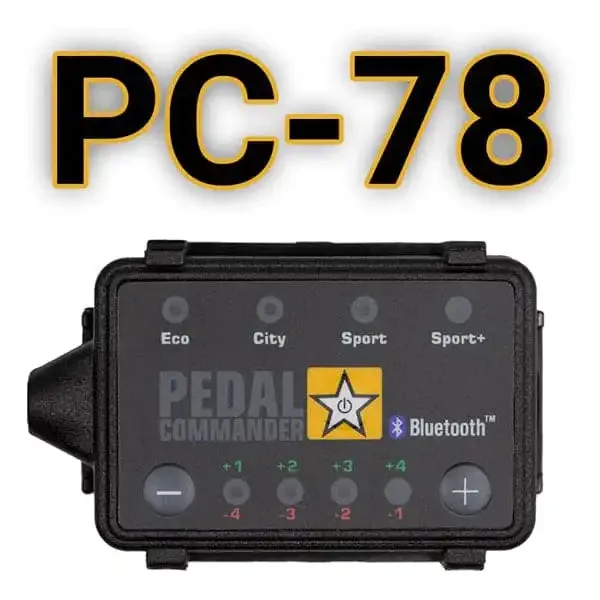
- Pedal Commander PC78-EU: Plug and play installation with 36 sensitivity settings, app control on Google Play and App Store, Bluetooth smartphone control, and a 2-year product warranty. Plug-and-play means you can remove and reinstall it yourself for service visits without cutting wires, and the 2-year warranty covers the unit as long as you do not open or modify the housing.
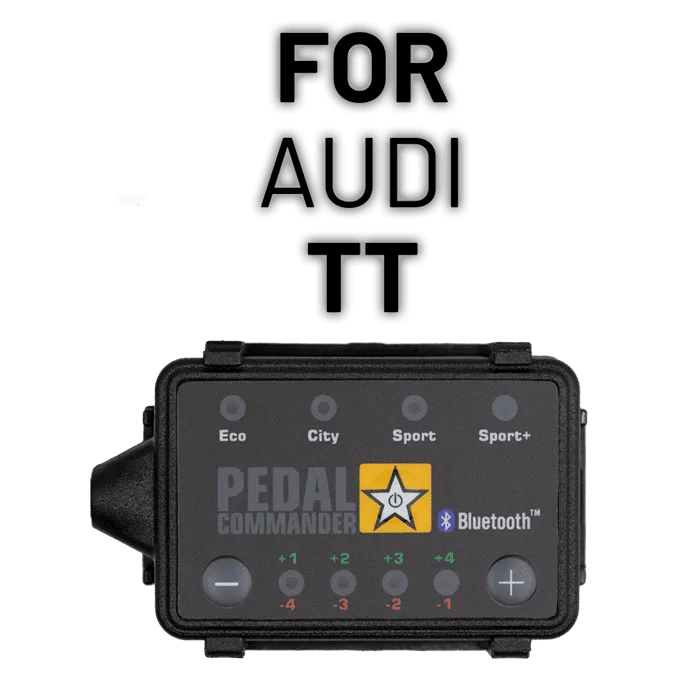
- Pedal Commander for Audi TT: Fits Audi TT 8N (2000-2006), 8J (2006-2014), and 8S (2014+) with applicable trims including Base, Premium Plus, Prestige, Quattro, RS, and TTS. Because the same controller family covers multiple generations, confirming your exact generation and trim before ordering prevents a wrong-fit harness that could be damaged by forcing a connector.
- Pedal Commander for Nissan NV1500: Offered for the 1st Gen (2012-2021) with the 4.0L V6, applicable trims S and SV, using the PC79 fitment reference. Work vans see more footwell dust and debris, so a correct-fit PC79 harness that seats fully is easier to keep clean and less likely to suffer intermittent connections.
Pedal Commander care is mostly about installation hygiene and a few minutes of inspection every few months. Keep the harness slack, mount the unit securely, clean only the exterior, update the app, and remove the controller before dealer service. That routine protects throttle response and helps you get the full life out of your 2-year product warranty.