Quick answer
Install the cup holder mount first, then position the arm and phone so the device sits below the dashboard top and outside the shifter's full travel. Test clearance with the vehicle parked and the shifter cycled through every gear before you tighten the final joint. If the cup holder is too shallow or tapered to hold the base securely, switch to a suction-cup windshield mount rather than forcing the insert.
Check the cup holder before you buy or install
Cup holder mounts rely on a base that expands or wedges into the well, so the well's shape matters more than its diameter. Look for a depth of at least 2.5 inches and relatively vertical walls; heavily tapered or rubber-lined wells that narrow at the bottom can let the base creep upward over a few days of driving. Measure the well's opening and note whether it sits under a sliding cover or console lid, because that cover needs to close with the mount removed or folded flat. If the well is part of a folding armrest or a pop-out drawer, treat it as unsuitable and plan for a different mounting point.
Map the clearance zone around the shifter and climate panel
With the vehicle parked and the parking brake set, sit in the driver's seat and move the shifter through every position, including manual gate or low range if equipped. Watch the arc the shifter and your forearm sweep through, then mark that zone mentally as off-limits for the mount's arm and the phone. The same check applies to climate dials, hazard switches, and any button you would need to reach in a hurry. A phone that sits above the dashboard top or leans into the shifter's path is a distraction and, in some vehicles, a physical obstruction.
Assemble the base and arm loosely before inserting
Thread the arm onto the cup holder base and attach the phone cradle with the joints finger-tight only. Inserting a fully assembled, rigid mount makes it harder to find a position that clears the console, and you risk cross-threading plastic threads if you force the base while the arm is already locked at an angle. Keep the arm as short as the cradle allows; a longer arm amplifies road vibration and swings the phone closer to the shifter. Once the base is seated, adjust the arm angle so the phone's bottom edge sits just above the console surface, not floating at eye level.
Tighten in stages and re-check after the first drive
Snug the base expansion mechanism until the mount resists a firm sideways push, then tighten the arm joints in small increments, checking clearance after each turn. Over-tightening a plastic cup holder base can crack the well liner or strip the expansion threads, so stop as soon as the mount stops moving under hand pressure. After the first drive, re-check the joints and the base; heat and vibration cause plastic and rubber components to settle, and a mount that felt solid in the driveway may loosen once the cabin warms up. Re-tighten only to the point of no movement.
When the cup holder is the wrong location
Some consoles place cup holders directly under the climate panel or in a center stack that also houses the shifter, leaving no safe arc for a phone. In those vehicles, a Twist-Lock suction cup mount on the windshield or a flat non-porous dash panel gives you a wider range of positions and keeps the console clear. The tradeoff is that suction cups need a clean, smooth surface and can release in extreme heat, so inspect the seal periodically and re-seat it if the mount starts to slide. If you need a device-specific setup for a rugged tablet, a dedicated vehicle dock is a better fit than any cup holder accessory.
Cup holder phone mount install steps
- Measure the cup holder well: Check depth, wall taper, and whether a console lid or sliding cover must close over the well. A well shallower than about 2.5 inches or one that narrows sharply at the bottom will not hold a wedge-style base reliably. Checkpoint: if the well is tapered, lined with soft rubber, or part of a folding armrest, choose a different mounting location.
- Cycle the shifter and map the clearance zone: With the vehicle parked, move the shifter through every gear and note the arc it and your forearm sweep. Keep the mount arm and phone entirely outside that arc, and below the dashboard top. Checkpoint: the phone should not sit above the dash line or lean into the shifter's path in any gear.
- Insert the base with the arm attached loosely: Thread the arm onto the base and attach the cradle with joints finger-tight. Seat the base in the well, then adjust the arm angle so the phone's bottom edge clears the console surface. Checkpoint: keep the arm as short as the cradle allows to reduce vibration and swing.
- Tighten the base, then the joints: Expand the base until it resists a firm sideways push, then snug each arm joint in small increments. Stop tightening as soon as the mount stops moving under hand pressure. Checkpoint: over-tightening can crack the well liner or strip plastic threads, so firm is enough.
- Re-check after the first drive: Heat and vibration cause plastic and rubber parts to settle. After your first trip, re-test the base and joints and re-tighten only to the point of no movement. Checkpoint: if the mount still creeps or the phone drifts into the shifter zone, switch to a suction cup or dedicated dock instead of adding more torque.
Products that solve the clearance problem
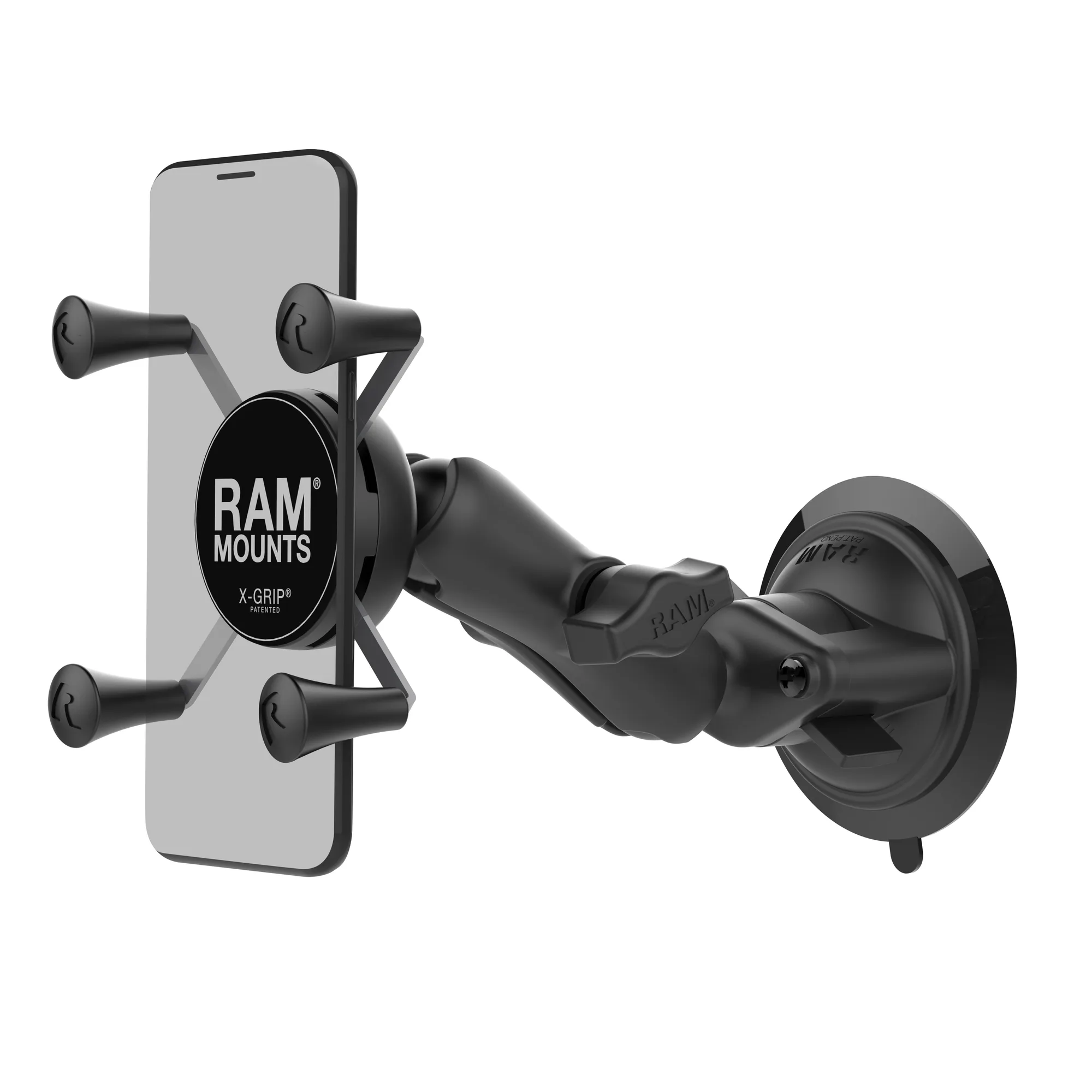
- RAM® X-Grip® Phone Mount with RAM® Twist-Lock™ Suction Cup: The RAM® X-Grip® Phone Mount with RAM® Twist-Lock™ Suction Cup (RAM-B-166-UN7U) includes a 3.3-inch Twist-Lock suction base, a medium-length double socket arm, and a spring-loaded X-Grip cradle, and is designed to hold on glass and non-porous plastic surfaces. When the cup holder sits in the shifter's path, this mount moves the phone to the windshield or a smooth dash panel, where you can position it below the dashboard top and outside the airbag zone.
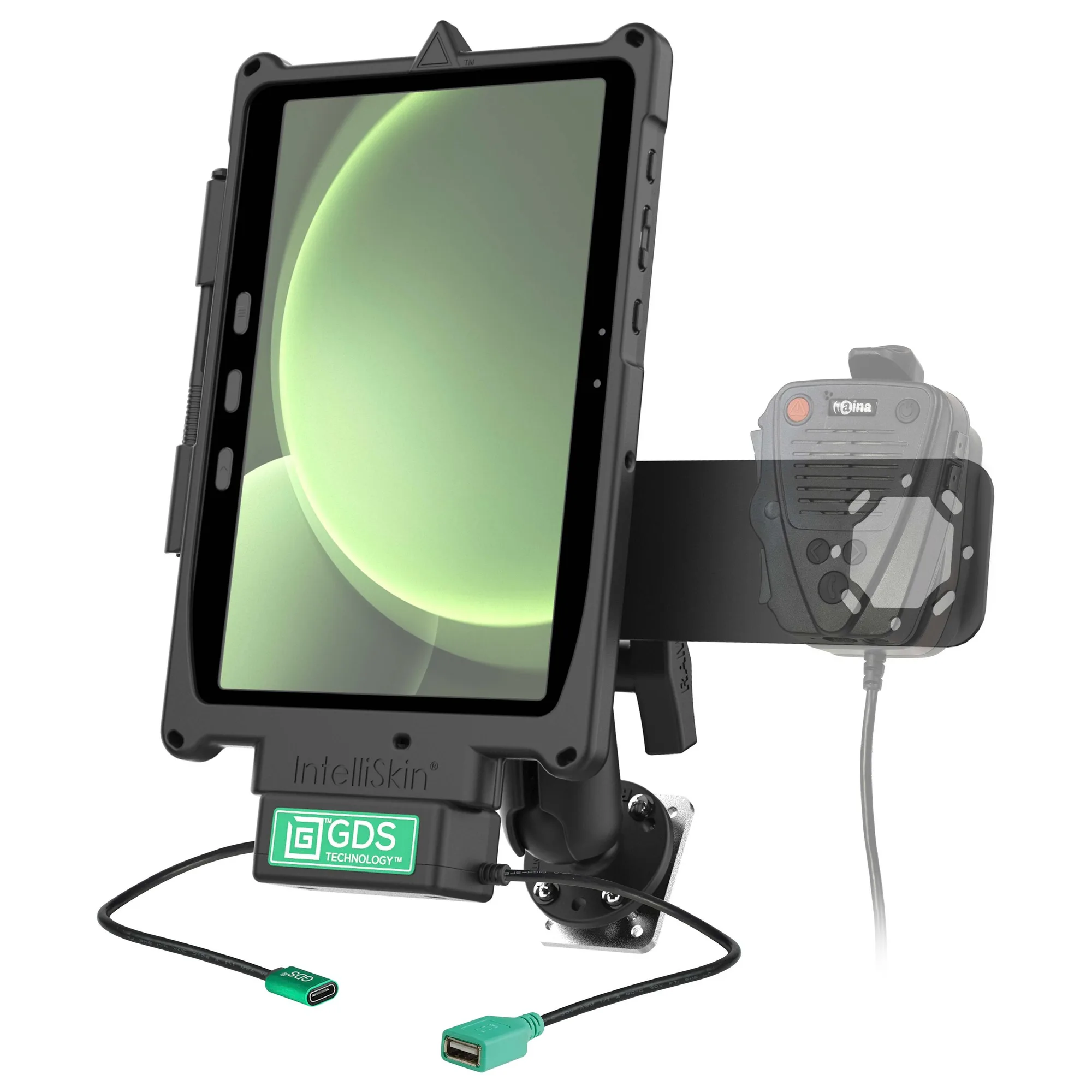
- GDS® Uni-Conn™ Aina PTT Voice Responder Bundle for Tab Active4 Pro: The GDS® Uni-Conn™ Aina PTT Voice Responder Bundle for Tab Active4 Pro (RAM-GDS-U1-SAM54-KIT3) combines a GDS® Uni-Conn™ dock, Uni-Conn™ adapter, and IntelliSkin® for the Samsung Tab Active5/4 Pro in a push-to-talk mounting solution for field operations, public safety, and fleet management. If your vehicle workflow depends on a mounted tablet and PTT rather than a phone, this bundle replaces a cup holder accessory with a dock that keeps the tablet and voice responder in one fixed, reachable position.