Quick answer
Mount the holder on a rigid belt or harness strap at your support-side hip, set retention so the remote seats fully but releases with a firm pull, and practice the draw until it is one clean motion.
Belt, harness, or pack: pick the mount point that matches your training day
A duty belt or double-layer harness strap gives the holder a stable base; a thin nylon belt lets the whole holster rock when you pull. If you rotate between setups, choose one primary mount and keep the holder there so your draw stays consistent.
Cross-draw placement at the support-side hip keeps the remote out of the way of a leash hand and lets you reach it without looking down. For field work with a long line, a chest-mounted harness strap can be easier to reach than a rear hip position.
Retention is a fit decision, not a permanent setting
Kydex holds by tension, so small changes in belt thickness or strap width change how tightly the remote seats. Test retention with the remote in the holder and the holder on your body, not in your hand. If the remote rattles loose during a recall, tighten the mount first; if you cannot draw it smoothly, loosen slightly rather than forcing it.
Mounting and wearing steps
- Confirm your transmitter fits the holder: Match your E-Collar remote model to the holder option before mounting; the holder is designed for the transmitter portion of specific brands and models. If your remote is not listed, do not force it into a holder sized for another model. A loose or jammed fit usually means the wrong model, not a mounting problem.
- Choose a rigid, support-side mount point: Thread the holder onto a duty belt, double-layer harness strap, or pack strap at your support-side hip or chest. Keep the opening oriented so your strong hand can pull the remote straight out. If the strap flexes more than about an inch when you tug, move to a stiffer strap.
- Set retention with the holder worn: Insert the remote fully, then adjust the mount tension until the remote seats with a firm push and releases with a deliberate pull. Check that it does not shift during a brisk walk or a recall sprint. Test retention after any change to belt thickness or clothing layers.
- Practice the one-handed draw: With the remote in place, practice pulling it free and returning it without looking down. Keep your leash hand still and use only your support hand for the draw. If you need two hands or a visual check, the mount angle is wrong.
- Check the holder before each session: Look for cracks, loose fasteners, or a stretched opening, and confirm the remote still seats fully. A holder that has loosened should be re-tensioned or replaced before field use. A remote that sits proud of the holder can catch on brush or a vehicle seat.
Product facts
-
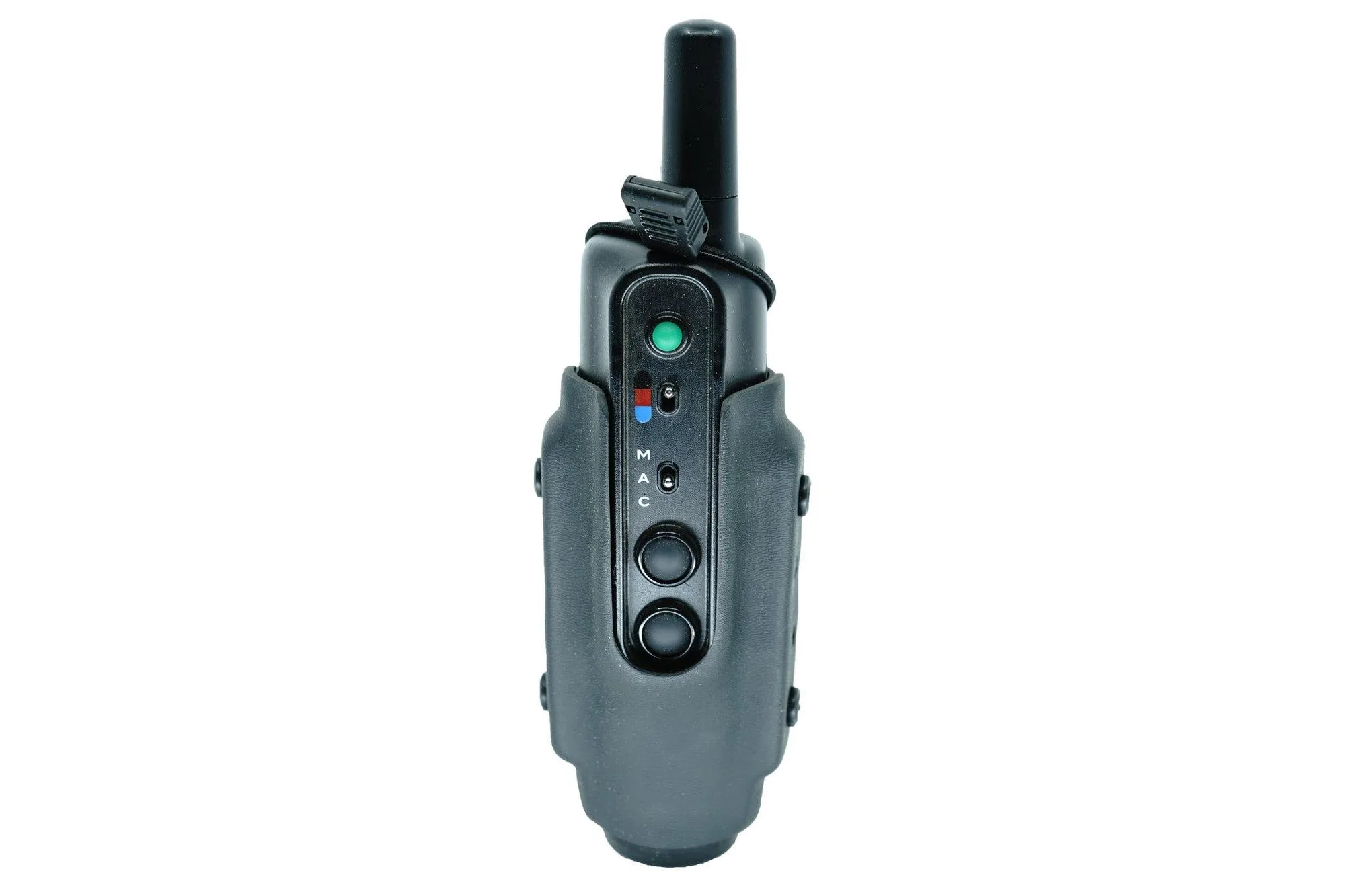
E-Collar Remote Holder: The E-Collar Remote Holder is custom-designed for the transmitter portion of multiple E-Collar brands and models and is sold exclusively through K9 Tactical Gear. Because the holder is shaped around specific transmitter bodies, confirm your remote model before ordering rather than assuming a universal fit.
E-Collar Remote Holder