Quick Answer
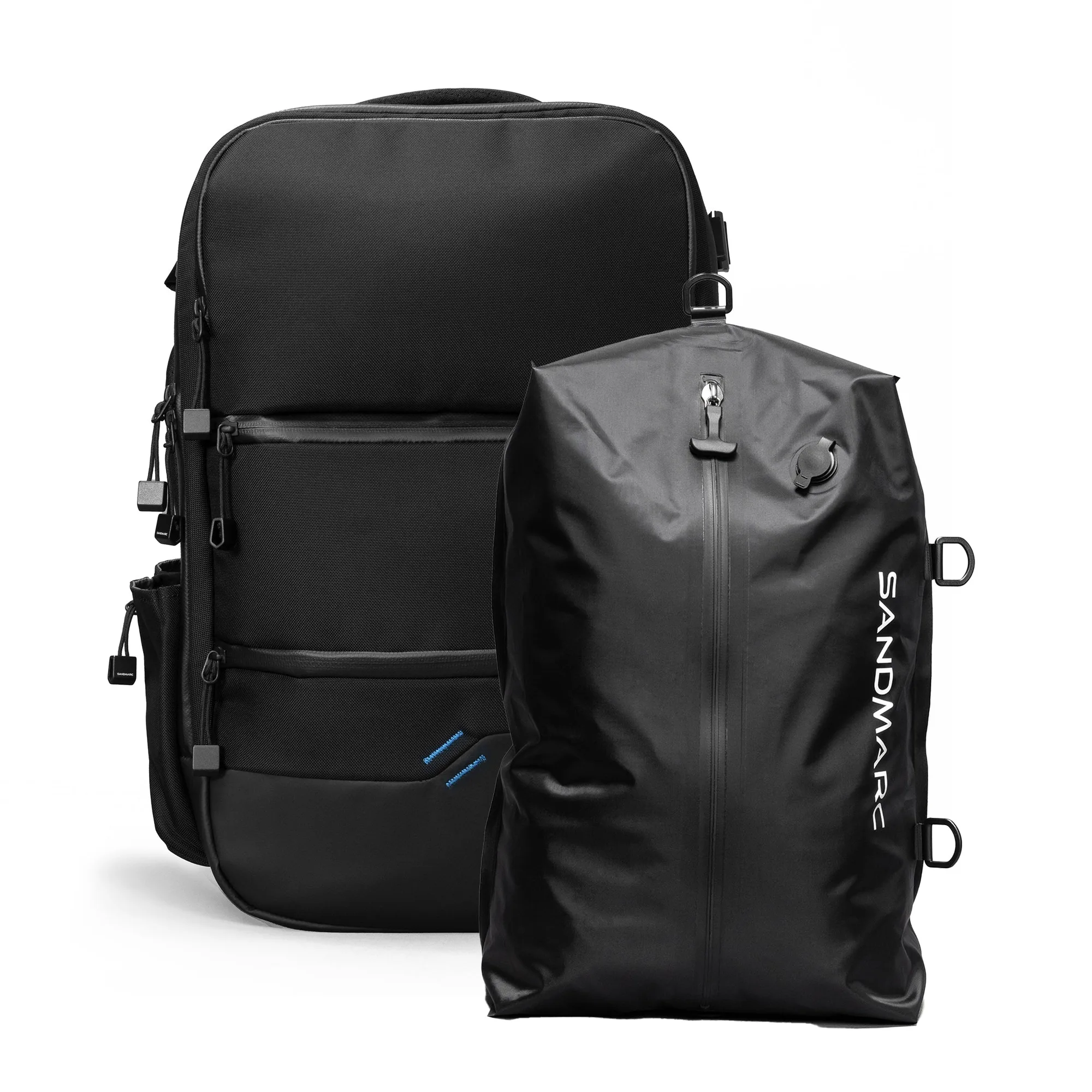
Use the SANDMARC Backpack + Compression Kit to keep gear organized and compress bulky items, so you can pack more without overstuffing.
Why this kit works for camera gear and tech
The SANDMARC Backpack + Compression Kit is built for travelers who carry iPhone gear, tech, and everyday essentials. Its multiple pockets let you separate fragile items from bulkier clothing, while the compression bag with an electric pump reduces volume so you can fit more in the same space.
A common challenge with camera bags is that they become a black hole of cables and lenses. The dedicated pockets in this backpack help you assign a home for each item, which saves time at airport security and keeps your gear protected during transit.
Trade-off: compression vs. quick access
Compressing your clothes saves space, but it also means you can't grab a sweater without unpacking the whole bag. Plan ahead: keep a light layer or a change of clothes in an outer pocket, and compress only items you won't need until you reach your destination.
Similarly, the electric pump adds convenience but requires power or batteries. If you're traveling without access to electricity, pack the manual valve as a backup or compress your clothes before you leave home.
Step-by-Step Packing Guide
- Sort and categorize your items: Lay out everything you plan to bring. Group items into categories: camera gear, tech accessories, clothing, toiletries, and documents. This helps you see what you actually need and prevents overpacking. Checkpoint: If you haven't used an item in the last two trips, leave it behind.
- Assign a pocket for each category: Use the backpack's multiple pockets to give each category a dedicated space. Put fragile camera gear in padded pockets, tech cables in a separate compartment, and documents in an easily accessible slot. This keeps everything organized and quick to find. Checkpoint: Test that each pocket closes securely and that nothing is squeezed too tightly.
- Compress your clothing: Place soft items like t-shirts, pants, and socks into the compression bag. Use the included electric pump to remove air and shrink the bundle. This maximizes packing space and leaves room for other essentials. Checkpoint: Avoid compressing delicate fabrics that may wrinkle or get damaged by the vacuum pressure.
- Load heavy items close to your back: When placing the compression bag and other heavy items into the backpack, position them against the back panel. This distributes weight evenly and reduces strain on your shoulders during long walks. Checkpoint: Adjust the straps so the bag sits snugly and doesn't pull backward.
- Keep frequently used items accessible: Store items you'll need during transit—like your phone, passport, or a light jacket—in outer pockets or the top compartment. This avoids digging through the entire bag at security or on the plane. Checkpoint: Practice opening and closing these pockets to ensure smooth access.
Product Facts
-
Backpack + Compression Kit: The kit includes a backpack with multiple pockets for iPhone gear, tech, and travel essentials, plus a compression bag with an electric pump. You can separate fragile gear from bulkier items and shrink clothing to free up space for souvenirs or extra layers.
Backpack + Compression Kit