Quick Answer
To pack the Platinum Elite Carry-On / Slim Backpack Camouflage Set efficiently, use the carry-on for bulky items and the backpack for tech and valuables, following a layer-by-layer method that maximizes space and keeps you organized.
Why This Combo Works for Carry-On Only
The Platinum Elite Carry-On and Slim Backpack Camouflage Set is designed for travelers who want to avoid checked bags. The 21-inch carry-on spinner offers expandable packing space, while the slim backpack serves as a personal item that can slide over the suitcase handle for easy airport navigation.
The key is to treat each piece with a specific role: the carry-on holds clothing and bulk, the backpack carries tech, documents, and items you need during the flight. This division prevents overpacking and keeps essentials accessible.
Trade-Off: Backpack Capacity vs. Convenience
The Slim Backpack is intentionally slim, so it won't hold a week's worth of gear. Its strength is organization, not volume. If you need to carry a bulky laptop plus a camera and a change of clothes, you'll either need to pack the backpack more strategically or rely on the carry-on for heavier items.
Accept that the backpack is a personal item, not a second suitcase. Use it for items you'll need before boarding or during the flight, and keep the bulk in the spinner.
Step-by-Step Packing Method
- Step 1: Gather and Sort: Lay out everything you plan to bring. Sort into two piles: 'carry-on' (clothing, shoes, toiletries) and 'backpack' (laptop, chargers, documents, snacks, and any item you'll need during the flight). This prevents overpacking and ensures you don't forget essentials. Checkpoint: If the carry-on pile exceeds the bag's capacity, remove non-essential items rather than forcing them in.
- Step 2: Pack the Carry-On Bottom with Heavy Items: Place shoes, a toiletry bag, and any other heavy items at the bottom of the carry-on, near the wheels. This keeps the bag stable when rolling and prevents crushing lighter items. Use packing cubes if you have them to compress clothing and keep sections organized. Checkpoint: Keep the bottom layer flat to avoid creating lumps that waste space.
- Step 3: Layer Clothing and Fill Gaps: Roll or fold shirts, pants, and dresses, then layer them on top of the heavy items. Fill gaps with socks, underwear, or belts. If you need more space, use the expandable zipper—but only after you've packed the base layer, so you don't expand too early. Checkpoint: After zipping the main compartment, test the bag's weight. If it's too heavy to lift into an overhead bin, remove items.
- Step 4: Pack the Backpack for Tech and Essentials: Place your laptop in the padded compartment, then organize chargers, cables, and small electronics in the front pockets. Put your passport, boarding pass, and wallet in an easily accessible pocket. Use the slim design to your advantage: it forces you to carry only what you truly need. Checkpoint: Ensure the backpack's weight is balanced; don't overload one side, as it can strain your shoulders.
- Step 5: Attach the Backpack to the Carry-On: When moving through the airport, slide the backpack's rear strap over the carry-on's handle. This keeps both bags together and frees your hands. Detach the backpack when you need to access your tech or documents quickly. Checkpoint: Practice attaching and detaching the backpack at home to avoid fumbling at security.
Product Facts
-
Platinum® Elite Carry-On / Slim Backpack Camouflage Set: The carry-on spinner features an expandable design for up to 2 inches of extra packing space. Use the expansion only when you need it; expanding too early can make the bag too large for overhead bins on smaller aircraft.
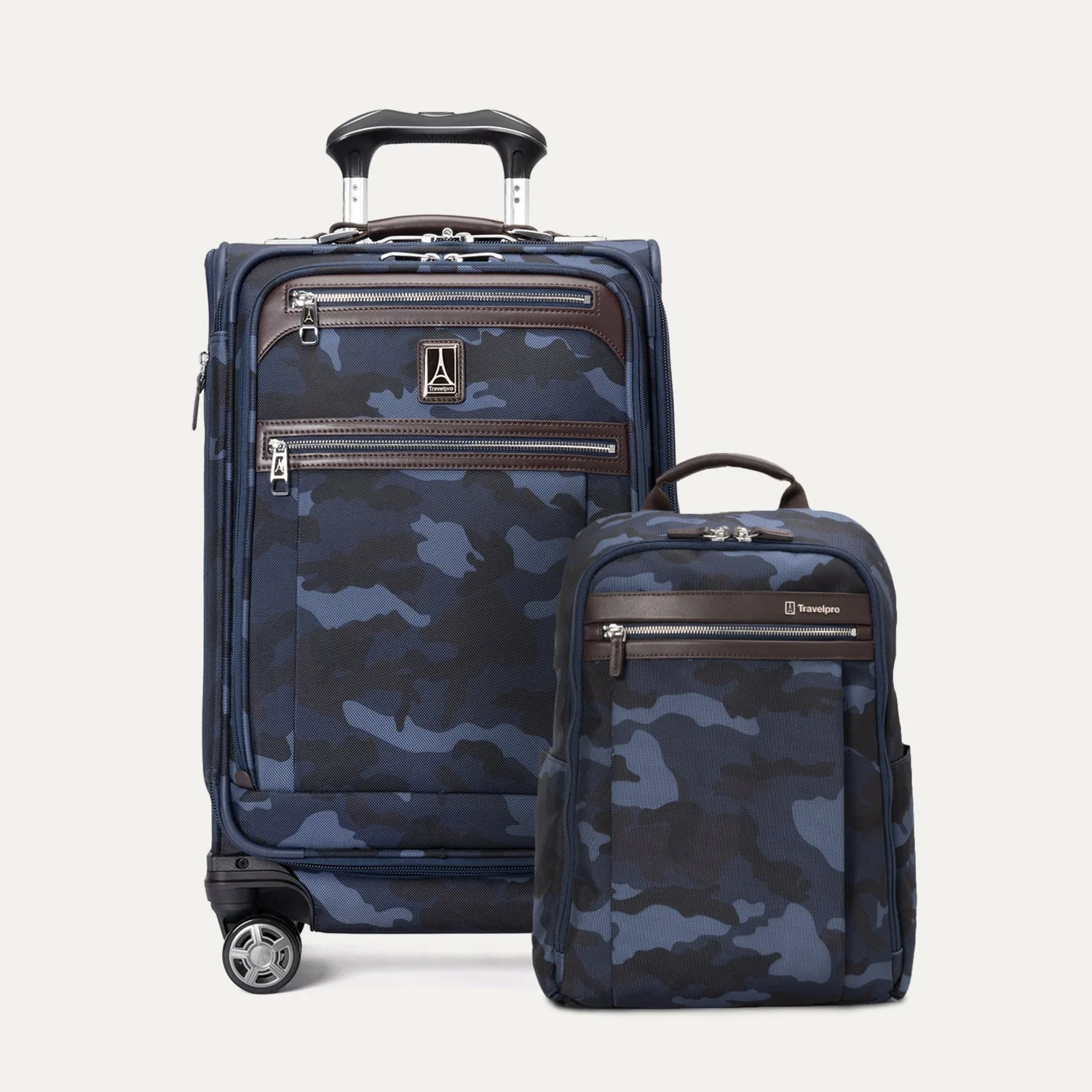
Platinum® Elite Carry-On / Slim Backpack Camouflage Set
-
Platinum® Elite Carry-On / Slim Backpack Camouflage Set: The set includes a rear strap on the backpack that slides over suitcase handles. This lets you secure the backpack to the carry-on for hands-free movement through airports, so you don't have to juggle two bags.