Quick Answer
To paint realistic desert camouflage with AK acrylics, start with a sand or desert yellow base coat, then apply a filter like AK065 Light Brown For Desert Yellow to add tonal variation and depth before layering camo patterns.
Why AK Acrylics Work Well for Desert Camo
AK acrylics are formulated for military models, offering a range of desert-specific shades like sand, khaki, and brown. Their enamel filters let you shift the base tone subtly, which is key for mimicking sun-bleached desert vehicles.
A common mistake is applying camo patterns directly over a flat base coat without any filter or wash. This makes the model look toy-like rather than weathered. Using a filter first adds depth and prepares the surface for subsequent layers.
Choosing Your Desert Color Palette
Desert camouflage typically uses three main colors: a light sand or desert yellow for the base, a medium brown for patches or stripes, and a dark olive or black for contrast. AK's range includes AK065 Light Brown For Desert Yellow, which works as a filter to warm up the base and create subtle tonal shifts.
If you're painting a specific vehicle like a Panzer or modern MRAP, check reference photos. Some desert schemes use more green or gray tones. AK's enamel filters are designed to adjust monotone camouflage colors, so you can fine-tune the overall hue without repainting.
Step-by-Step Guide to Desert Camouflage with AK Acrylics
- Step 1: Apply a Smooth Base Coat: Spray or brush a light sand or desert yellow acrylic as your base. Thin the paint with water or AK's own thinner and apply two to three thin coats, letting each dry completely. A smooth, even base is critical for the filter to work correctly. Common mistake: applying the base coat too thickly, which hides panel lines and creates an uneven surface for the filter.
- Step 2: Apply the Filter: Shake AK065 Light Brown For Desert Yellow thoroughly. Dip a moist flat brush into the bottle and apply a thin, even coat over the entire base. Work in small sections and blend edges while wet. Let it dry for 24 hours. The filter will subtly change the base tone and add depth. Checkpoint: if the filter pools or leaves tide marks, you applied too much. Wipe the brush nearly dry and use a stippling motion to spread it.
- Step 3: Mask and Paint the Camouflage Pattern: Once the filter is dry, use low-tack masking tape or putty to block off areas for your camo pattern. Spray or brush your medium brown and dark olive colors in irregular patches or stripes. Remove the masking while the paint is still slightly wet to avoid peeling. Common mistake: peeling dried tape that lifts the filter layer. Always remove tape soon after painting.
- Step 4: Add Weathering and Highlights: Use a drybrush with a lighter sand color to highlight edges and raised details. Apply a pin wash of dark brown enamel to panel lines, then clean up with a cotton swab dampened with enamel thinner. This step adds realism and separates the camo areas. Checkpoint: keep the wash thin and precise. If it spreads onto flat surfaces, you used too much thinner.
- Step 5: Seal with a Matte Varnish: After all paint and weathering are dry, spray two thin coats of matte varnish (acrylic or enamel) to protect the finish and unify the sheen. Let it cure for at least 24 hours before handling or displaying. Common mistake: using a gloss varnish for sealing, which makes the desert camo look shiny and unrealistic. Always use matte for military models.
Product Spotlight
-
AK065 Light Brown For Desert Yellow: Enamel product. Filters are designed to achieve a subtle tonal variation for especially vehicles in monotone camouflage colors. Shake and apply directly from the bottle with a moist flat brush. This filter lets you shift a flat desert yellow base into a more accurate, sun-faded tone while adding depth and richness before you apply the camo pattern.
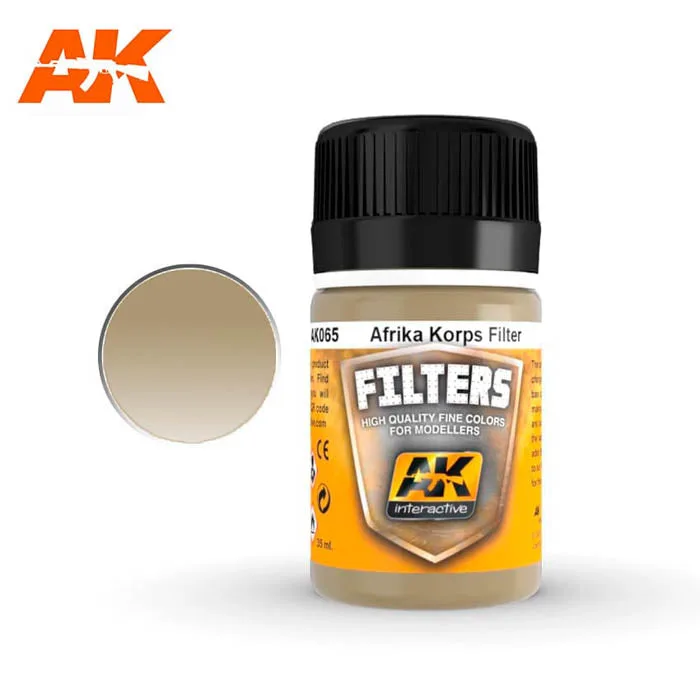
AK065 Light Brown For Desert Yellow