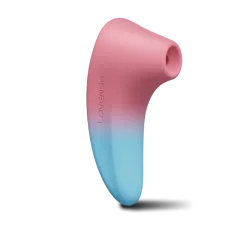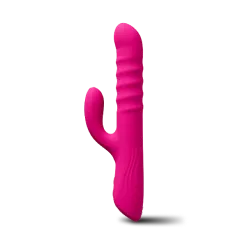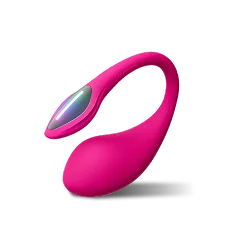
Imagine controlling two or more interactive sex toys at once, syncing their vibrations to a single rhythm or having them respond to each other in real time. With Lovense’s app-controlled ecosystem, synchronized play is not only possible—it’s surprisingly easy to set up. Whether you want to combine a clitoral vibrator with a G-spot toy for yourself, or pair a thrusting dildo with a vibrating panty for a partner across the globe, this guide will walk you through every step.
Synchronized play opens up a world of new sensations. Instead of switching between devices, you can layer pleasure from multiple sources, creating a richer, more immersive experience. And because Lovense toys connect via Bluetooth to a single smartphone app, you can manage them all from one screen. In this article, we’ll cover the basics of multi-device pairing, how to set up group play, and tips for getting the most out of your synchronized sessions.
Why Synchronized Play? The Benefits of Using Multiple Lovense Toys Together
Using two or more toys at once isn’t just about novelty—it’s about maximizing pleasure. A single toy can target one erogenous zone, but combining a G-spot vibrator with a clitoral stimulator, or adding a butt plug to the mix, can lead to blended orgasms that are more intense and satisfying. Lovense’s app lets you pair devices wirelessly, so you can adjust each toy’s intensity independently or sync them to the same pattern.
For couples, synchronized play adds a new dimension to shared intimacy. One partner can control both toys, or each can control their own device while the other’s toy responds. This is especially powerful for long-distance relationships, where the app’s remote control feature lets you send vibrations in real time. With multiple toys, you can create a feedback loop—each partner’s toy reacting to the other’s movements or sounds.
- Blended orgasms from simultaneous G-spot and clitoral stimulation
- Enhanced long-distance connection with multi-device remote control
- Customizable patterns that can be saved and shared with partners
What You Need: Compatible Lovense Toys and the App
Before you start, make sure you have at least two Lovense toys that support Bluetooth and the Lovense Remote app. Most modern Lovense devices—including the Lovense Ambi Bullet Vibrator, the Lovense Lush 4 Remote Control G-Spot Vibrator, and the Lovense Gravity Thrusting Vibrating Dildo—are compatible. You’ll also need a smartphone or tablet running iOS or Android, and the latest version of the Lovense Remote app installed.
Bluetooth range is typically about 30 feet (10 meters) in open space, but walls and interference can reduce that. For best results, keep your devices close to your phone during pairing. If you’re using toys with different shapes and functions, think about how they’ll interact physically. For example, the Lovense Hyphy Dual-End Vibrator is great for targeting both the clitoris and G-spot at once, while a butt plug like the Lovense Lush Anal Vibrating Anal Toy can be added for extra depth.
- Ensure all toys are fully charged before starting
- Download or update the Lovense Remote app from your app store
- Turn on Bluetooth on your phone and disable battery-saving modes
Step-by-Step: Pairing Multiple Lovense Toys to the Same App
Open the Lovense Remote app and create an account or log in. Tap the “+” icon on the home screen to add a new toy. Turn on your first Lovense device—usually by pressing and holding the power button until it vibrates. The app should detect it within a few seconds. Tap the toy’s name to confirm pairing, then repeat the process for your second toy. The app will display each device with its own control panel.
Once both toys are paired, you’ll see them listed on the main screen. You can control each one individually by tapping its icon, or you can create a group. To do this, tap the “Group” button (two overlapping circles) at the top of the screen, then select the toys you want to include. In group mode, any pattern or intensity change you make applies to all selected toys simultaneously. This is perfect for synchronized vibrations or thrusting motions.
- Pair one toy at a time to avoid confusion during setup
- If a toy isn’t detected, restart the app and try again
- Use group mode for identical patterns, or individual mode for customized control
Advanced Synchronization: Using Patterns, Music, and Long-Distance Control
Beyond basic group control, the Lovense app offers powerful synchronization features. You can create custom vibration patterns and apply them to all paired toys at once. For example, set a slow wave pattern on the Lovense Lush Mini Remote Control G-Spot Vibrator while a rapid pulse plays on the Lovense Ambi Bullet Vibrator. The app also lets you sync toys to music or your own voice, so every beat or whisper becomes a shared sensation.
For long-distance play, the app’s “Long Distance” mode lets you give control to a partner anywhere in the world. When multiple toys are paired, you can assign different toys to different partners, or let one partner control the entire group. The app also supports video calls, so you can see and hear reactions in real time. This makes synchronized play ideal for couples who travel often or live apart.
- Save your favorite patterns as presets for quick access
- Use the “Music” mode to sync vibrations to your favorite playlist
- Test the connection with a partner before a live session to avoid lag
Troubleshooting Common Issues with Multi-Device Pairing
If you have trouble pairing multiple toys, start by checking that each device is fully charged and within Bluetooth range. Sometimes, interference from other Bluetooth devices (like headphones or smartwatches) can cause disconnections. Turn off unnecessary Bluetooth connections on your phone. If a toy still won’t pair, reset it by holding the power button for 10 seconds until it vibrates twice, then try again.
Another common issue is the app not recognizing a second toy after the first is paired. In this case, close the app completely and reopen it, then add the second toy as if it were new. If you’re using group mode and the toys don’t respond in sync, try unpairing all devices and starting fresh. The Lovense support page also offers detailed guides for each model.
- Keep toys within 10 feet of your phone during pairing
- Restart the app if a toy isn’t detected
- Update the app and toy firmware for best compatibility
Synchronized play with multiple Lovense toys transforms solo or partnered sessions into a layered, interactive experience. By pairing devices through the app, you can blend vibrations, thrusts, and patterns to create a custom symphony of pleasure. Whether you’re exploring on your own or connecting with a partner across the miles, the possibilities are endless. Start your journey by trying the versatile Lovense Ambi Bullet Vibrator—it pairs perfectly with other toys and is ideal for beginners and experts alike.