Quick answer
For balanced sound, place the Z407 speakers at ear level on either side of your monitor, put the subwoofer on the floor near a wall, and pair Bluetooth once before adjusting volume from the wireless control pod.
Why the wireless control pod changes your setup routine
The Z407 includes a wireless control pod for volume and playback, so you can keep the speakers out of reach and still make quick adjustments. That convenience matters most when you position the speakers for sound rather than for easy access. Pair Bluetooth first, then use the pod for everyday changes instead of reaching for the speakers.
When desktop space forces a compromise
If your desk is shallow or shared, you may not be able to place the speakers at the ideal width. In that case, keep them as far apart as the desk allows and angle them slightly toward your ears. Avoid pushing them behind the monitor, which can block the drivers and make the sound feel narrow.
Z407 setup steps
- Place the speakers at ear level: Set the left and right speakers on either side of your monitor, with the drivers facing your listening position. A common mistake is placing them too low or too far apart, which weakens the center image. Check that both speakers are at the same height and angle.
- Position the subwoofer on the floor: Put the subwoofer on the floor near a wall or corner, but leave a little space around it. Avoid placing it directly under your desk where it can rattle or sound boomy. Move the subwoofer a few inches at a time and listen for the cleanest bass.
- Pair Bluetooth before adjusting volume: Turn on the speakers and enable Bluetooth on your computer or phone, then select the Z407 from the device list. A common mistake is trying to pair while another device is already connected; disconnect that device first. Confirm the status light or voice prompt indicates a successful pairing.
- Set volume from the wireless control pod: Use the pod to raise the volume to a comfortable level, then fine-tune the subwoofer output if your music sounds too bass-heavy. Keep the pod within reach on your desk. If the pod stops responding, check that it is paired and powered.
- Listen and adjust the speaker angle: Play a familiar track and toe the speakers in slightly toward your ears if the highs sound dull. If the bass feels uneven, move the subwoofer closer to or farther from the wall. Small changes in angle and subwoofer distance often fix balance issues.
Product facts
-
Z407 Bluetooth Computer Speakers with Subwoofer and Wireless control - Graphite: The Z407 system includes a subwoofer and a wireless control pod for volume and playback adjustments. You can place the subwoofer on the floor and control volume from the pod without moving the speakers.
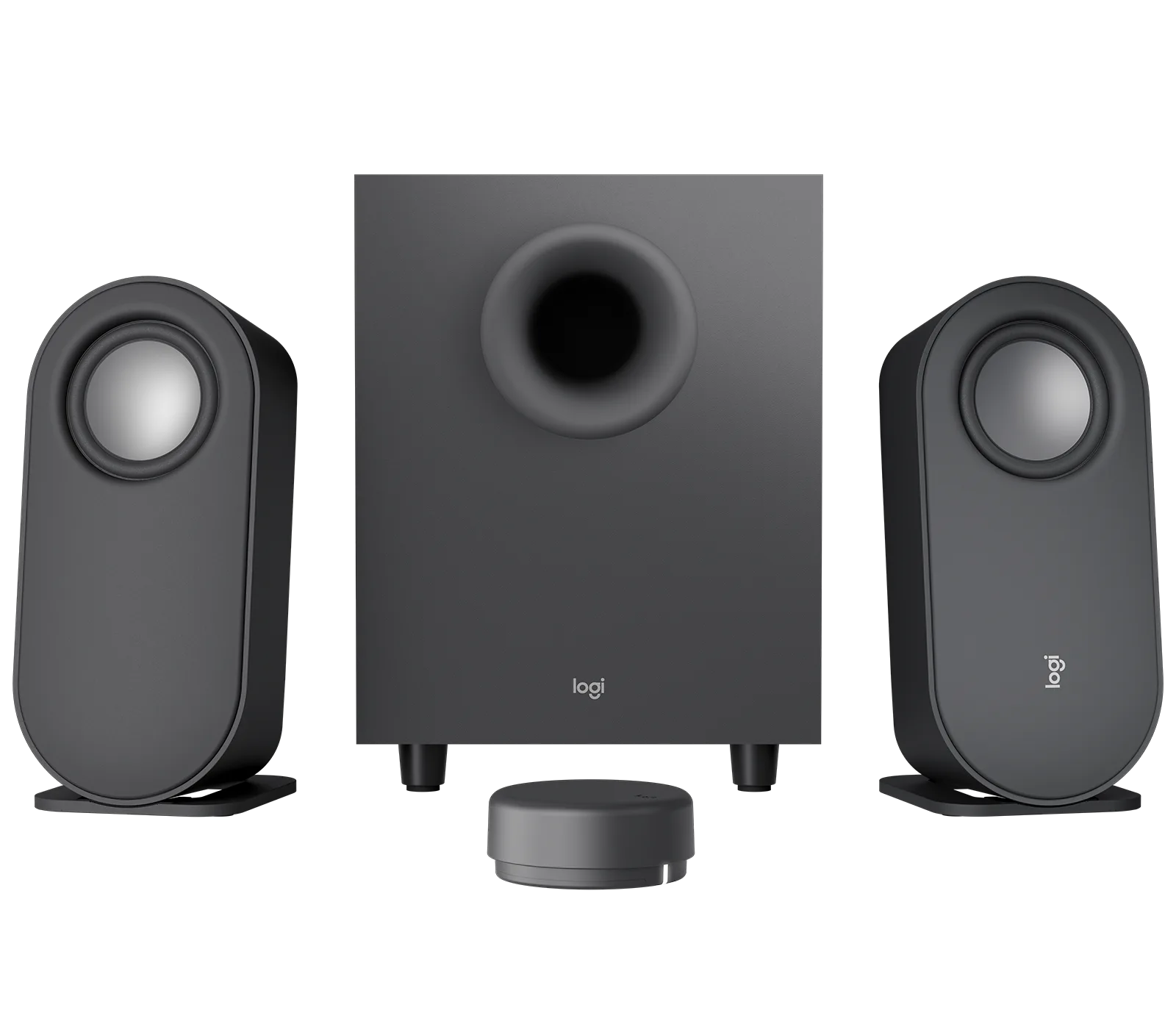
Z407 Bluetooth Computer Speakers with Subwoofer and Wireless control - Graphite