Start with what the kit actually gives you
The Tracy's Dog LOVE Remote Couple Interactive Kit is designed as a shared-pleasure set: it includes pieces for both partners and a remote that lets one person control the experience. That combination is what makes it useful for long-distance play or for couples who want to hand over control without fumbling with buttons mid-session.
Before you worry about pairing, check that you have the full kit in front of you. The supplied product information confirms a remote and a versatile set of pieces for both partners, but it does not list a specific app, a required pairing sequence, or step-by-step operating instructions. That means the most reliable first step is to read the manual that comes with your kit and follow its pairing directions exactly. The advice below focuses on what you can control: preparation, communication, and realistic expectations.
A practical first-use sequence
Because the supplied information does not include a verified pairing procedure, treat these as preparation and communication checkpoints rather than manufacturer instructions. Your kit's manual remains the authority on how the remote connects.
- 1. Unpack and identify each piece: Lay out the kit and separate the remote from the wearable pieces. The set is described as including pieces for both partners, so decide together who will wear which piece and who will hold the remote before anything turns on.
- 2. Read the manual's pairing section first: Look for the manufacturer's instructions on how the remote links to the toy. Do not assume a button sequence or app download from other products; the supplied information for this kit does not confirm an app, so check the manual rather than guessing.
- 3. Agree on a control plan: Decide who controls the remote, whether you will swap, and how you will signal a pause. A simple spoken check-in before play is more useful than trying to negotiate mid-session.
- 4. Test the remote at close range first: Before using the kit across a room or during long-distance play, confirm the remote responds while you are next to each other. This gives you a baseline for what normal response feels like.
- 5. Introduce distance gradually: Once close-range control feels reliable, move a few steps away and check again. Long-distance play depends on the remote's range and any app or connection method your specific kit uses, so build up rather than assuming a certain distance works.
What to expect from the remote control
The supplied product details describe remote functionality that allows for easy control and spontaneous play. In practice, that means the person with the remote can adjust the experience without reaching for the wearable piece. For couples, this is the core appeal: it turns the toy into something you operate together rather than something one person manages alone.
The same details do not specify button layout, vibration patterns, range, or whether the remote uses radio frequency, Bluetooth, or another connection type. If you are comparing this kit to app-controlled toys, treat that as an open question and check the product listing or manual for the connection method before buying. The kit is a good fit if you want a physical remote and a shared set; it may be less ideal if app-based control or custom patterns are essential to you.
Kit details worth knowing before you buy
-
LOVE Remote Couple Interactive Kit: Interactive couple kit designed for shared pleasure and connection This frames the kit as a two-person experience, so plan for shared control rather than solo use.
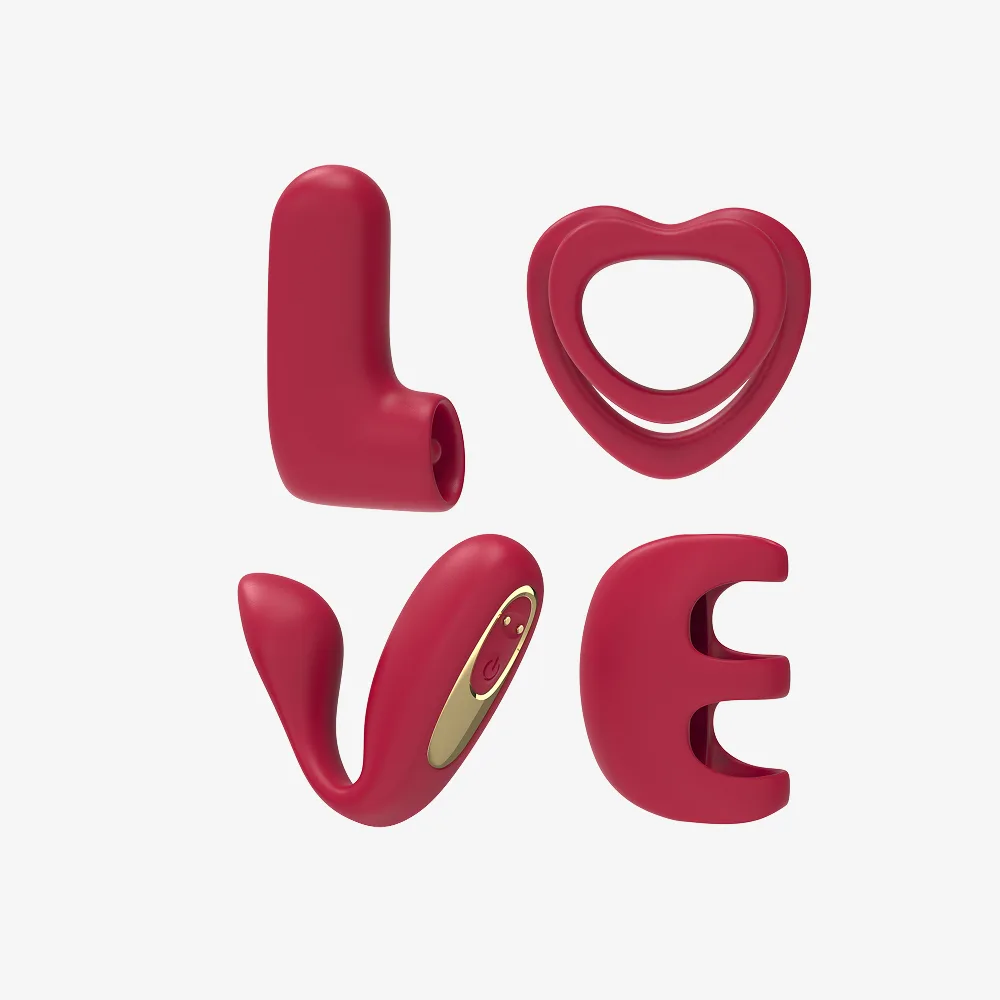
LOVE Remote Couple Interactive Kit
-
LOVE Remote Couple Interactive Kit: Remote functionality allows for easy control and spontaneous play The remote is the main interactive feature; knowing it exists helps you decide whether this fits your play style.
-
LOVE Remote Couple Interactive Kit: Versatile set that includes pieces for both partners You are buying a set, not a single toy, so both partners should be comfortable with the included pieces.
Long-distance tips that work with almost any remote kit
The supplied information does not confirm a specific app or internet-based control for this kit. These tips focus on communication and setup habits that apply whether your remote works across the room or across a call.
- Set up before the call, not during it: Have the kit unpacked, the remote paired if required, and both partners ready before you start a long-distance session. Fumbling with setup while on a call adds frustration.
- Use voice check-ins: Agree on a simple phrase for pause or adjust. Because the remote user cannot see the wearer's reactions in person, spoken feedback matters more, not less.
- Keep expectations about range realistic: Remote range varies by product and environment. Test your kit's actual response at increasing distances rather than assuming it will work across a house or through walls.
- Have a backup plan: If the remote connection drops, switch to a lower-tech option or take a break. A dropped connection is a setup issue, not a failure of the experience.
Cleaning and storage after use
The supplied product information for this kit does not include cleaning instructions, materials, or compatibility guidance. That is a real limitation, not a reason to improvise. Follow the care instructions that come with your kit, and if none are included, contact the retailer or manufacturer before using any cleaner on the pieces. Store the remote and wearable pieces separately so buttons are not pressed accidentally, and keep the set away from extreme heat or moisture.
Because the kit includes pieces for both partners, clean each piece according to its own material and design. Do not assume one cleaning method fits every item in the box.