Quick answer
To play Slayers Royal on Sega Saturn, first confirm your console can run Japanese-region discs, then treat the game as a text-heavy RPG: keep a translation reference handy, save often, and learn the menu layout before diving into battles.
Why Slayers Royal is a text-heavy import
Slayers Royal is a Japanese Saturn RPG built around story scenes and menu-driven combat. The challenge is not reflexes but reading: dialogue, spell names, and item descriptions are all in Japanese. If you have played other Japanese Saturn RPGs, the pace will feel familiar, but the volume of text means you should plan for slow, deliberate sessions rather than quick pick-up-and-play.
Region and hardware realities
Japanese Saturn games are designed for Japanese consoles. A North American or European Saturn will not boot them without a region bypass method, such as a modified console or a cartridge-based solution. Check your setup before buying the disc. Also note that the game may not support the Saturn's internal backup memory in the way you expect; a separate memory cartridge is a safer bet for multiple saves.
What you need before you start
You do not need fluency in Japanese to enjoy the game, but you do need tools. A printed or on-screen kana chart helps with menu navigation, and a phone-based translation app can handle short phrases. For longer dialogue, a community-made guide or walkthrough is more efficient than translating word by word. Set aside a notebook for spell names and recurring commands; the game reuses them constantly.
Step-by-step: playing Slayers Royal on Saturn
- Verify your Saturn can play Japanese discs: Test with any known Japanese-region Saturn title before inserting Slayers Royal. If it does not boot, stop and sort out your region solution first. A console that runs one Japanese game will run Slayers Royal; a failed test means the problem is your setup, not the disc.
- Inspect the disc and case: Check for deep scratches or disc rot, and confirm the spine card is present if that matters to you. Clean the disc with a soft cloth from center to edge. Skipping the inspection risks a failed first impression; a disc that reads slowly may still be playable but needs extra care.
- Set up a memory cartridge: Insert a Saturn memory cartridge and format it if required. Save after the first story scene to confirm the cartridge is recognized. Do not rely on internal memory alone; a cartridge gives you room for multiple saves and protects progress if the console battery dies.
- Learn the main menu before starting: Start the game and explore the title menu options without loading a save. Note which item is New Game, Continue, and Options by their kana shapes or position. Menu familiarity prevents accidental overwrites later; take a photo of the screen if needed.
- Map the battle commands: In your first battle, try each command once and note what it does. Attack, magic, and item commands usually follow a consistent order; write down the kana for each. A quick reference card for battle commands saves time in every subsequent fight.
- Use a translation workflow: For story scenes, use a translation app for short lines and a community guide for longer passages. Do not translate every word; focus on objectives and spell names. Balance speed and comprehension: translate enough to know where to go, and skip flavor text if it slows you down.
- Save at every town or checkpoint: Save before entering dungeons or boss areas, and keep at least two alternating save slots. If a save fails, you still have a fallback. Alternating slots is the simplest protection against a corrupted save or a mistaken overwrite.
Product facts
-
Slayers Royal: Second hand copy that comes with its spine card. The spine card helps you identify the Japanese release and keeps the case complete if you collect Saturn imports.
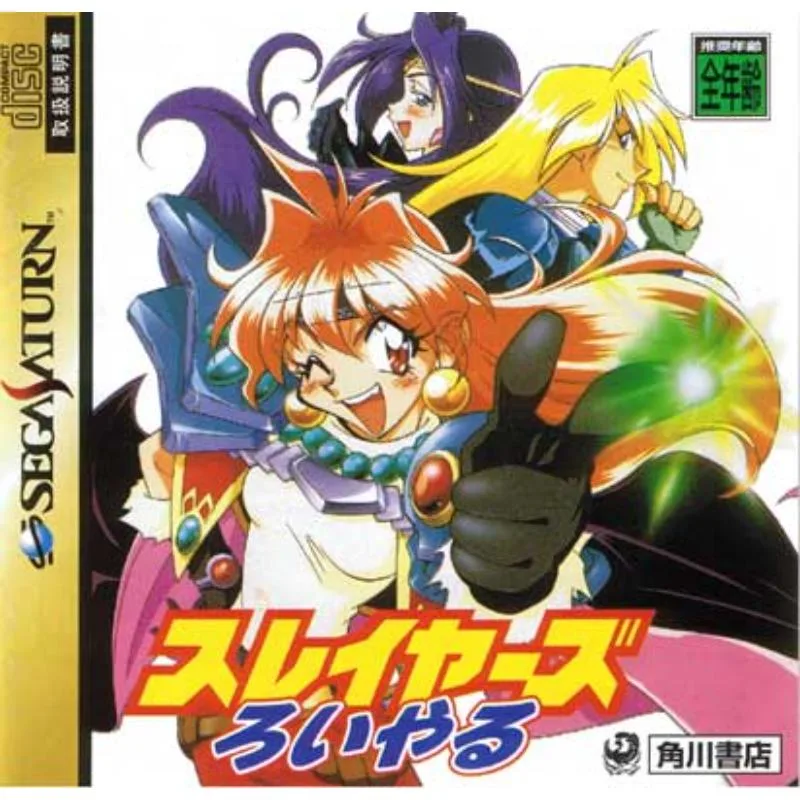
Slayers Royal