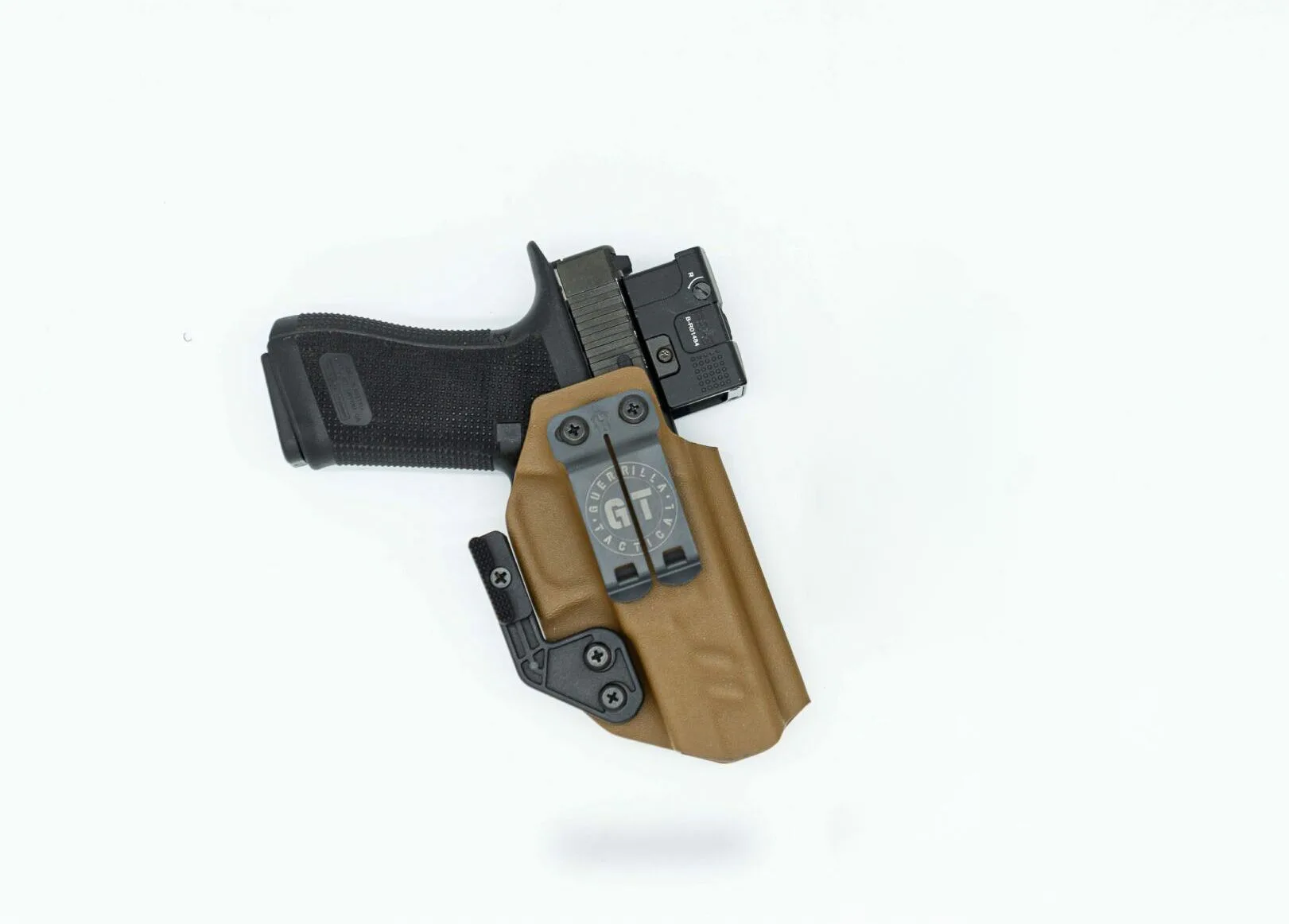
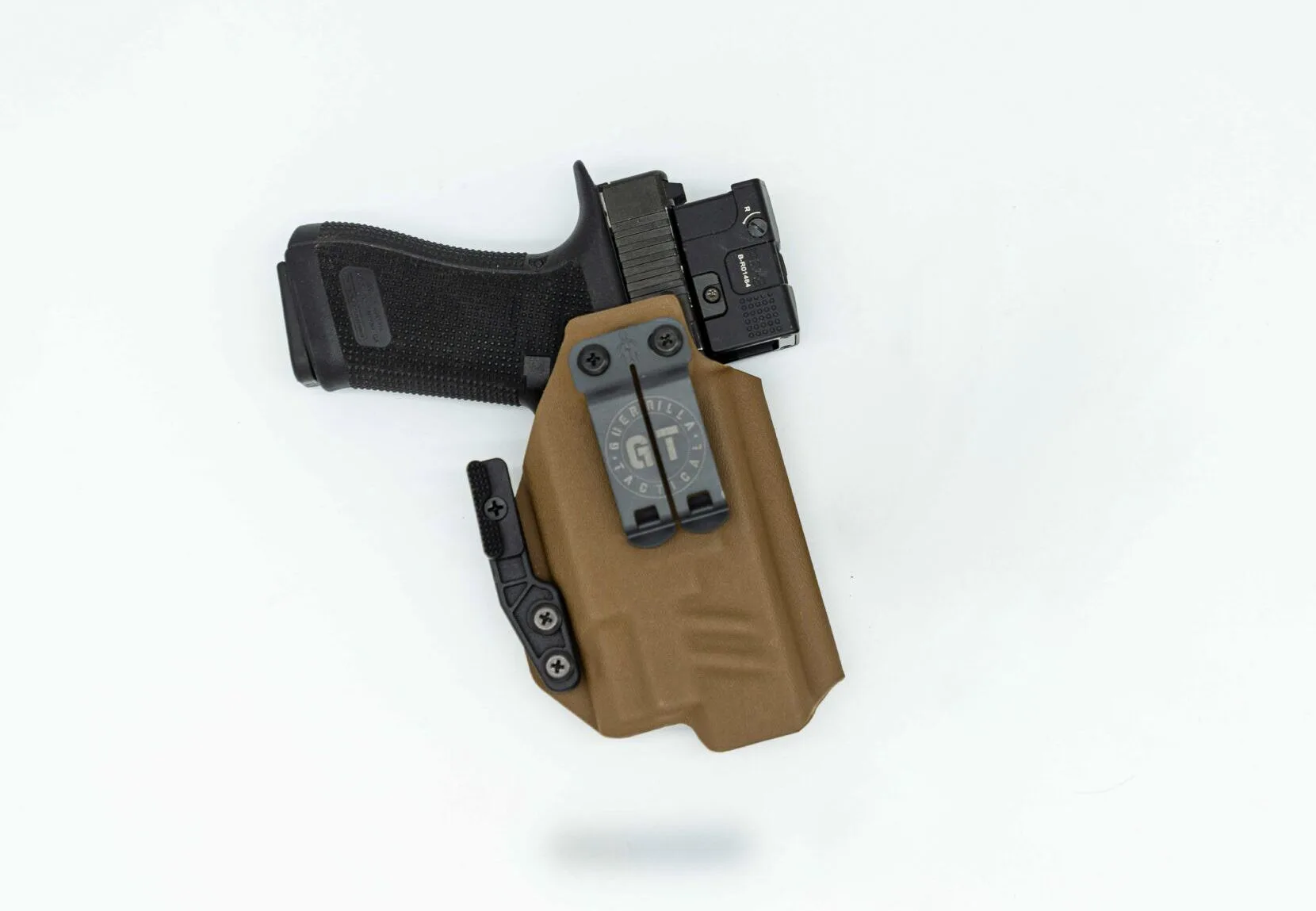
Carrying a Glock with a weapon light is a smart choice for self-defense, providing illumination in low-light situations. However, adding a light introduces new maintenance responsibilities. Proper care ensures your firearm and light function reliably when you need them most.
In this guide, we'll cover everything from cleaning the rail and lens to battery management and holster compatibility. Whether you're using a SureFire X300 Turbo or another quality light, these tips will keep your setup in top shape.
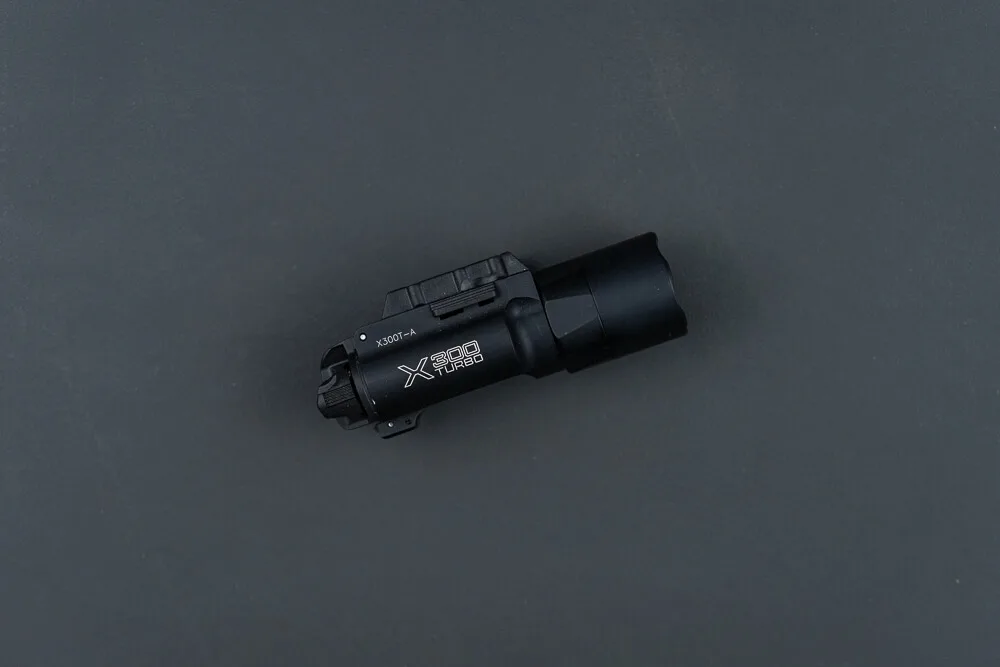
SureFire X300 Turbo
Why Regular Maintenance Matters
Your Glock is built to be durable, but it still requires regular cleaning and lubrication to function flawlessly. When you attach a weapon light, you add another component that can collect carbon, dust, and moisture. Neglecting maintenance can lead to malfunctions, reduced light output, or even damage to the light's internals.
Moreover, a dirty rail can affect the secure fit of your light, causing it to shift or loosen over time. By incorporating weapon light care into your routine, you ensure both your firearm and light perform at their best.
- Regular maintenance prevents malfunctions and extends the life of your equipment.
- A clean rail ensures a secure and consistent fit for your light.
- Proper care of the lens and battery contacts maintains optimal performance.
Cleaning Your Glock with a Weapon Light Attached
You don't need to remove your light for every cleaning, but for a thorough job, it's best to detach it. Start by ensuring the firearm is unloaded and the magazine is removed. Field-strip your Glock and clean the barrel, slide, and frame as usual. For the light, wipe down the exterior with a microfiber cloth to remove carbon and debris.
Pay special attention to the lens. Use a soft cloth and a lens-safe cleaner to gently wipe away any residue. Avoid using harsh solvents that could damage the lens coating. If your light has been exposed to moisture, dry it thoroughly to prevent corrosion.
- Always ensure the firearm is unloaded before cleaning.
- Use a microfiber cloth for the light body and lens.
- Avoid harsh chemicals on the lens; use a dedicated lens cleaner if needed.
Caring for the Rail and Attachment System
The rail on your Glock is where the light attaches, and keeping it clean is crucial for a secure fit. After removing the light, use a brush or cloth to remove any carbon buildup from the rail. You can use a solvent on a patch to clean the rail, but ensure it's dry before reattaching the light.
Inspect the light's locking mechanism for any debris or wear. If your light uses a screw or lever, make sure it moves freely. A properly maintained rail ensures your light stays put during firing and doesn't shift when you need it most.
- Clean the rail with a brush to remove carbon and dirt.
- Check the locking mechanism for smooth operation.
- Ensure the rail is completely dry before reattaching the light.
Battery Management and Replacement
Weapon lights rely on batteries, and managing them is a key part of maintenance. Periodically check the battery contacts for corrosion and clean them with a dry cloth or a contact cleaner. Replace batteries at regular intervals, even if the light still works, to avoid unexpected failure.
For lights like the SureFire X300 Turbo, which uses CR123A batteries, it's wise to keep spares on hand. Always dispose of old batteries properly and avoid mixing old and new ones.
- Inspect battery contacts for corrosion during routine maintenance.
- Replace batteries every 6-12 months, depending on usage.
- Store spare batteries in a cool, dry place.
Holster Compatibility and Wear
When you carry a Glock with a weapon light, your holster must accommodate the light. Over time, the holster can wear down, affecting retention and potentially scratching the light. Regularly inspect your holster for signs of wear and ensure the light is securely retained.
If you use a light-compatible holster like the https://guerillatactical.com/products/low-pro-light-compatible-365220Low Pro - Light Compatible, check that the retention screws are tight and the holster is free of debris. This not only protects your light but also ensures a smooth draw.
- Inspect your holster for wear and tear regularly.
- Keep the holster clean to prevent debris from scratching the light.
- Check retention screws to ensure a secure fit.
Recommended Tools and Products
Having the right tools makes maintenance easier. A cleaning kit with brushes, patches, and solvent is essential. For the light, a microfiber cloth and lens cleaner are must-haves. Consider using a dedicated gun oil for the rail and moving parts.
If you're looking for a reliable light, the Surefire X300 Turbo is a top choice, known for its durability and performance. Pair it with a quality holster like the Low Pro - Light Compatible for a complete setup.
- Invest in a quality cleaning kit with brushes and solvent.
- Use a lens cleaner specifically designed for optics.
- Keep a small bottle of gun oil for the rail and light components.
Maintaining your Glock with a weapon light is straightforward when you follow these steps. Regular cleaning, battery checks, and holster inspections will keep your setup reliable for years. Remember, a well-maintained firearm and light are crucial for self-defense. Explore our selection of lights and accessories to upgrade your gear today.