Quick answer
You can replace the 4-prong claw grip head on a compatible ToughTested mount by removing the old head and snapping on a new ToughTested 4-Prong Claw Grip Replacement Head. No tools are required, but you must first verify that your mount uses a 4-prong connection.
Why replace just the head instead of the whole mount
The claw grip head is the part that wears out fastest — the rubber padding can lose grip, and the prongs can loosen over time. Replacing only the head costs far less than buying a new mount and keeps your existing base and arm in use.
ToughTested's 4-prong design is shared across several mount families, so a single replacement head can often fit multiple bases you already own. The trade-off is that you must confirm your mount uses a 4-prong connector, not a 2-prong or a different locking mechanism.
Step-by-step replacement process
- Check compatibility: Look at the back of your current mount head. If it has four small prongs arranged in a square pattern, it is a 4-prong model. If it has two prongs or a different shape, this replacement head will not fit. ToughTested 4-prong heads are used on many windshield, dash, and vent mounts. Common mistake: assuming all claw grips use the same connector. Always count the prongs before ordering.
- Remove the old mount head: Hold the mount base firmly with one hand. With the other hand, grip the claw grip head and pull it straight away from the base. The 4-prong connection is a friction-fit design — no screws or clips. If it feels stuck, rock it gently side to side while pulling. Do not twist hard; the prongs can break if you apply excessive rotational force.
- Align the new replacement head: Take the ToughTested 4-Prong Claw Grip Replacement Head and line up the four prongs with the four sockets on the mount arm. The head is symmetrical, so any rotation works, but make sure the phone cradle faces the direction you want. Check that the anti-slip padding is clean and free of debris before installation.
- Snap the new head into place: Press the replacement head firmly onto the mount arm until you hear or feel a click. Give it a gentle tug to confirm it is locked. The head should not wobble or slide off. If it does not click, remove it and re-align the prongs — forcing it can damage the connectors.
- Test the grip with your phone: Insert your phone (with or without a case) into the claw grip. The arms should close snugly and hold the device without slipping. Use the quick-release button to remove the phone and repeat a few times to ensure smooth operation. If the grip feels loose, the replacement head may not be fully seated — repeat step 4.
What you need
-
ToughTested 4-Prong Claw Grip Replacement Head: 4-prong Claw Grip replacement head with anti-slip padding and quick-release design. The anti-slip padding helps protect your phone from scratches and keeps it from shifting during drives, while the quick-release design lets you remove the phone in one motion.
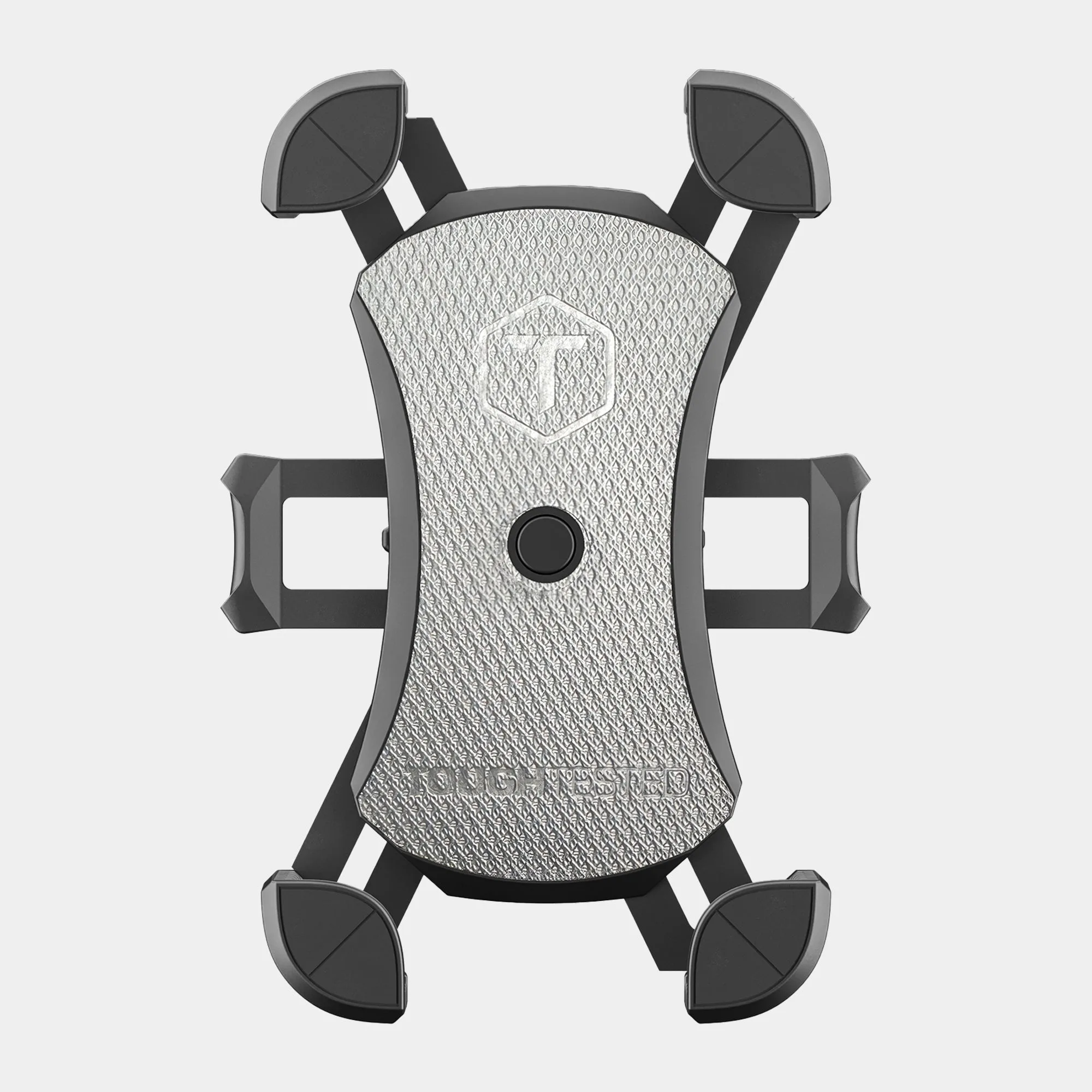
ToughTested 4-Prong Claw Grip Replacement Head