Quick answer
If your Model S or Model X blower only works on one speed, cuts in and out, or stops entirely, the fan switch is the first part to test before condemning the blower motor. Disconnect the 12V battery, pull the lower dash or footwell trim to reach the switch, confirm the fault with a meter, then swap in the replacement and test every speed setting before reassembling. Most of the job is trim removal, not electrical work.
A dead or erratic cabin fan is one of the more annoying Tesla faults because it is usually a small part causing a big inconvenience. On Model S and Model X, the A/C fan switch sits in the blower circuit and is a common failure point when the fan works on some speeds but not others, or stops responding to the touchscreen entirely.
This guide walks through a safe, methodical replacement. It applies to Model S and Model X, and the same testing logic applies whether you are chasing a Model S HVAC fan switch replacement or a Tesla Model X blower fan switch fault. Work slowly, label what you remove, and test before you button everything back up.
Confirm the fan switch is actually the problem
Before ordering parts, separate a switch fault from a blower motor fault. If the fan runs on high but not low, or responds intermittently to speed changes, the switch or its connector is the likely culprit. If the fan never runs at any speed, check the fuse and the blower motor first, because a seized motor can mimic a dead switch.
Listen while you change speeds. A motor that hums but does not spin points to the motor or a blockage, while silence at every setting points to power or control. Write down exactly which speeds work and which do not. That pattern is the fastest diagnostic you have, and it tells you whether you are replacing a switch or chasing something else.
- Note which fan speeds work, which do not, and whether the fault changes with temperature or vibration.
- If nothing works at all, check fuses and the blower motor before buying a switch.
Gather tools and parts before you start
You need basic hand tools, a plastic trim removal set, a multimeter, and a replacement switch or blower assembly that matches your car. Tesla changed HVAC hardware across Model S and Model X production years, so confirm fitment by year and option code rather than assuming all cars are the same. If a listing does not state a specification you need, treat that as a limitation and verify with the seller before buying.
Have a container for screws and clips. Interior fasteners are small, easy to lose, and often discontinued or slow to source. Photograph each stage before you pull a panel. That habit saves far more time than it costs, especially if you have to stop midway and come back to the job later.
- Use plastic trim tools, not a flathead screwdriver, to avoid cracking dash panels.
- Confirm the part number and model year before ordering; HVAC parts are not universal across Model S and Model X.
Disconnect power and access the switch
Park the car, power it down from the touchscreen, and disconnect the 12V battery before touching any electrical connector. Wait a few minutes for modules to sleep. This is not optional: the blower circuit is live with the car awake, and a slipped probe or connector can damage a control module that costs far more than the switch.
Access varies by model. On many cars you remove the lower dash panel or footwell trim on the passenger side to reach the blower and switch assembly. Work the clips evenly and set panels aside rather than stacking them where they can be stepped on. Once you can see the connector, do not pull it yet. Inspect it first for heat damage, corrosion, or a loose terminal.
- Disconnect the 12V battery and let modules sleep before unplugging anything.
- Inspect the connector for melted plastic or corrosion; a damaged connector will kill a new switch.
Test the circuit before replacing parts
With the connector exposed, use your meter to check for power and ground at the switch according to your wiring diagram. If power and ground are present but the switch does not pass continuity in the positions where the fan should run, the switch is faulty. If power is missing, the problem is upstream and a new switch will not fix it.
This step is where many DIY jobs go wrong. Replacing a switch on a circuit that has no power simply moves the fault, and you will be back under the dash a week later. Take the extra ten minutes to prove the fault. If your meter readings are ambiguous, stop and consult a wiring diagram or a qualified technician rather than guessing.
- Prove power, ground, and continuity before buying or fitting a replacement.
- If readings are unclear, stop and get a diagram or professional help instead of guessing.
Install the replacement and test every speed
Remove the old switch or blower assembly, transfer any mounting hardware, and fit the replacement without forcing connectors. They should seat with light pressure and an audible click. If a connector fights you, stop and check orientation; forcing it bends terminals and creates a new fault that looks like the old one.
Reconnect the 12V battery and test the fan at every speed, in both manual and auto modes, before reinstalling trim. Listen for rubbing, vibration, or a motor that stalls at low speed. Only after everything works should you refit panels and clips. If a speed still fails, you have a control or wiring issue, not a switch issue.
- Test all speeds and modes with the trim still off so you can reach the connector if something is wrong.
- Reassemble only after the fan works correctly at every setting.
Prevent repeat failures while you are in there
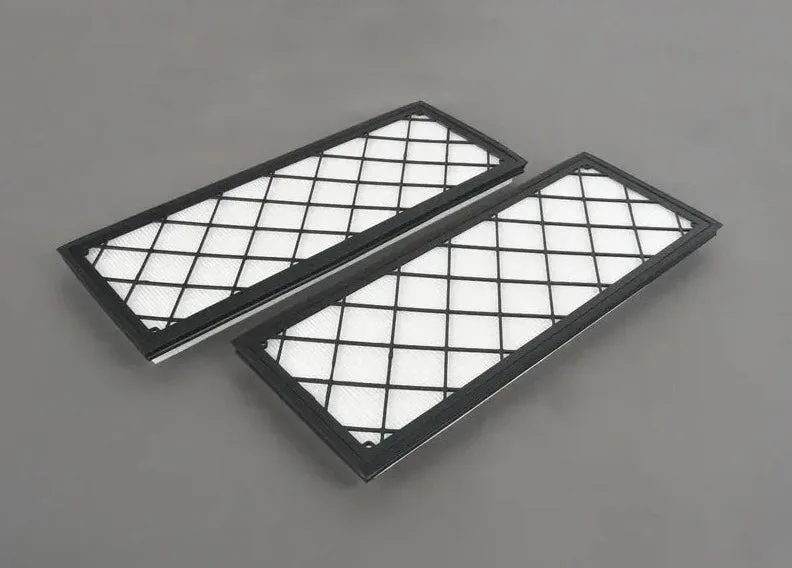
A restricted cabin filter makes the blower work harder, which adds heat and load to the circuit and shortens the life of electrical components. If your filter is due, replace it during this job. On Model Y the EVANNEX Cabin Filter Set for Tesla Model Y is an OE-quality replacement designed to minimize dust and keep the cabin environment clean, and the same logic applies on Model S and Model X: a clean filter protects the blower.
If your trunk or interior lighting is also dim, this is a good time to address small electrical upgrades while trim is already apart. The Trunk LED Light Upgrade for Tesla Model Y is a plug-and-play example of how simple these swaps can be on Tesla interiors, and it shows the value of doing related jobs together rather than reopening panels twice.
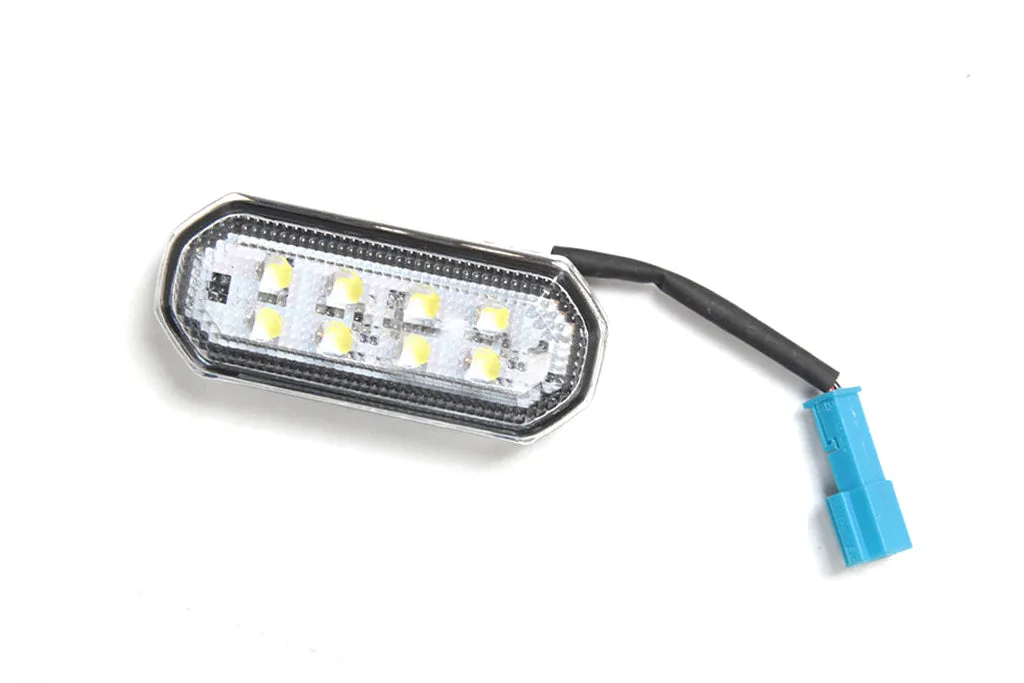
Trunk LED Light Upgrade for Tesla Model Y
- Replace a dirty cabin filter during the job to reduce blower load.
- Batch related interior electrical work so you only disassemble trim once.
A/C fan switch replacement steps
- 1. Record the symptom pattern: Note which fan speeds work, which fail, and whether the fault is constant or intermittent before touching anything. Checkpoint: a clear symptom pattern tells you whether you are replacing a switch or chasing a motor or fuse fault.
- 2. Verify part fitment by year and model: Confirm the replacement switch or assembly matches your Model S or Model X production year and option code. Checkpoint: HVAC parts are not universal across Tesla model years, so verify before ordering.
- 3. Disconnect the 12V battery: Power down the car, disconnect the 12V battery, and let modules sleep before unplugging any connector. Mistake to avoid: working on a live blower circuit can damage control modules that cost far more than the switch.
- 4. Remove trim carefully and inspect the connector: Use plastic trim tools to remove the lower dash or footwell panel, then check the connector for heat damage or corrosion. Mistake to avoid: prying with metal tools cracks panels, and a damaged connector will destroy a new switch.
- 5. Test power, ground, and continuity: Use a multimeter and wiring diagram to confirm the switch is faulty before removing it. Checkpoint: if power or ground is missing, the fault is upstream and a new switch will not fix it.
- 6. Fit the replacement and test all speeds: Seat connectors until they click, reconnect the battery, and test every fan speed and mode with trim still removed. Checkpoint: reassemble only after the fan works correctly at every setting.
- 7. Replace the cabin filter and reassemble: Install a fresh cabin filter to reduce blower load, then refit panels and clips evenly. Next step: if a speed still fails after reassembly, diagnose the control circuit rather than replacing the switch again.
Parts that support this job
- EVANNEX Cabin Filter Set for Tesla Model Y (1658375-00-A / 1896189-00-A): OE-quality replacement cabin filter set designed to replace your cabin air filter and minimize dust inside the cabin. A restricted filter forces the blower to work harder, so replacing it during fan service reduces load on the circuit you just repaired.
- Trunk LED Light Upgrade for Tesla Model Y: Direct plug-and-play replacement trunk interior lights with white LED output, usually ships the next business day. Shows how straightforward Tesla interior electrical swaps can be, which is useful context if you are batching small electrical jobs while trim is apart.
Replacing the A/C fan switch on a Model S or Model X is mostly patience and testing, not heavy mechanical work. Confirm the fault with a meter, disconnect the 12V battery, and verify every speed before you reinstall trim. If the new switch does not solve it, the problem is upstream in the wiring or control module, and that is the point to bring in a qualified technician.